Introduction
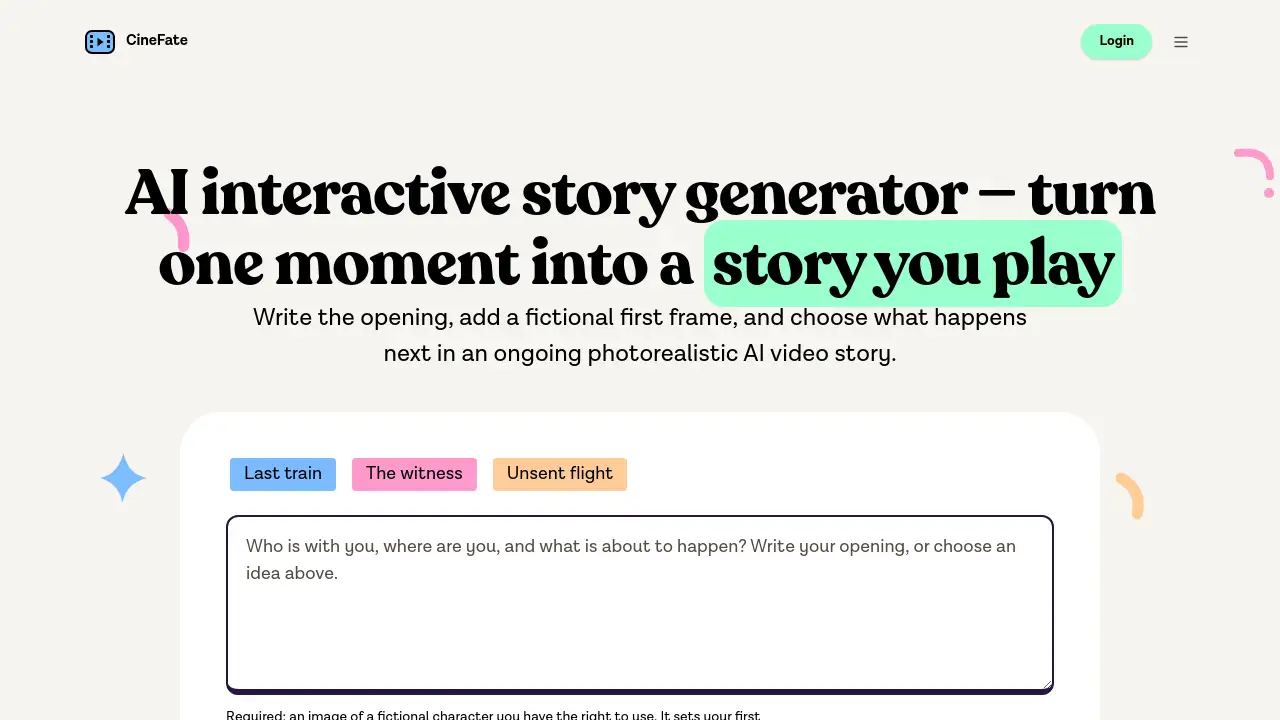
CineFate is an AI interactive story generator that turns one opening and a fictional first frame into a photorealistic AI video story shaped by choices. Instead of writing an entire script, a creator sets up a premise and then watches the story continue based on what they decide.
What is CineFate?
CineFate is an AI interactive story generator for short-form visual fiction. A user writes a premise, uploads a fictional first frame, and lets the system generate video scenes from that starting point. At every step, the story asks for direction. The creator picks one of two text choices, and the next scene is generated only along that chosen path.
This product solves a common problem for writers who want to create interactive stories but do not want to build branching timelines or write long scripts. With CineFate, no graph, flowchart, or planning board is required. The choice itself guides the story. As an AI interactive story generator, CineFate makes “what happens next?” a visual moment instead of a text menu.
CineFate suits storytellers, hobbyists, video makers, and AI-curious users who want to explore interactive fiction quickly. It matters because visual storytelling is often time-consuming and expensive. This approach moves the work from production planning to creative decision-making.
Key Features of CineFate
Write the Opening and Add a Fictional First Frame
Everything begins with one premise and one image. The image should show a fictional character the user has rights to use, and it becomes a fictional first frame for the opening video scene.
Watch the Opening as a Photorealistic AI Video Story
CineFate converts the text premise and image into a video scene. The opening plays like a photorealistic AI video story instead of a page of text.
Choose from Two Text Choices at Each Turning Point
At each decision moment, CineFate presents two text choices. Pick one, and the selected continuation is generated. The other option does not enter the story. This focused structure is what makes CineFate a practical AI interactive story generator rather than a complicated game engine.
Build Continuity from the Previous Scene
Each new scene uses the previous scene’s final frame to help connect the setting, person, and action. The opening image also remains a character reference, so the same fictional character can stay visually consistent across the story.
Keep the Story Focused on Selected Events
CineFate remembers what the creator selected during the story. If a user asks about a secret, the conversation becomes part of that chosen path. If the user walks away, the story follows that decision instead. Unchosen options are not treated as events that happened.
Save a Story and Return Later
The story state stays saved in the account, so users can pause and come back to the same path. An accepted video generation continues in the background even if the user leaves the page.
Use Cases for CineFate
Mystery and Suspense Encounters
Creators can start with a stranger with a secret, a strange key, or a letter that arrives unexpectedly. The next choices decide whether the character asks the difficult question or walks away.
Emotional Reunions and Unfinished Goodbyes
CineFate works well for personal encounters that carry emotional weight. A reunion across a train carriage, a canceled flight, or a visitor in the rain can become the opening of a photorealistic AI video story.
First-Person Visual Narratives
To create a first-person story, the user can describe themselves in the scene and upload an opening image framed from their point of view. This makes the AI interactive story generator feel more immersive.
How to Use CineFate
- Write the opening premise. Use the example idea or write an original setup.
- Upload the fictional first frame. The image should show a fictional character the user owns or has permission to use. It must be SFW and should not include celebrities, real people, or copyrighted characters.
- Verify your email. CineFate requires email verification before generation starts. The opening and first continuation are included after verification.
- Watch the opening scene. The AI generates the first video scene from the premise and the opening image.
- Choose what happens next. Select one of two options. Each choice determines the next video scene, and credits are used to keep the story moving.
Inside CineFate, the AI interactive story generator turns every decision into a new visual scene.
Target Audience for CineFate
- Fiction writers who want to see their scenes as video
- Fans of interactive stories and choice-based fiction
- AI content creators exploring visual storytelling
- Filmmakers and video storytellers prototyping short scenes
- Anyone who enjoys creating “what happens next” stories without a full production team
Is CineFate Free?
CineFate is not a completely free or unlimited service. New users receive starter credits that let them generate an opening and a first continuation after email verification. After that, each generated scene costs credits, and users can purchase monthly or yearly credits or a permanent credit pack.
| Plan | Price | Features |
|---|---|---|
| Starter credits | No charge after email verification | 20 starter credits; opening plus first continuation included |
| Continuing plans | Visit CineFate for current pricing | Monthly or yearly credits, or a permanent credit pack; each video scene uses 10 credits |
If a generation fails, the used credits are restored. Completed scenes are charged even if the user does not watch them or later deletes them.
CineFate's Pros and Cons
| Aspect | Pros | Cons |
|---|---|---|
| Pricing | Starter credits allow a first run without payment | Every scene costs 10 credits after that; no unlimited generation plan |
| Story design | No branching diagram, so creators can start fast | Unchosen options are not generated, so exploring alternatives requires a new story |
| Setup | Only a premise and one image are needed to begin | The image must be SFW and must show a fictional character the user owns or has rights to use |
Frequently Asked Questions about CineFate
Does CineFate generate text or video?
CineFate creates photorealistic AI-generated video scenes. Text is used for the premise and for the choices, but the story itself plays as video. The sample images on the site are illustrations of story ideas, not recordings of finished playthroughs.
How do choices work?
Each decision point offers two text options. When a user picks one, CineFate generates only that continuation. The selected path becomes part of the story, and the unchosen option is not generated as a video scene.
What kind of opening image can I use?
Use a clear image of a fictional character that you created, generated, commissioned, or have permission to use. The face and setting should be visible, and the image must be SFW. Do not upload celebrities, identifiable real people, or copyrighted characters that you do not control.
How long does a choice take to generate?
The next video scene starts generating only after a choice is made, so there is a wait at each decision point. The current scene stays in place while generation progresses. The time varies, and an accepted generation continues in the background if the user leaves the page.
Do I need an account, and what does it cost?
Yes. An account with email verification is required before generation begins. Each account receives 20 starter credits, enough for the opening and the first selected continuation. Each scene uses 10 credits. Users can continue with monthly or yearly credits, or a permanent credit pack.
How long can my story continue?
There is no fixed number of scenes and no forced ending. A user can keep the same story going while credits remain, pause, and return later. If credits run out, the story stays saved. CineFate does not offer unlimited generation.
CineFate Tags
AI interactive story generator, photorealistic AI video story, fictional first frame, CineFate review, AI video story generator, interactive storytelling tool, choice-driven video story, AI generated video fiction, visual narrative maker, creative AI story tool