Introduction
CropGuide image cropper fixes user photos before upload.
What is CropGuide?
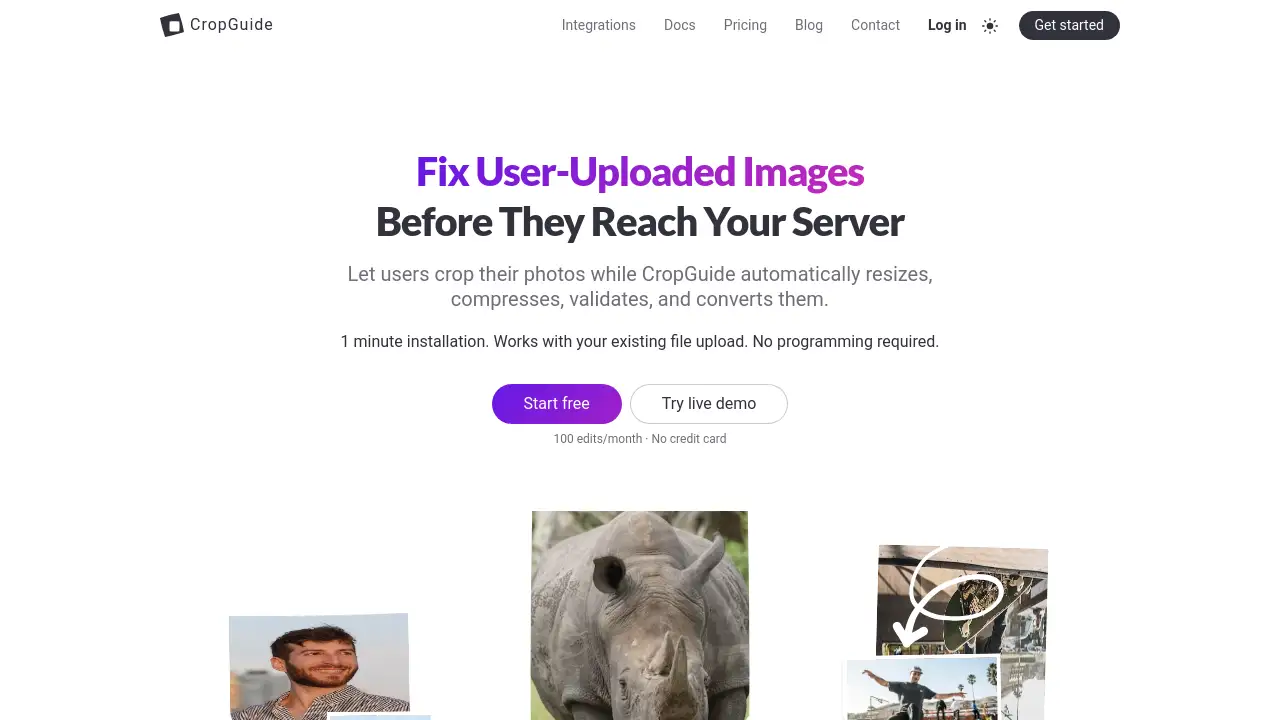
CropGuide is a browser-based image cropper and upload preparation tool for websites that accept user photos. It helps site owners crop images before upload and automatically resize, compress, validate, and convert them. The CropGuide image cropper works with an existing file upload field, so teams can improve image quality without rebuilding their forms or adding complex backend logic.
The main problem CropGuide solves is messy user-uploaded media. Instead of accepting a very large photo, discovering the wrong aspect ratio, or processing bad files on the server, the image cropping tool applies rules in the user’s browser first. This can reduce bandwidth, storage use, and backend processing. It also creates more consistent output and fewer invalid uploads. CropGuide is suitable for developers, SaaS teams, marketplaces, community platforms, and no-code website owners who want a practical client-side image editor.
Key Features of CropGuide
Fixed Aspect Ratio Cropping
Let users crop images before upload to a defined aspect ratio. The editor includes zoom and rotate controls so the final selection meets site requirements.
Automatic Image Resizing
Scale down large photos to a maximum output size. This helps reduce bandwidth and storage while avoiding common “file too big” warnings.
Compression and Image Validation
Compress images and block files that are too small or low quality. Set quality and minimum size rules to keep image upload results consistent.
Photo Orientation Correction
Automatically fix mobile photo orientation so images do not appear flipped or sideways. This improves the experience for forms that accept image uploads.
Image Format Conversion
Convert unconventional image formats such as HEIC to JPEG. This creates more predictable files for web image upload workflows.
Privacy-First Browser Editing
Process image data in the browser instead of sending it through CropGuide servers. This supports user privacy and can reduce backend processing.
Simple Script Installation
Add the image cropper to an existing file upload field with a script tag. Setup takes about one minute and does not require programming.
Flexible Editor Configuration
Configure aspect ratio presets, theme, guide overlays, locale, and headless mode. This helps match the image cropping tool to different site layouts and workflows.
Use Cases for CropGuide
Profile Picture Uploads
Use CropGuide to enforce square or circular profile photo crops. The guide overlay helps users frame faces correctly before image upload.
Marketplace Listings
Let sellers crop images before upload to consistent aspect ratios. Automatic resizing and compression keep listing photos manageable.
Real Estate and Travel Listings
Standardize property or destination photos with fixed aspect ratios. CropGuide can resize images and correct orientation before they reach the server.
E-commerce Product Photos
Create uniform product image uploads with defined output sizes and formats. Compression and validation help avoid low-quality or oversized files.
Community and Social Platforms
Collect cleaner member photos and post images with a client-side image editor. Users can crop, rotate, and compress images before upload.
Internal Forms and Admin Tools
Add image cropping to existing upload fields without rebuilding the form. CropGuide works with current file uploads and can fall back gracefully on unsupported browsers.
How to Use CropGuide
- Copy the CropGuide script tag to the webpage that contains the file upload field.
- In the CropGuide app, set image requirements such as aspect ratio, output size, format, compression, and minimum size.
- Keep the existing upload field; the image cropper opens when users select a photo and applies the rules before upload.
- Test the workflow on desktop and mobile devices, using the live demo if needed, then review the output images.
Target Audience for CropGuide
- Web developers who need a simple image cropper for upload forms
- SaaS teams that accept user photos or profile images
- Marketplace and classified listing platforms
- E-commerce managers who want consistent product photos
- Community and social platform administrators
- Agencies building forms for multiple clients
- No-code website owners who want image upload improvements without programming
Is CropGuide Free?
CropGuide offers a free start option with 100 edits per month and no credit card. Paid plan details are not listed in the available reference information, so check the official CropGuide pricing page for current options.
| Plan | Price | Features |
|---|---|---|
| Free | $0 | 100 edits/month, no credit card, core crop/resize/compress/convert workflow |
| Paid plans | Not listed in reference | Check the official pricing page for current limits and features |
CropGuide's Pros and Cons
| Aspect | Pros | Cons |
|---|---|---|
| Pricing | Free plan available with 100 edits/month | Paid plan details are not listed in the reference |
| Setup | One-minute script installation | Requires adding a script to the website |
| Features | Crop, resize, compress, validate, and convert images | Focused on pre-upload image preparation, not full media management |
| Privacy | Image editing happens in the browser | Performance depends on the user’s browser and device |
| Integration | Works with existing file upload fields | Sites should still test output across desktop and mobile |
Frequently Asked Questions about CropGuide
What does CropGuide do?
CropGuide is an image cropper that helps websites crop images before upload and automatically resize, compress, validate, and convert them. It works with an existing file upload field and reduces common image problems before files reach the server.
Do users need to install software?
No. Users edit photos in the browser through the CropGuide image cropper. The website owner adds a script tag, and no programming is required for basic setup.
Is CropGuide free?
CropGuide offers a free start option with 100 edits per month and no credit card. Paid plan details are not listed in the reference information, so check the official site for current pricing.
Does CropGuide work on mobile devices?
CropGuide is described as fully functional on modern mobile and desktop browsers. On browsers that cannot run the editor, it gracefully falls back to the default file upload field.
Are user images stored on CropGuide servers?
According to the product information, image data stays in the browser and is not stored by CropGuide. Image editing happens client-side, so users’ images do not pass through CropGuide servers.
Can CropGuide convert HEIC images to JPEG?
Yes. CropGuide can automatically convert unconventional image formats, such as HEIC to JPEG, as part of the image upload workflow. It can also apply output format, size, and compression rules.
CropGuide Tags
CropGuide, image cropper, crop images before upload, image upload editor, client-side image editor, resize images, compress images, convert image format, image cropping tool, photo orientation fix, web image upload, image validation