Introduction
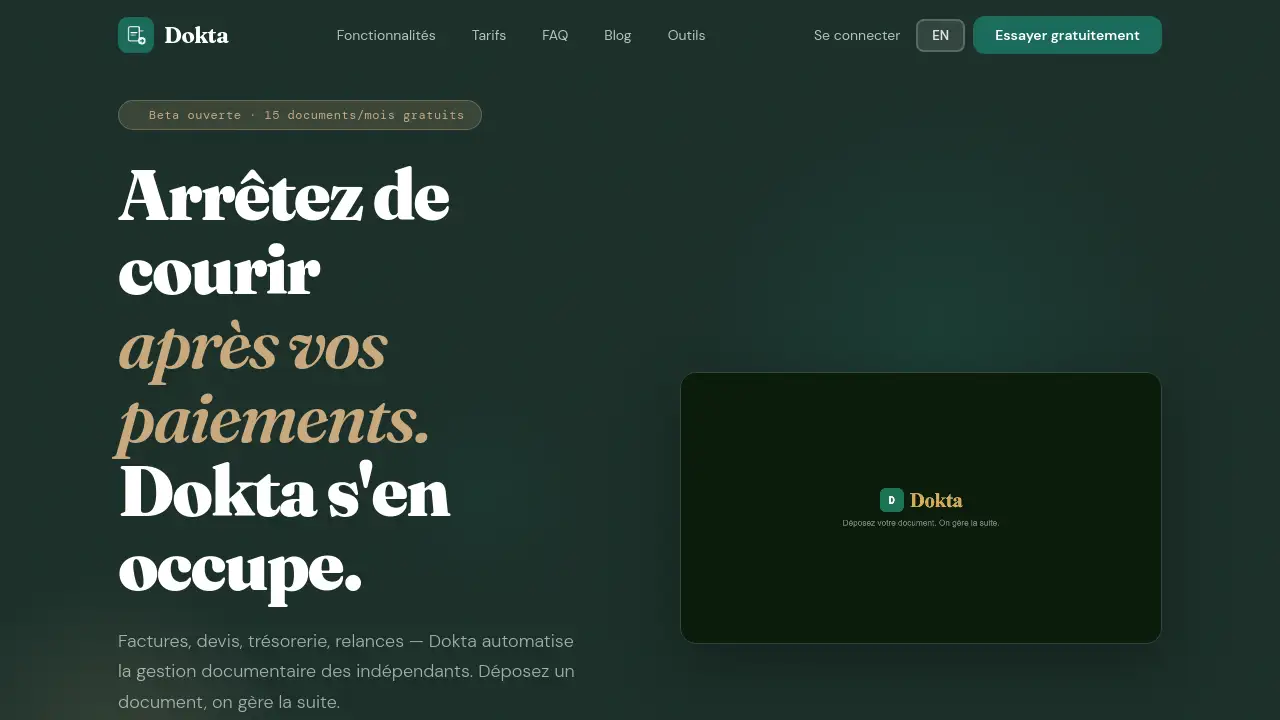
Dokta is an AI-powered tool that automates invoice tracking and payment follow-ups for freelancers and solopreneurs.
What is Dokta?
Dokta is a document management platform designed to automate the financial and administrative workload for freelancers, consultants, and micro-entrepreneurs. The core problem it addresses is the time-consuming and often awkward task of chasing unpaid invoices. By leveraging AI and automation, Dokta helps independent professionals stop chasing payments manually. Users can upload any financial document—like an invoice, quote, or contract—and the platform automatically reads it, extracts key data, and creates actionable tasks. This means less time spent on manual data entry and follow-ups, and more clarity on cash flow. The tool is particularly relevant for anyone who bills clients, needs to track expenses, or wants a real-time overview of their business finances without complex accounting software.
Key Features of Dokta
Instant Document Analysis
Dokta uses OCR and AI to analyze uploaded documents in under 60 seconds, automatically classifying the document type and extracting critical data like amounts, due dates, and client information.
Automated Invoice & Quote Generation
The platform allows users to create professional invoices and quotes in a few clicks, with features for automatic monthly billing for retainer contracts and one-click conversion of accepted quotes into invoices.
Online Quote Acceptance
Freelancers can send quotes with a secure online acceptance link, streamlining the approval process and making it easier for clients to agree to terms digitally.
Real-Time Cash Flow Dashboard
A central dashboard provides a clear, visual overview of key financial KPIs, including billed revenue, collected cash, outstanding payments, and VAT, with a 12-month graph for trend analysis.
Automated Payment Reminders
Dokta automates the process of sending polite, professional payment reminders for overdue invoices, helping freelancers recover unpaid funds without the uncomfortable manual follow-up.
Client & Supplier Management
The system automatically enriches contact details using SIRET numbers, provides payment history, and assigns a payment reliability score for each client or supplier entity.
Anomaly Detection
The platform proactively scans documents for potential issues like duplicate invoices, inconsistent VAT, missing numbering, or changed bank details (IBAN), helping to prevent errors and fraud.
Use Cases for Dokta
IT Freelancer / Consultant
For freelancers on daily rate (TJM) contracts, Dokta can automatically generate monthly invoices based on the contract, track payments, and send reminders, allowing the professional to focus on their technical work.
Project-Based Freelancer / Creative
Creative professionals can manage a project from the first quote to the final payment. Dokta streamlines the workflow with online quote signatures and one-click conversion to an invoice upon client acceptance.
Micro-Entrepreneur (Auto-Entrepreneur)
This user benefits from compliant invoice generation, simple payment tracking, and alerts for important deadlines like URSSAF social charge payments, all in a straightforward interface designed for simplicity.
Small Agency or Team
The Team plan supports multiple users and a higher volume of documents, offering advanced reporting, complete cash flow management, and multi-client capabilities suitable for a small collaborative business.
How to Use Dokta
Getting started with Dokta is designed to be a simple, three-step process:
- Upload a Document: Begin by uploading a financial document. You can drag and drop a PDF, photo, or scan directly into the Dokta web platform or even forward it to a unique, dedicated email address provided for your account.
- Let Dokta Analyze: The platform's AI will process the document in less than a minute. It identifies what the document is (e.g., an invoice, quote, or expense receipt) and extracts all the key information like total amount, client name, and due date.
- Review and Act: Based on the analysis, Dokta presents clear, actionable tasks. You simply review the extracted data for accuracy and then with one click, you can approve an invoice for sending, schedule a payment reminder, or archive the document. The system handles the execution.
Target Audience for Dokta
- Freelancers and Independent Consultants (IT, marketing, design, coaching, etc.)
- Micro-entrepreneurs and Solopreneurs (Auto-entrepreneurs in France)
- Small Creative Agencies or Studios
- Any Self-Employed Professional who issues invoices and needs to track payments and cash flow.
Is Dokta Free?
Dokta offers a free Discovery plan to start, with paid plans scaling up for different needs. All paid plans include a free trial period.
| Plan | Price | Key Features & Document Limit |
|---|---|---|
| Discovery | €0/month | 15 documents/month (max 5 pages/doc), free invoice generator, unlimited client base. |
| Starter | €9/month | 50 documents/month, automated payment reminders, expense tracking, CSV export. |
| Freelance | €12/month | 100 documents/month, unlimited pages, automatic monthly invoices from contracts, full income dashboard. |
| Pro | €15/month | 100 documents/month, online quote signing, project tracking, quote-to-invoice in one click. |
| Team | €29/month | 500 documents/month, up to 5 users, multi-client management, advanced reporting. |
Dokta's Pros and Cons
| Aspect | Pros | Cons |
|---|---|---|
| Pricing & Accessibility | Generous free tier; affordable entry-point plans; founder pricing locked in for early users. | Document limits on lower-tier plans may constrain users with high monthly volume. |
| Features & Automation | Powerful AI analysis saves data entry time; automates tedious tasks like payment reminders; intuitive dashboard. | Not a replacement for a full accountant for complex declarations and annual filings. |
| Usability | Simple, three-step workflow; designed specifically for non-accountants. | Mobile experience is currently browser-based; native apps are planned for the future. |
| Security & Compliance | Data hosted in Europe (AWS Paris/Ireland); fully GDPR compliant; uses enterprise-grade encryption. | – |
Frequently Asked Questions about Dokta
Is my data secure with Dokta?
Yes. Dokta hosts all data on AWS servers located in Europe (Paris/Ireland). It uses AES-256 encryption for data at rest and TLS for data in transit, ensuring full compliance with GDPR regulations.
What happens if I exceed my monthly document limit on the free plan?
Documents beyond the 15-document limit are placed in a queue. To process them, you would need to upgrade to a paid plan, such as the Starter (50 documents) or Freelance (100 documents) plan.
Can Dokta replace my accountant?
No. Dokta is designed to automate daily administrative and financial tracking tasks—like invoice follow-ups, cash flow monitoring, and simple VAT tracking. For complex annual declarations, balance sheets, and official filings, the expertise of a qualified accountant remains essential. Dokta complements them by providing clean, organized data exports.
What types of documents can I upload?
Dokta can process invoices (sent and received), quotes, contracts, subscription notices, and expense receipts. Supported file formats include PDF, JPG, PNG, and TIFF.
Does Dokta handle credit notes (avoir)?
Yes. Dokta manages compliant credit notes according to French tax article 289 of the CGI, with separate sequential numbering and automatic impact on the cash flow dashboard.
How does the automated invoicing for retainer contracts work?
You create a contract within Dokta with your agreed rate or fixed fee and activate the recurring billing feature. Dokta will then automatically generate a draft invoice for you each month. You review it, validate it, and send it to your client with one click.
Dokta Tags
Dokta, invoice automation, freelance tool, automatic payment reminders, chase unpaid invoices, cash flow management, freelance finance, document management AI, auto-entrepreneur tool, online quotes, GDPR compliant, expense tracking, freelance dashboard, solopreneur software