Introduction
An AI video generator that creates stunning 4K cinematic videos from text or images.
What is flow ai video?
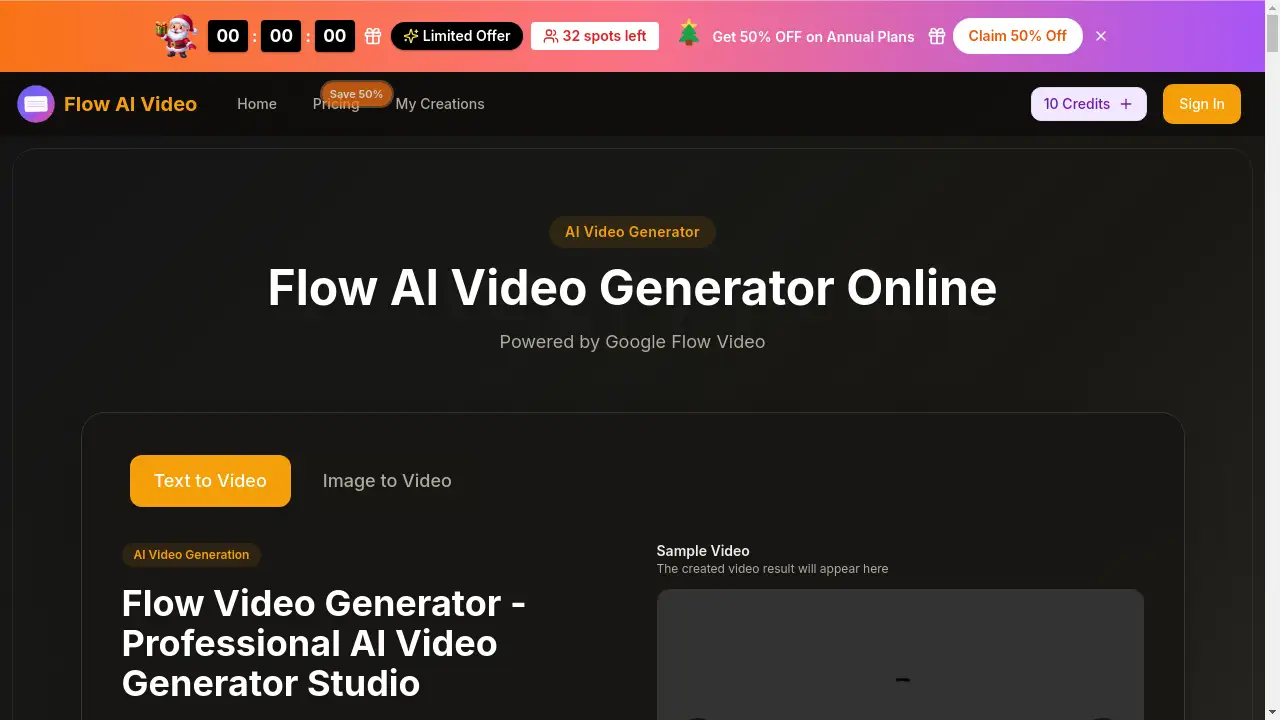
Flow AI Video is an online AI video generator that transforms text prompts or static images into high-quality video content. It leverages technology like Google Flow Video to produce 4K cinematic videos with realistic motion synthesis and multi-shot storytelling. This tool solves the problem of time-consuming and resource-intensive professional video production, making it accessible for creators, marketers, and businesses. It is suitable for anyone needing to quickly generate professional-looking video assets for social media, marketing, storytelling, or creative projects. The ability to create coherent, multi-scene narratives from a simple idea makes it a significant tool in the content creation landscape.
Key Features of flow ai video
4K Cinematic Quality
Flow AI Video delivers stunning high-definition output in native 4K resolution, ensuring videos have smooth motion, rich details, and a professional cinematic aesthetic suitable for any project.
Text & Image to Video
Users can create dynamic videos either by writing a descriptive text prompt or by uploading a static image, offering flexible starting points for AI video generation with intelligent motion synthesis.
Native Multi-Shot Storytelling
The platform excels at generating cohesive narrative videos with multiple shots, maintaining consistency in characters, visual style, and atmosphere across scene transitions for professional storytelling.
Lightning-Fast Generation
It offers industry-leading processing speed, allowing users to bring their creative visions to life in moments without compromising on the final video quality.
Diverse Visual Styles
From photorealistic scenes to anime, cyberpunk, or watercolor aesthetics, Flow Video Generator supports a wide range of visual styles to match any creative concept.
Advanced Semantic Understanding
The AI provides precise control over complex elements like multi-agent interactions, detailed action sequences, and various camera movements through advanced language parsing.
Use Cases for flow ai video
Social Media Content Creation
Quickly produce engaging short-form videos for platforms like TikTok, Instagram Reels, and YouTube Shorts to capture audience attention with AI video creation.
Marketing and Advertising
Generate high-quality promotional videos, product demos, or ad creatives that look professionally produced, enhancing brand campaigns without a large production budget.
Creative Storytelling
Develop narrative-driven content, short films, or concept videos with coherent multi-shot sequences, ideal for filmmakers and digital storytellers.
Educational and Explainer Videos
Transform complex ideas or static diagrams into clear, dynamic explainer videos that are more engaging for learners and viewers.
How to Use flow ai video
Using the Flow AI Video platform is designed to be a straightforward process:
- Access the Generator: Navigate to the Flow AI Video website and locate the main Flow Video Generator interface.
- Input Your Source: Choose your creation method. Either type a detailed text description into the prompt box or upload an image you want to animate.
- Configure Settings: Adjust parameters like aspect ratio (e.g., 16:9, 9:16), video quality (720p or 1080p), and duration (5 or 10 seconds) to match your needs.
- Generate Video: Click the generate button. The AI will process your input and create a video, typically within 15-30 seconds.
- Review and Download: Preview the generated Flow AI Video 4K output. If satisfied, you can download it immediately or use the editing features to make further refinements.
Target Audience for flow ai video
- Content Creators & Influencers: Individuals who need to produce a high volume of engaging video content regularly for social media.
- Digital Marketers & Agencies: Professionals requiring quick, cost-effective video assets for advertising campaigns, social media ads, and client work.
- Small Business Owners & Entrepreneurs: Those who need to create professional marketing videos without hiring a production team or learning complex editing software.
- Educators & Trainers: People who want to make static educational materials more dynamic and engaging through video.
- Hobbyists & Beginners: Anyone interested in exploring AI video generation and bringing creative ideas to life with an easy-to-use tool.
Is flow ai video Free?
Flow AI Video offers a free trial with credits to get started. For continued use, it operates on a credit-based subscription model. Detailed pricing is available on its official website, with annual plans currently offering a 50% discount. The main paid plans are:
| Plan | Price (Monthly, Billed Annually) | Key Features & Credits |
|---|---|---|
| Basic | $15.9/month | Perfect for beginners. Includes 1,000 credits/month (12,000/year), basic AI models, and commercial license. |
| Professional | $25.9/month | For serious creators. Includes 2,000 credits/month (24,000/year), access to Flow Video Maker and more advanced AI models. |
| Enterprise | $49.9/month | For teams/businesses. Includes 6,000 credits/month (72,000/year), priority generation, and all advanced features like Google Flow Video access. |
flow ai video's Pros and Cons
| Aspect | Pros | Cons |
|---|---|---|
| Output Quality | Generates high-quality 4K cinematic videos with realistic motion. | Free trial credits are limited; high-quality output requires paid plans. |
| Ease of Use | Simple, intuitive interface suitable for non-technical users. | Advanced features and model access are gated behind higher-tier annual plans. |
| Speed | Very fast generation times, often between 15-30 seconds. | Video duration is currently limited to a maximum of 10 seconds per generation. |
| Features | Powerful multi-shot storytelling and diverse style support. | The credit system may require careful management for high-volume users. |
Frequently Asked Questions about flow ai video
What is Flow AI Video used for?
Flow AI Video is used to generate short, high-quality videos from text descriptions or images. It's ideal for creating social media content, marketing ads, explainer videos, and creative storytelling projects quickly and easily.
How does the Flow AI Video free trial work?
The platform offers free credits for new users to test the Flow Video Generator. These credits allow you to create a limited number of videos to evaluate the quality and features before committing to a paid subscription plan.
What is the difference between text-to-video and image-to-video?
Text-to-video involves writing a prompt describing the scene, and the AI generates the video from scratch. Image-to-video starts with an uploaded image, and the AI animates elements within it to create a dynamic video.
Can I use Flow AI Video videos for commercial purposes?
Yes, according to the provided information, all paid plans include a Commercial Use License, allowing you to use the generated videos in client work, advertisements, and other commercial projects.
What video quality and formats does Flow AI Video support?
The tool can generate videos in up to 4K resolution. Users can select from standard aspect ratios like 16:9 (landscape), 9:16 (portrait), 1:1 (square), and others, with quality settings of 720p HD or 1080p Full HD.
How long does it take to generate a video?
Generation is typically very fast, with videos often being created in 15 to 30 seconds, depending on the complexity of the prompt and the selected settings.
flow ai video Tags
AI video generator, Flow AI Video, text to video, image to video, 4K cinematic video, Google Flow Video, Flow Video Generator, AI video creation, video maker online, multi-shot storytelling, Flow AI Video 4K, free AI video generator, professional video creation, Flow Video Maker