Introduction
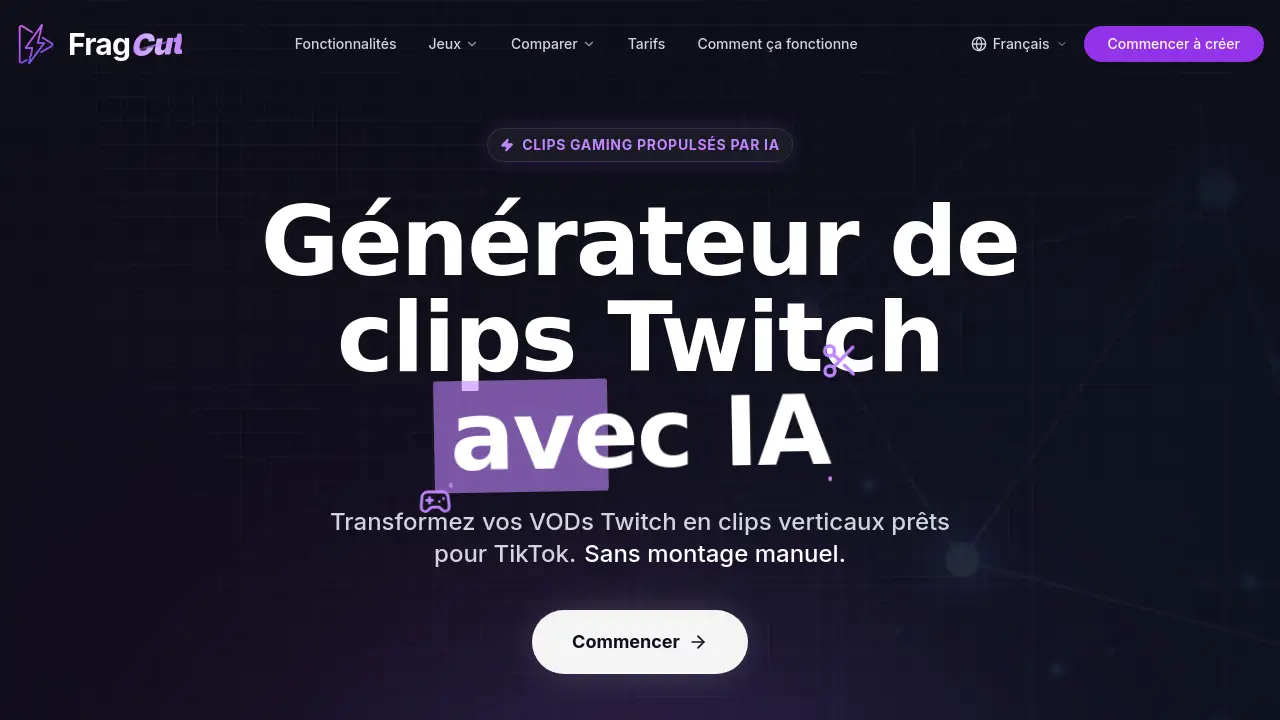
An AI Twitch clip generator like FragCut.io automatically transforms long gaming streams into short vertical videos ready for TikTok, Reels, and YouTube Shorts. This tool uses artificial intelligence to detect highlights, add captions, and export clips without manual editing – all in 15 to 30 minutes.
What is FragCut.io?
FragCut.io is a cloud-based AI clip generator for Twitch and other gaming content. It solves the problem of manually reviewing hours of VOD footage to find the best moments and re-edit them for short‑form platforms. Streamers, esports players, and casual content creators can upload their MP4, MOV, WebM, or MKV files (or paste a Twitch URL) and let the AI automatically spot kills, aces, clutches, and funny interactions. The output is a set of vertical, captioned clips ready to publish. This matters because posting consistently on TikTok and Shorts demands a steady supply of short, engaging content – something that traditionally requires expensive editing software and hours of work. FragCut.io brings the entire workflow into one browser‑based dashboard.
Key Features of FragCut.io
AI Highlight Detection
The AI scans your gameplay footage and automatically identifies the most exciting moments – headshot streaks, team wipes, clutch rounds, and humorous fails. It works with popular games like Valorant, Counter‑Strike 2, Apex Legends, Fortnite, and many more.
Vertical Format Conversion
Horizontal gameplay is automatically cropped and reframed into a 9:16 vertical video. This makes the clips immediately suitable for TikTok, Instagram Reels, and YouTube Shorts without any manual cropping.
Auto‑Subtitles
Speech‑to‑text technology generates embedded captions for every clip. These subtitles help viewers who watch without sound, increasing engagement on social media platforms.
Montage Creator
Multiple highlights can be combined into one compilation video. Simply drag and drop clips to rearrange them, then click “Auto Stitch” to create a highlight reel in seconds.
Clip Refinement
You can fine‑tune the start and end points of each clip with frame‑by‑frame precision. All editing is done directly in the browser, with real‑time preview.
Multiple Clips per Video
A single VOD can produce 5 to 8 clips. This means more content to publish without extra effort, making it easier to maintain a consistent posting schedule.
Use Cases for FragCut.io
Twitch Streamers Repurposing VODs
After a live stream, upload the VOD to FragCut.io. The AI will extract the best moments and deliver vertical clips that can be posted to TikTok, Reels, and Shorts to attract new viewers.
Gaming Content Creators Making Compilations
Use the montage creator to assemble multiple highlights into one “best of” video. This is perfect for weekly roundups or highlight reels that perform well on YouTube.
Small Creators Without Editing Skills
For those who cannot spare hours in video editing software, FragCut.io provides a simple upload‑and‑download workflow. The AI handles the heavy lifting, allowing creators to post regularly without burnout.
How to Use FragCut.io
- Upload or Import – Drag and drop a video file (MP4, MOV, WebM, MKV) or paste a Twitch stream URL. The tool accepts footage up to 4 hours long.
- AI Processes the Video – The AI analyzes the gameplay, identifies highlights, and creates vertical clips with subtitles. This takes around 15 to 30 minutes for a typical stream.
- Review and Refine – Browse the generated clips. Adjust start/end points frame‑by‑frame if needed. Use the montage creator to combine clips.
- Download and Publish – Download the clips in vertical format. Post directly to TikTok, YouTube Shorts, or Instagram Reels.
Target Audience for FragCut.io
- Twitch Streamers – Anyone who streams regularly and wants to grow their audience on TikTok and Shorts.
- Gaming Content Creators – YouTubers, editors, and highlight channel owners who need a steady supply of short clips.
- Esports Teams and Organizations – Social media managers who need to clip tournament VODs quickly.
- Small or Casual Creators – Gamers who want to share their best moments without learning complex editing software.
Is FragCut.io Free?
FragCut.io operates on a subscription model. A free tier is available, which lets you process a limited number of videos per month with standard processing speed. Paid plans unlock more video uploads, faster processing, and additional features like unlimited clips and priority support. For the most accurate and up‑to‑date pricing, visit the official pricing page.
| Plan | Price | Main Features |
|---|---|---|
| Free | $0 / month | Limited videos, standard processing, up to 5 clips per video |
| Pro | Starts at $X / month | Unlimited videos, faster processing, 8+ clips per video, priority support |
FragCut.io's Pros and Cons
| Aspect | Pros | Cons |
|---|---|---|
| Ease of Use | No software installation, browser‑based, simple upload‑and‑download workflow | Requires a stable internet connection for uploads |
| Time Savings | Processes 4‑hour VODs in 15‑30 minutes, auto‑detects highlights | AI may miss some moments or include unwanted sections (can be refined manually) |
| Output Quality | Vertical format and auto‑subtitles are immediately usable on social media | Subtitles may have minor errors; refinement tools are basic but sufficient |
| Support for Games | Compatible with all major games (Valorant, CS2, Apex, Fortnite, etc.) | Less effective for non‑competitive or story‑driven games without clear highlight events |
| Pricing | Free tier available for testing | Paid plans may be expensive for hobbyists who process many videos |
Frequently Asked Questions about FragCut.io
How does FragCut work?
You upload a VOD (or paste a Twitch URL), and the AI scans the gameplay to detect highlights like kills, clutches, and funny moments. It then creates vertical clips with auto‑generated subtitles. You can review, refine, and download the clips – all within a browser.
What subscription plans does FragCut offer?
FragCut has a free plan with limited features and paid plans that include faster processing, more video uploads, and no watermarks. Visit the pricing page for full details.
Which games does FragCut support?
FragCut works with most popular games, including Valorant, Counter‑Strike 2, Apex Legends, Overwatch 2, Fortnite, League of Legends, Dota 2, Minecraft, and many more. The AI is optimized for competitive shooters and battle royales.
How long does video processing take?
Typical processing time is 15 to 30 minutes for a 4‑hour VOD. Paid plans may offer faster processing. During busy periods, processing might take longer.
Can I edit or customize the generated clips?
Yes. You can adjust the start and end points of each clip with frame‑by‑frame precision. The montage creator lets you combine multiple clips into a single video. Subtitle styling options are currently basic.
Is my content secure? Who owns the clips?
FragCut uses encrypted storage and does not share your content. You retain full ownership of all videos and clips. The service does not claim any rights to your content.
FragCut.io Tags
AI Twitch clip generator, gaming clip creator, TikTok clip maker, highlight detection AI, vertical video converter, Twitch VOD to TikTok clips, auto subtitle generator, content repurposing tool, best AI clip generator for Twitch, FragCut review, Twitch highlights automation, AI gaming clip maker