Introduction
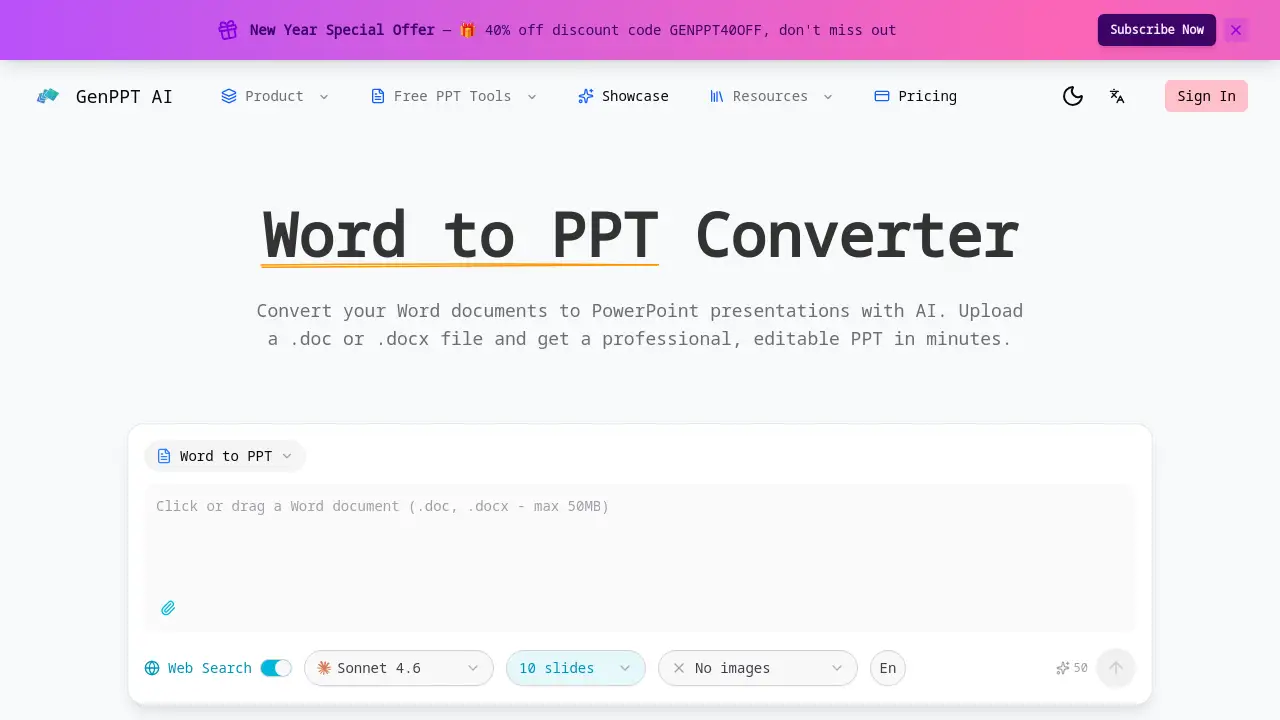
Convert Word documents to professional PowerPoint presentations instantly with an AI-powered Word to PPT converter.
What is Word to PPT Converter?
The Word to PPT Converter is an online AI tool that transforms Microsoft Word documents (.doc or .docx files) into fully editable PowerPoint presentations. It addresses the time-consuming and often tedious task of manually copying content from a Word document to PowerPoint slides. This tool is suitable for students, professionals, educators, and anyone who needs to create a presentation from an existing report, proposal, or research paper quickly. By using artificial intelligence, it intelligently interprets the document's structure, applies professional design, and delivers a polished PowerPoint file, saving significant effort in presentation creation.
Key Features of Word to PPT Converter
Smart AI Conversion
The AI analyzes the entire Word document, extracting headings, paragraphs, lists, and tables to create a logical and well-structured PowerPoint slide flow.
Preserves Document Structure
This Word to PPTX converter maintains the original document's hierarchy, turning chapters into sections and headings into slide titles for a coherent presentation.
Professional Slide Design
It doesn't just convert text; it applies modern layouts, color schemes, and typography to ensure the final PowerPoint presentation is visually appealing.
Fully Editable PPTX Output
The result of the Word to PPT conversion is a standard .PPTX file that can be opened and customized in Microsoft PowerPoint or similar software.
Web Search Enhancement
An optional feature allows the AI to supplement the document's content with the latest web-sourced data, statistics, and context for more impactful slides.
Fast and Free Conversion
Users can convert Word to PPT for free in minutes, handling files of any length without requiring an account or sign-up process.
Use Cases for Word to PPT Converter
Academic Report to Presentation
Students can quickly turn a lengthy research paper or essay from a Word document into a structured presentation for class.
Business Proposal Drafting
Professionals can convert a detailed business proposal document into a client-ready PowerPoint deck with professional design elements.
Training Material Creation
Trainers and educators can transform lesson plans or training manuals from Word into engaging slide decks for workshops or lectures.
Meeting Preparation
Teams can expedite meeting preparation by converting agenda notes or project reports from Word into a clear, shareable PowerPoint format.
How to Use Word to PPT Converter
- Visit the Word to PPT converter tool's website.
- Upload your .doc or .docx file by dragging and dropping or browsing your computer.
- (Optional) Select a design template and enable features like web search enhancement.
- Initiate the conversion process. The AI will process the document.
- Download the resulting, fully editable PowerPoint (.PPTX) presentation file.
Target Audience for Word to PPT Converter
- Students and Academics
- Business Professionals and Consultants
- Educators and Trainers
- Marketing and Sales Teams
- Freelancers and Content Creators
- Anyone needing to create a presentation from a text document
Is Word to PPT Converter Free?
The reference information indicates a core free offering. A special promotional discount is also mentioned.
| Plan | Price | Features |
|---|---|---|
| Free | $0 | Convert Word to PPT with AI, professional slide design, editable PPTX output. |
| Special Offer | 40% Off (Code: GENPPT40OFF) | Applies to any potential premium plans. Users should check the official website for detailed pricing tiers. |
Word to PPT Converter's Pros and Cons
| Aspect | Pros | Cons |
|---|---|---|
| Ease of Use | Extremely simple, drag-and-drop interface with fast results. | Advanced features like template selection may require exploration. |
| Output Quality | Delivers professionally designed, fully editable PowerPoint files. | The AI's design interpretation may not always match specific brand guidelines. |
| Cost | Offers a robust free tier for basic Word to PPT conversion. | Full feature set and high-volume use likely require a paid plan. |
| Functionality | Preserves document structure and offers useful add-ons like web search. | As an online tool, it requires an internet connection to function. |
Frequently Asked Questions about Word to PPT Converter
What file formats does the Word to PPT converter support?
The tool supports Microsoft Word file formats, specifically .doc and .docx files, for conversion into PowerPoint presentations.
Is the output from the Word to PPTX converter editable?
Yes, the tool generates a standard .PPTX file that is fully editable in Microsoft PowerPoint, Google Slides, or other compatible presentation software.
Does the AI preserve images and tables from my Word document?
The product description states the AI extracts tables and lists. For specific handling of embedded images, it is best to test with a sample file or consult the official website for detailed capabilities.
Is there a limit on file size or length for the free Word to PPT conversion?
The homepage states it handles files "of any length," but practical limits may exist for performance. The official site should have the most current information on usage limits.
How does the web search enhancement feature work?
When enabled, this feature allows the AI to pull in relevant, up-to-date information from the web to supplement the content from your uploaded Word document, adding context or data to the slides.
Can I choose a specific template for my PowerPoint presentation?
Yes, the interface shows options to choose from templates like "Insight Blue" or "Clarity Glass" before conversion, allowing for some design customization.
Word to PPT Converter Tags
Word to PPT, Word to PPT converter, Word to PowerPoint, convert Word to PPT, AI presentation maker, free PPT converter, doc to pptx, online PowerPoint converter, create presentation from Word, professional slide design, document to slides, AI PowerPoint generator, .docx to .pptx