Introduction
YouTube to PPT is an AI tool that automatically converts YouTube videos into professional PowerPoint presentations, extracting key points to create structured slides.
What is YouTube to PPT?
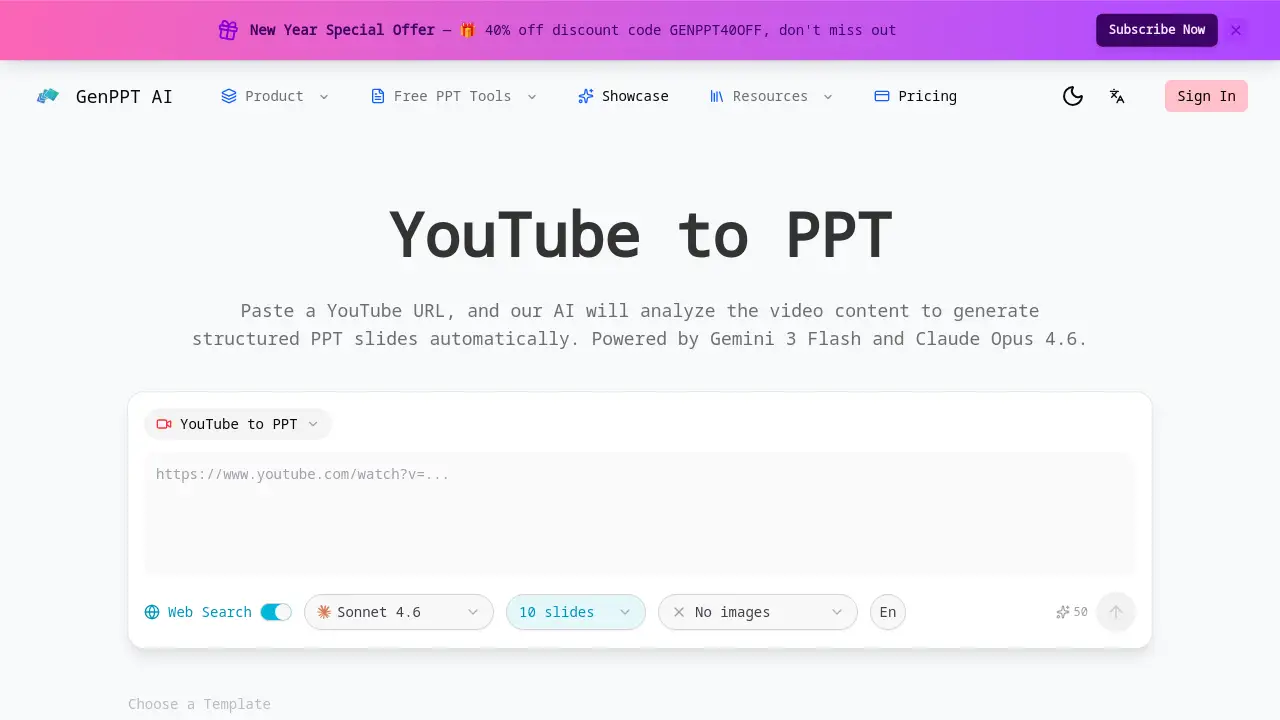
YouTube to PPT is an AI-powered web application designed to streamline the process of creating presentations from video content. It solves the time-consuming problem of manually watching, transcribing, and summarizing YouTube videos to build slides. By simply pasting a YouTube URL, the tool uses advanced AI models like Gemini 3 Flash and Claude Opus 4.6 to analyze the video's audio and visual content, intelligently extract the core ideas, and organize them into a ready-to-use PowerPoint file (PPTX). This AI video to PPT converter is particularly suitable for students, educators, marketers, and professionals who need to quickly repurpose lengthy video tutorials, lectures, webinars, or talks into digestible presentation formats. The ability to generate slides in multiple languages further enhances its utility for a global audience, making it a practical solution for knowledge sharing and content creation.
Key Features of YouTube to PPT
AI Video Content Analysis
The tool employs Gemini 3 Flash to intelligently analyze the content of a YouTube video, going beyond simple transcription to understand context and extract meaningful key points.
Smart Slide Generation
It automatically organizes the extracted information into a logical slide structure, complete with titles and bullet points, creating a coherent presentation from a YouTube video.
Multi-language Support
Users can generate their PowerPoint output in 31 different languages, including English, Chinese, Spanish, and Japanese, making it a versatile YouTube video summarizer for international use.
Customizable Presentation Options
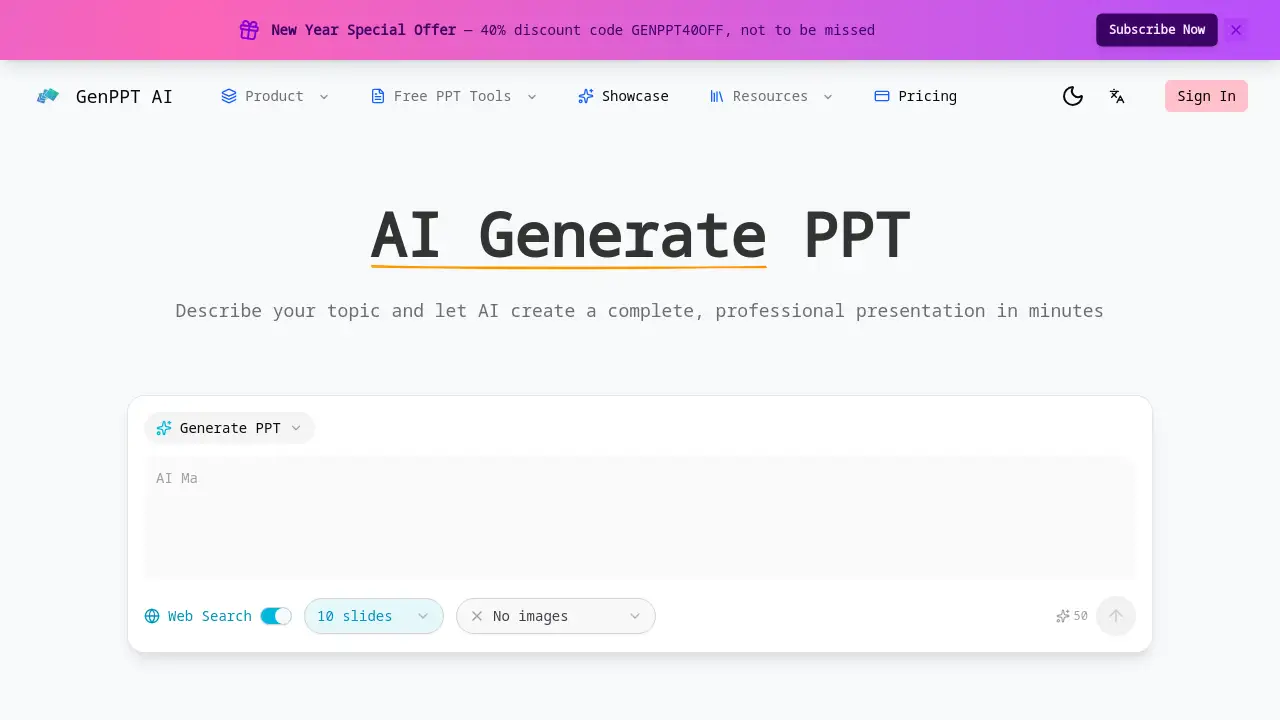
The platform offers control over the final presentation, allowing users to select the number of slides (between 5 and 40), choose from different templates, and enable web search for enriched content.
Real-time Generation Preview
A live progress window lets users watch as their slides are being created in real-time, providing transparency into the AI presentation generator process.
Instant PPTX Download
With one click, the completed presentation can be exported as a standard PPTX file, fully compatible with Microsoft PowerPoint and Google Slides for further editing.
Use Cases for YouTube to PPT
Educational Lecture Summaries
Educators and students can quickly convert recorded lectures or educational YouTube videos into concise study guides or teaching materials.
Marketing Content Repurposing
Marketing teams can transform product demo videos, webinar recordings, or influencer content into slide decks for internal briefings or client proposals.
Professional Training Development
Trainers and HR professionals can efficiently create training modules and instructional presentations from tutorial and how-to videos found on YouTube.
Research and Idea Compilation
Researchers and content creators can compile information from multiple video sources into a single, structured presentation to visualize concepts or prepare for talks.
How to Use YouTube to PPT
Using the YouTube to PPT converter is a straightforward process designed for efficiency.
- Paste the YouTube URL: Copy the link of the public YouTube video you want to convert and paste it into the tool's input field on the website.
- Choose Your Settings: Select your preferred options, such as the desired number of slides, output language, and template style.
- Initiate AI Analysis: Start the process. The AI will analyze the video's content, extract key points, and begin generating slides, which you can watch in the real-time preview.
- Review and Download: Once generation is complete, review the slides in the preview pane. If satisfied, click the download button to export the presentation as an editable PPTX file.
Target Audience for YouTube to PPT
- Students and Academic Researchers
- Teachers, Professors, and Educators
- Digital Marketers and Content Creators
- Corporate Trainers and HR Professionals
- Business Consultants and Presenters
- Anyone who regularly needs to create summaries or presentations from video content
Is YouTube to PPT Free?
The product description mentions it is a "Free video to PPTX converter," indicating a free tier or trial is available. The homepage also references a credit-based system ("Requires credits for generation") and offers a discount code, suggesting the existence of premium plans. For detailed and current pricing information, including any free usage limits, it is best to visit the official GenPPT website.
YouTube to PPT's Pros and Cons
| Aspect | Pros | Cons |
|---|---|---|
| Core Functionality | Native, direct support for YouTube URLs. Powerful AI analysis for automatic key point extraction. | Only works with publicly available YouTube videos, not private or unlisted ones. |
| Output & Features | Generates professionally structured slides. Supports a wide range of 31 output languages. Offers customization like slide count control. | The system operates on a credit-based model, which may limit extensive use without a subscription. |
| User Experience | Provides a real-time preview of slide generation. Exports to standard PPTX format for easy editing. | Advanced features like choosing AI models or adding illustrations may require familiarity with the platform. |
Frequently Asked Questions about YouTube to PPT
What kind of YouTube videos can I convert?
The YouTube to PPT tool can process any publicly available YouTube video, including lectures, tutorials, talks, and documentaries. It cannot analyze private, unlisted, or members-only videos.
How accurate is the AI at summarizing the video?
The AI, powered by models like Gemini 3 Flash, is designed to identify main topics and key arguments effectively. However, the accuracy can vary with video audio clarity, speaker accent, and content complexity. It is always recommended to review and edit the generated slides.
Can I edit the slides after they are generated?
Yes, absolutely. The final output is a standard PPTX file, which you can open and fully customize in Microsoft PowerPoint, Google Slides, Apple Keynote, or any other presentation software that supports the format.
In which languages can I generate the presentation?
This AI presentation generator supports output in 31 languages. You can create a presentation in English from a Spanish video, or generate slides in Japanese from a Korean lecture, providing great flexibility for multilingual users.
Is there a limit to the length of the video I can convert?
While the reference information does not specify a strict limit, very long videos will contain more content to analyze. The tool allows you to customize the number of slides (5-40), which helps manage the depth of the summary for videos of any length.
How does the credit system work?
The platform uses a credit-based system to generate presentations. Specific details on how many credits are required per video and how to obtain them (free trials, subscriptions, or purchases) are available on the official GenPPT pricing page.
YouTube to PPT Tags
YouTube to PPT, AI video to PPT, video to PowerPoint converter, YouTube video to slides, AI presentation generator, convert YouTube to PowerPoint, YouTube video summarizer, PPT from video, automatic slide maker, AI PowerPoint generator, online presentation tool, video content repurposing