Introduction
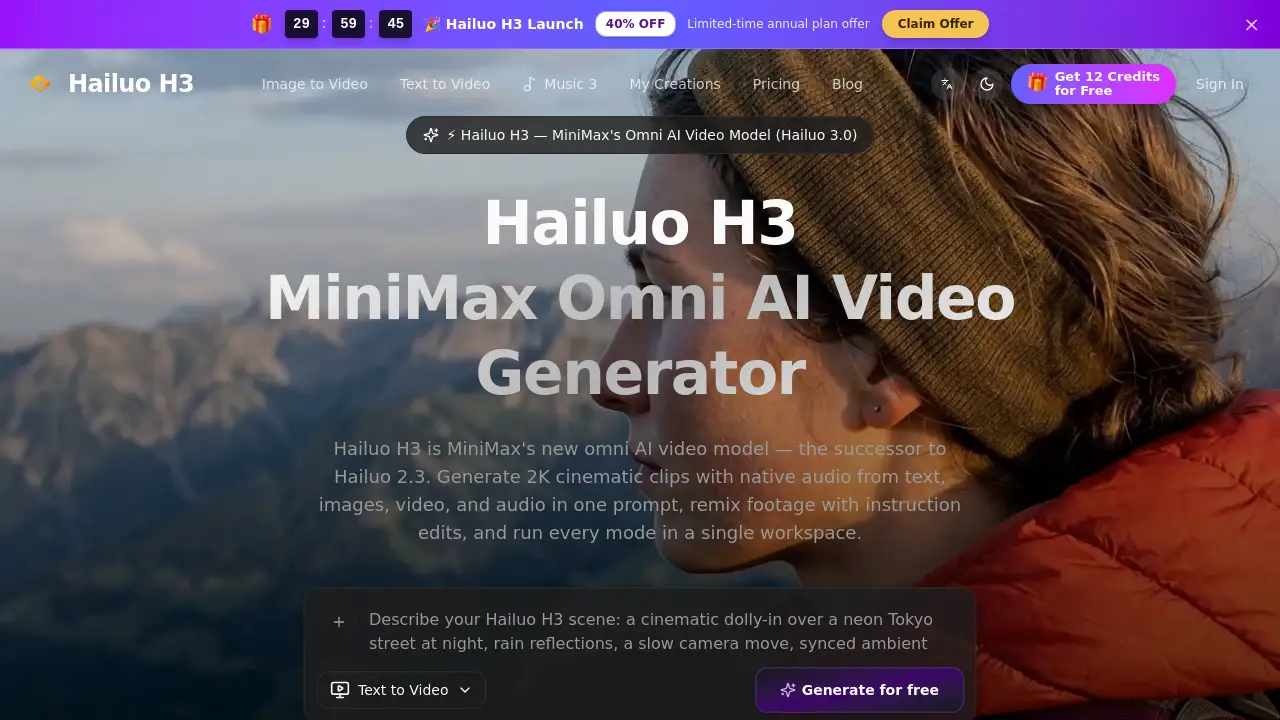
The Hailuo H3 Video Generator is MiniMax's new omni AI video model, also known as Hailuo 3.0. It creates 2K cinematic video with native audio from text, images, video, and audio. Creators can use the Hailuo H3 Video Generator to turn a single prompt into a finished clip with synchronized sound. The tool is available at hailuoh3.com and offers free credits. This review explains what the Hailuo H3 Video Generator can do, how it works, and who should use it.
What is Hailuo H3 Video Generator?
The Hailuo H3 Video Generator is the successor to Hailuo 2.3. It is an omni AI video model that combines text-to-video, image-to-video, and reference-based generation in one workspace. Instead of generating video and audio separately, this AI video generator produces both in one pass. The model reads long prompts, up to 7,000 characters, and understands subject, camera movement, style, and sound. This solves a common problem: creators no longer need to switch between separate tools for video, voice, sound effects, or editing. The Hailuo H3 Video Generator matters because it brings concept, motion, and audio into one pipeline. It is suitable for marketers, filmmakers, e-commerce teams, educators, and anyone who needs fast visual drafts. Note that hailuoh3.com is an independent Hailuo H3 generator that provides access to this model.
Key Features of Hailuo H3 Video Generator
Omni Input from Text, Image, Video, and Audio
The Hailuo H3 Video Generator accepts text prompts, still images, reference clips, and audio files. This makes it an omni AI video generator rather than a simple text-to-video tool. Users can start with a product image, a storyboard frame, or a voice memo, and the Hailuo H3 Video Generator builds the clip around that input.
Native Audio and Lip Sync
The Hailuo 3 model generates native synchronized audio in the same pass as video. It also supports lip sync and voice-timbre transfer. This means the Hailuo H3 Video Generator can produce dialogue and sound effects without a separate audio editing step. For social clips and ad concepts, the tool saves time and keeps audio aligned with motion.
2K Video with Shot Control
The Hailuo H3 Video Generator supports 768P and 2K output at 24 FPS. Users can define subject, camera movement, lighting, and location in a prompt. The Hailuo H3 Video Generator then produces cinematic video drafts with consistent camera behavior. This makes it useful for testing creative directions before full production.
Multi-Shot Storytelling
The Hailuo H3 Video Generator helps creators keep character appearance, wardrobe, and lighting consistent across multiple shots. Multi-shot storytelling turns concept boards into rendered pre-visualization without manual transition editing. The Hailuo 3 model handles cross-shot coherence, so a sequence reads as one scene rather than unrelated clips.
Omni References with Up to 12 Files
Another defining feature of the Hailuo H3 Video Generator is omni-reference generation. Users can upload up to 12 files: 9 images, 3 video clips, and 3 audio tracks. The Hailuo H3 Video Generator reads these references to keep character, camera style, and sound consistent across generated clips. This is valuable for brand-safe content and long-running series.
Instruction-Based Editing
The Hailuo H3 Video Generator is not just a one-shot tool. It supports instruction-based editing, where users restyle characters, swap dialogue, or restage scenes with natural language. This turns the Hailuo H3 Video Generator into a complete omni workflow, not a separate text-to-video model.
Use Cases for Hailuo H3 Video Generator
Social Media Marketing
Marketers can use the Hailuo H3 Video Generator to create short-form video concepts for TikTok, Instagram Reels, and YouTube Shorts. The Hailuo H3 Video Generator produces multiple variations, aspect ratios, and durations, so teams can test ideas quickly.
E-commerce Product Videos
The Hailuo H3 Video Generator can turn product photos into animated video drafts. E-commerce teams can visualize product messaging, try different angles, and create seasonal promo ideas. Image-to-video mode is especially useful here because it uses the original product image as an anchor.
Film Pre-Production and Storyboarding
Directors and storyboard artists can use the Hailuo H3 Video Generator to visualize scenes before production. It handles character continuity and camera moves across shots, making it easier to present ideas to clients or collaborators. The Hailuo 3 model supports omni references, so visual style stays intact.
Business Presentations
The Hailuo H3 Video Generator helps teams turn slides, training materials, and internal updates into short video drafts. It can maintain branding and create visual stories without a full production crew.
Educational Content
Educators can use the Hailuo H3 Video Generator to illustrate abstract concepts with short explainer videos. The Hailuo H3 Video Generator also supports multilingual variants and quick content refreshes, which is useful for online courses and training modules.
How to Use Hailuo H3 Video Generator
Using the Hailuo H3 Video Generator is straightforward.
- Open hailuoh3.com and start with a prompt, still image, or reference clip. The Hailuo H3 Video Generator reads natural language to understand subject, camera movement, and style.
- Choose a mode: text-to-video, image-to-video, or omni-reference. Set resolution and aspect ratio.
- Generate the first cut. The Hailuo 3 omni model returns 2K cinematic video with native audio in a single pass.
- Review the result. Adjust prompts or swap references as needed.
- Compare output versions side by side, then export when the result matches the brief. Credit costs are shown before rendering.
Target Audience for Hailuo H3 Video Generator
The Hailuo H3 Video Generator is designed for anyone who needs fast, cinematic video drafts without losing creative control. This includes:
- Social media managers and content creators
- E-commerce and brand marketing teams
- Filmmakers, directors, and pre-production teams
- Business professionals who need presentation videos
- Educators and course creators
- Creative professionals working on video art and music visualizations
Is Hailuo H3 Video Generator Free?
The Hailuo H3 Video Generator offers free credits, so new users can test the Hailuo 3 model before paying. Paid plans are available on hailuoh3.com. The pricing table below is based on the published plans.
| Plan | Price | Features |
|---|---|---|
| Mini | $9/month (billed at $108/year) | 500 credits per month, all resolutions up to 1080p, full model access, image & text-to-video generation, commercial usage rights |
| Standard | $30/month (billed at $360/year) | 1300 credits per month, all resolutions up to 1080p, full model access, image & text-to-video generation, priority render queue, commercial usage rights |
| Plus | $60/month (billed at $720/year) | 3375 credits per month, all resolutions up to 1080p, full model access, image & text-to-video generation, priority render queue, priority support, commercial usage rights |
Hailuo H3 Video Generator's Pros and Cons
Overall, the Hailuo H3 Video Generator offers strong flexibility, but there are trade-offs to consider.
| Aspect | Pros | Cons |
|---|---|---|
| Input flexibility | Supports text, image, video, and audio in one AI video generator | Too many reference options can be confusing for first-time users |
| Native audio | Generates synchronized sound, lip sync, and voice transfer | Audio quality depends on prompt and reference clarity |
| Resolution and output | Supports 2K cinematic video with 24 FPS | Paid plans list resolutions up to 1080p; 2K may not be available on all plans |
| Workflow | One workspace for generation, editing, and comparison | Credit costs require attention before rendering |
| Pricing | Free credits and affordable entry plan | Higher-volume plans can become expensive for heavy teams |
Frequently Asked Questions about Hailuo H3 Video Generator
What is the Hailuo H3 Video Generator?
The Hailuo H3 Video Generator is MiniMax's omni AI video model, also known as Hailuo 3.0. It generates 2K video with native audio from text, images, video, and audio. It is the successor to Hailuo 2.3.
Is Hailuo H3 the same as Hailuo 3.0?
Yes. Hailuo H3, Hailuo 3, Hailuo 3.0, Hailuo 03, and MiniMax-H3 all refer to the same omni AI video model. The Hailuo H3 Video Generator is simply the product name used on hailuoh3.com.
Does the Hailuo H3 Video Generator support audio?
Yes. The Hailuo H3 Video Generator generates native stereo audio along with video. It also supports lip sync and voice-timbre transfer, so characters can speak with a consistent voice. This removes the need for separate audio post-production.
What inputs can the Hailuo H3 Video Generator use?
The Hailuo H3 Video Generator accepts text prompts, still images, video clips, and audio tracks. In omni-reference mode, users can upload up to 12 files, including 9 images, 3 video clips, and 3 audio tracks.
What output resolutions and lengths does Hailuo H3 support?
The Hailuo H3 Video Generator creates 4–15 second clips at 24 FPS. It can output 768P or 2K resolution with native stereo audio. Some paid plans on hailuoh3.com list all resolutions up to 1080p, so users should check plan limits before rendering.
Is there a free trial for the Hailuo H3 Video Generator?
The Hailuo H3 Video Generator offers free credits for new users. After those credits are used, paid plans are available. The Mini plan starts at $9 per month and includes 500 credits.
Hailuo H3 Video Generator Tags
Hailuo H3 Video Generator, Hailuo 3, Hailuo 3.0, MiniMax Hailuo 3, omni AI video model, AI video generator, text-to-video, image-to-video, native audio video, 2K AI video, Hailuo H3 free credits, Hailuo H3 pricing