Introduction
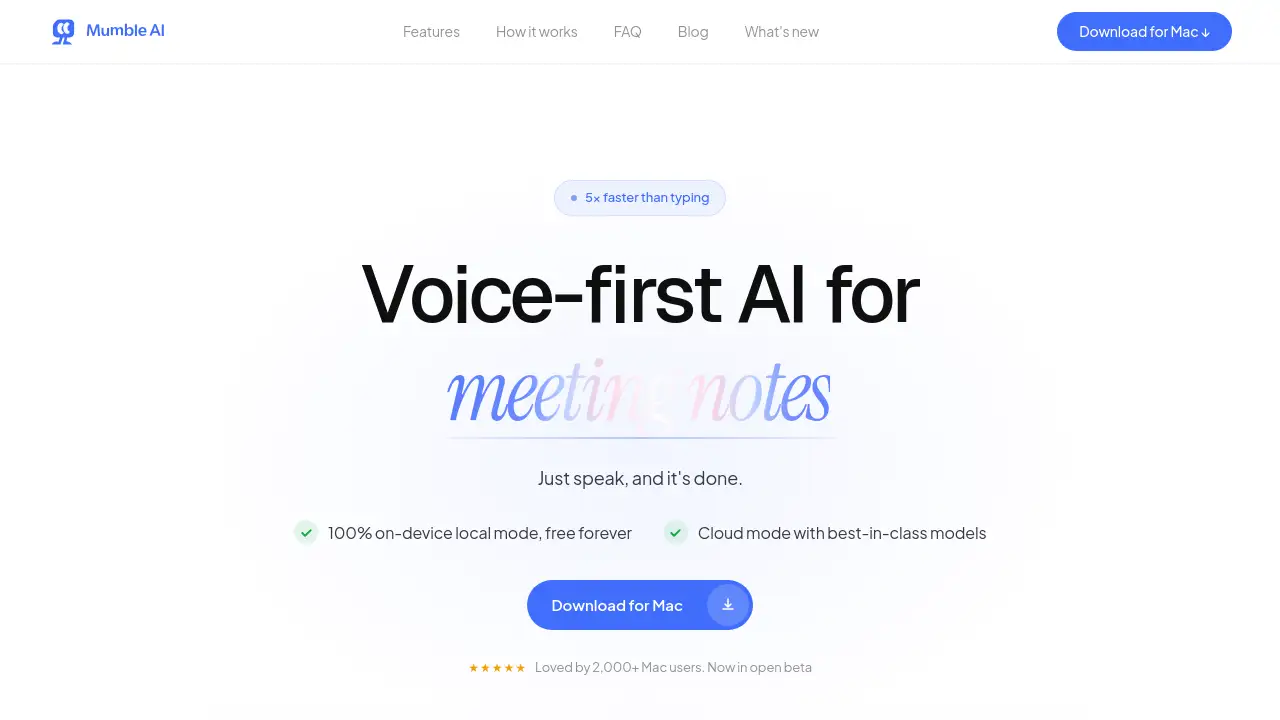
Mumble AI is a voice-first Mac application designed to streamline meeting notes, voice memos, and AI dictation, promising to be five times faster than typing.
What is Mumble AI?
Mumble AI is a desktop productivity tool built for macOS that uses artificial intelligence to transform spoken words into actionable text. It solves the problem of inefficient manual note-taking and slow typing by allowing users to capture ideas, record meetings, and dictate content using their voice. The product is particularly suitable for professionals, managers, and creators who spend significant time in meetings, brainstorming sessions, or drafting documents. Its significance lies in its dual processing approach, offering both a high-speed cloud mode for accuracy and a 100% on-device local mode for privacy, making it a versatile tool for various workflows.
Key Features of Mumble AI
100% On-Device Local Mode
This feature processes all recordings and transcriptions directly on your Mac, ensuring that sensitive audio from meetings or voice notes never leaves your device, providing robust offline privacy for free.
Real-Time Meeting Transcription
During a meeting, the app provides a live transcript with speaker labels, allowing users to see who said what in real time and easily track the conversation flow without switching apps.
Instant AI-Powered Summaries
The moment a meeting ends, Mumble AI generates a detailed, structured summary that highlights key decisions, action items, and discussion tracks, saving users from manually sifting through notes.
Cross-App AI Dictation
A system-wide dictation feature works in any application, from email clients to Slack, allowing users to format text, create bullet points, or trigger custom actions with simple voice commands or keypresses.
Voice-Triggered Skills
Users can accomplish tasks by simply speaking, such as scheduling a calendar event, sending a message, or running research, turning voice commands into finished work instead of another to-do item.
Automated Meeting Detection
The app integrates with Google Calendar and automatically detects when you join a video call on platforms like Zoom, Google Meet, or Microsoft Teams, starting recording without manual intervention.
No Bot Joins Your Call
Unlike some competitors, Mumble AI records directly from your Mac's system audio, so no bot or announcement joins the call, keeping your recording discreet.
Customizable Note Templates
Users can select from pre-built templates or create their own to ensure every meeting note or voice memo is captured in a consistent, preferred format.
Use Cases for Mumble AI
Capturing Meeting Minutes
Professionals can use Mumble AI to automatically record, transcribe, and summarize team syncs or client calls, ensuring accurate minutes and clear action items without manual effort.
Brainstorming and Idea Capture
Creators and strategists can freely speak their ideas as voice notes, which the AI then cleans and organizes into structured Smart Notes, preventing creative thoughts from being lost.
Drafting Emails and Documents
Anyone who writes regularly can use the global dictation feature to compose emails, reports, or messages in other apps up to five times faster than typing, with instant formatting.
Handling Sensitive Discussions
Legal, HR, or finance professionals can leverage the 100% local mode to record and process confidential meetings entirely on their device, ensuring data never reaches the cloud.
How to Use Mumble AI
Using Mumble AI involves a simple three-step process designed for immediate productivity.
- Start with a Shortcut: Press a customizable keyboard shortcut from anywhere on your Mac. The Mumble AI app opens instantly, ready to listen.
- Speak Naturally: Begin talking. For a meeting, it will transcribe in real time. For a note or dictation, just speak your thoughts freely.
- Review and Move On: Instantly receive a cleaned-up note, a meeting summary, or formatted text in your target app. You can make quick edits or simply close the app, as everything is automatically saved and organized.
Target Audience for Mumble AI
- Managers and Team Leads: Who need to track decisions and action items across multiple daily meetings.
- Content Creators and Writers: Who want to capture ideas or draft content quickly using their voice.
- Legal and Compliance Professionals: Who require absolute privacy for sensitive client or internal discussions.
- Sales and Client-Facing Roles: Who need accurate records of customer conversations and next steps.
- Individuals with ADHD or Learning Preferences: Who benefit from auditory processing and structured note-taking aids.
- Remote and Async Teams: Who rely on clear meeting summaries and documentation for alignment.
Is Mumble AI Free?
Mumble AI offers a free tier and a cloud-based Pro plan. Based on the homepage information, the core distinction is the processing mode.
| Plan | Price | Key Features |
|---|---|---|
| Local Mode | Free Forever | 100% on-device processing for meetings, voice notes, and dictation. No internet required. |
| Cloud Mode | Pro (Price not listed) | Best-in-class AI models for transcription and summaries, real-time processing, support for 50+ languages. |
The product allows users to switch between these modes anytime. For detailed Pro plan pricing, users should visit the official Mumble AI website.
Mumble AI's Pros and Cons
| Aspect | Pros | Cons |
|---|---|---|
| Privacy & Security | Offers a truly free, 100% offline local mode for maximum data control. | Cloud mode's pricing and specific security certifications are not detailed on the homepage. |
| Usability & Workflow | Seamlessly integrates meeting notes, voice memos, and dictation into one app; very fast setup. | Exclusively available for macOS, limiting accessibility for Windows or Linux users. |
| Feature Set | Discreet recording (no bot), live speaker labels, and voice-triggered skills are standout features. | Advanced features like custom template creation may have a learning curve for some users. |
| Performance | Promises 5x faster than typing; cloud mode uses best-in-class models for high accuracy. | On-device local mode's transcription speed/accuracy may vary based on Mac hardware. |
Frequently Asked Questions about Mumble AI
Does Mumble AI put a bot in my meeting?
No, it does not. Mumble AI records meeting audio directly from your Mac's system sound, so no bot, third-party link, or announcement joins the video call. Other participants are not notified.
What is the difference between Local Mode and Cloud Mode?
Local Mode processes all audio completely on your Mac. It's free, works offline, and offers maximum privacy. Cloud Mode uses powerful online AI models for potentially faster, more accurate transcriptions and summaries in over 50 languages but requires an internet connection.
Can I use Mumble AI for dictation in apps like Google Docs or Slack?
Yes. Mumble AI provides system-wide AI dictation that works in any application where you can type, including Google Docs, Slack, Notion, and email clients. You can dictate and format text with simple shortcuts.
How does the live transcription with speaker labels work?
During a meeting, the app identifies different speakers in real-time and labels their dialogue in the live transcript (e.g., "R" for Raven, "P" for Priya). This allows you to follow the conversation and see who said what as it happens.
Is there a free version of Mumble AI?
Yes. The 100% on-device Local Mode, which handles meeting recording, voice notes, and dictation entirely on your Mac, is free to use forever.
What meeting platforms does Mumble AI work with?
The app auto-detects meetings from calendar integrations and works with popular platforms like Zoom, Google Meet, Microsoft Teams, and Slack calls by capturing your Mac's audio output.
Mumble AI Tags
Mumble AI, meeting notes app, AI dictation Mac, voice memos, on-device transcription, live meeting transcription, voice-first productivity, Mac app for meetings, automatic meeting summaries, speaker identification, offline AI, privacy-focused notes