Introduction
Discover a free online tool that instantly enhances your photos to 4K quality: the 4K Image Upscaler.
What is 4K Image Upscaler?
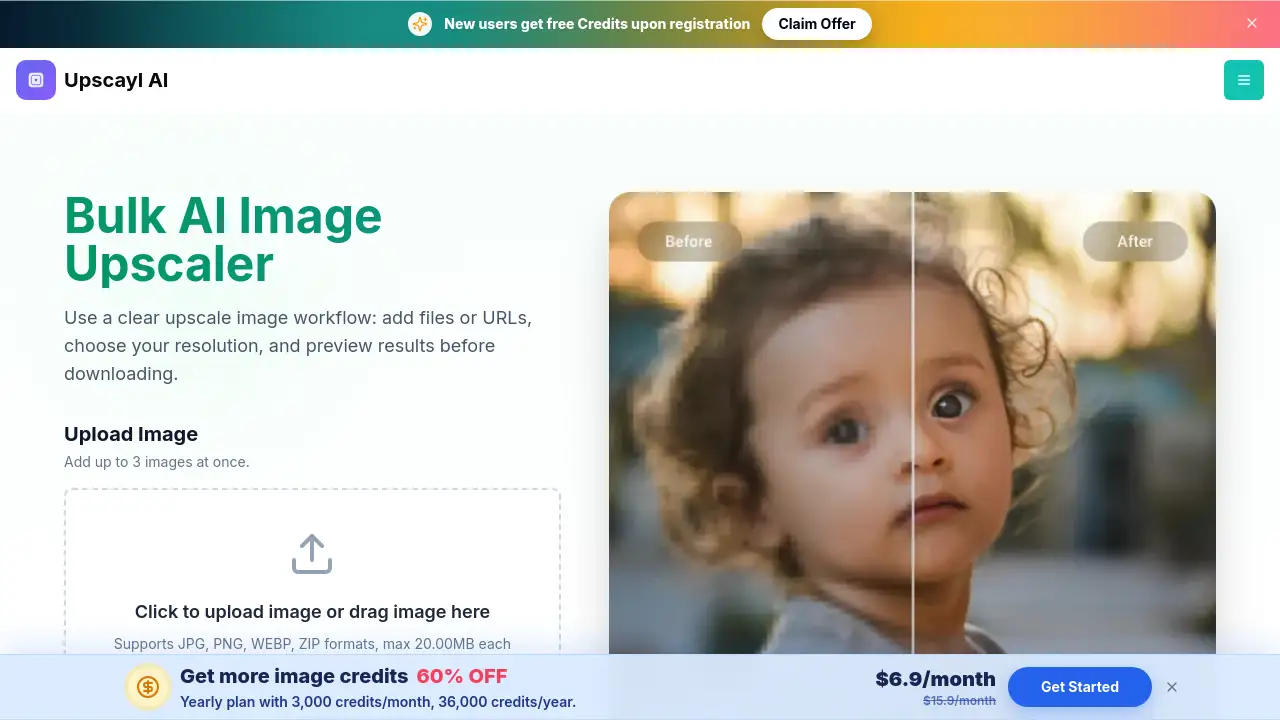
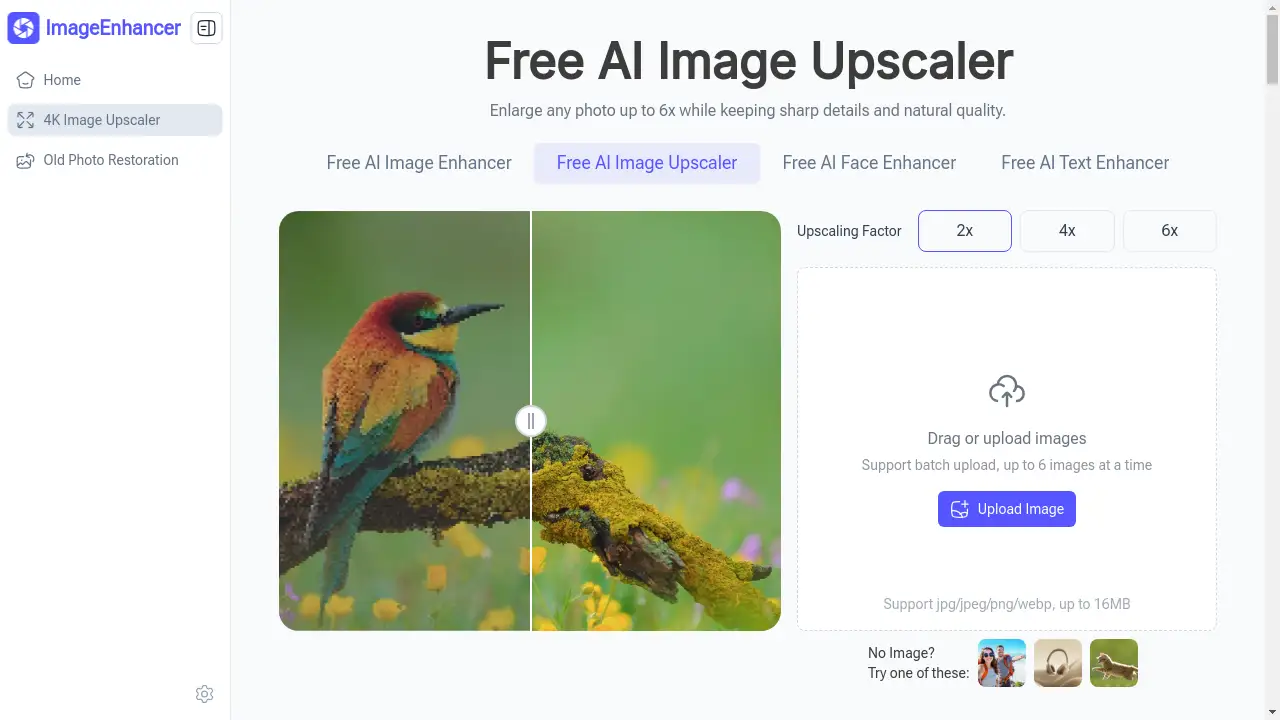
4K Image Upscaler is a web-based AI tool designed to increase the resolution and quality of digital images. It solves a common problem for anyone working with photos: low-resolution images that appear blurry or pixelated when enlarged. This tool uses artificial intelligence to intelligently upscale images by up to 6 times their original size, adding sharp detail and preserving natural textures. It is suitable for a wide range of users, from complete beginners to professionals, who need high-quality images for websites, social media, printing, or personal archives. The ability to enhance image quality quickly and for free makes it a valuable resource in today's visual-centric digital landscape.
Key Features of 4K Image Upscaler
Beginner-Friendly, No Sign-Up Needed
The tool is incredibly accessible, requiring no account creation or login, making the process of enhancing images fast and hassle-free for anyone.
Multiple Upscaling Options
Users can choose from three different upscale factors—2X, 4X, or 6X—providing flexibility to achieve the perfect level of detail for any specific project or use case.
Supports Batch Upload
This feature allows users to upload and process up to six images at once, significantly speeding up workflow when enhancing multiple photos.
Wide Format Compatibility
The 4K Image Upscaler accepts popular image formats like JPG, JPEG, PNG, and WEBP, and exports results in both PNG and JPG formats for maximum versatility.
Fast Online Processing
As a cloud-based tool, it processes images quickly without requiring powerful computer hardware, delivering enhanced, high-resolution results in just seconds.
Generous File Size Limit
It supports images up to 16MB in size, accommodating a good range of standard and higher-quality source files for upscaling.
Use Cases for 4K Image Upscaler
Enhancing Social Media Content
Social media managers and influencers can use it to upscale photos for posts, ensuring their visuals are crisp and engaging on all platforms.
Improving E-commerce Product Images
Online store owners can revitalize low-quality product photos, making items look more professional and appealing to potential customers.
Restoring Old or Low-Resolution Photos
Individuals can breathe new life into cherished old photographs or images taken with older cameras by enhancing them to modern 4K standards.
Preparing Images for Print
Bloggers, marketers, and designers can upscale images to ensure they have sufficient resolution and detail for high-quality printing in brochures or banners.
Optimizing Website Graphics
Website owners can improve the visual quality of their site's hero images, galleries, and backgrounds, contributing to a better user experience and professional appearance.
How to Use 4K Image Upscaler
Using the 4K Image Upscaler is a straightforward, three-step process that requires no technical expertise.
- Upload Your Image: Navigate to the tool's website. You can either drag and drop your image file into the designated area or click to upload it from your computer. The tool supports batch uploads of up to six images.
- Select Upscale Factor: Choose your desired level of enhancement from the available options: 2X, 4X, or 6X upscaling. Consider your final use case to select the most appropriate factor.
- Process and Download: Initiate the upscaling process. The AI will work on your image for a few moments. Once complete, you can preview the enhanced 4K image and download it directly to your device.
Target Audience for 4K Image Upscaler
- Social Media Managers and Influencers
- E-commerce Store Owners
- Bloggers and Website Owners
- Graphic Designers and Marketers
- Photographers and Hobbyists
- General Users with personal photo collections
Is 4K Image Upscaler Free?
Yes, the 4K Image Upscaler is completely free to use. The tool offers a generous free plan that includes all its core features: multiple upscaling factors, batch processing, and support for various image formats, all without requiring user registration. There is no mention of premium tiers or subscriptions, making it an accessible and cost-effective solution for all image enhancement needs.
Frequently Asked Questions about 4K Image Upscaler
What image formats does the 4K Image Upscaler support?
The tool supports uploading images in JPG, JPEG, PNG, and WEBP formats. After processing, you can download your enhanced image in either PNG or JPG format.
Is there a limit to how many images I can upscale?
While the tool is free, it supports batch processing of up to six images at a time for convenience. There is no stated daily limit on total usage.
How does the AI upscaler maintain image quality?
The AI analyzes the patterns and details in your original low-resolution image and intelligently generates new pixels to create a sharper, more detailed high-resolution version, aiming to preserve natural textures and avoid a blurry or artificial look.
Do I need to create an account to use this tool?
No, one of the key features of this 4K Image Upscaler is that it requires no sign-up or account creation. You can start enhancing your images immediately upon visiting the website.
What is the maximum file size for upload?
The 4K image upscaler can process image files up to 16 megabytes (MB) in size.
Can I use the upscaled images commercially?
Yes, the upscaled images generated by the tool are yours to use. They are suitable for both personal and commercial projects, such as on websites, in marketing materials, or on social media.
4K Image Upscaler Tags
4K image upscaler, free AI image upscaler, online photo enhancer, enlarge images, improve photo resolution, batch image upscale, JPG to 4K, PNG upscaler, image quality tool, social media image enhancer, e-commerce photo editor, no sign-up upscaler