Introduction
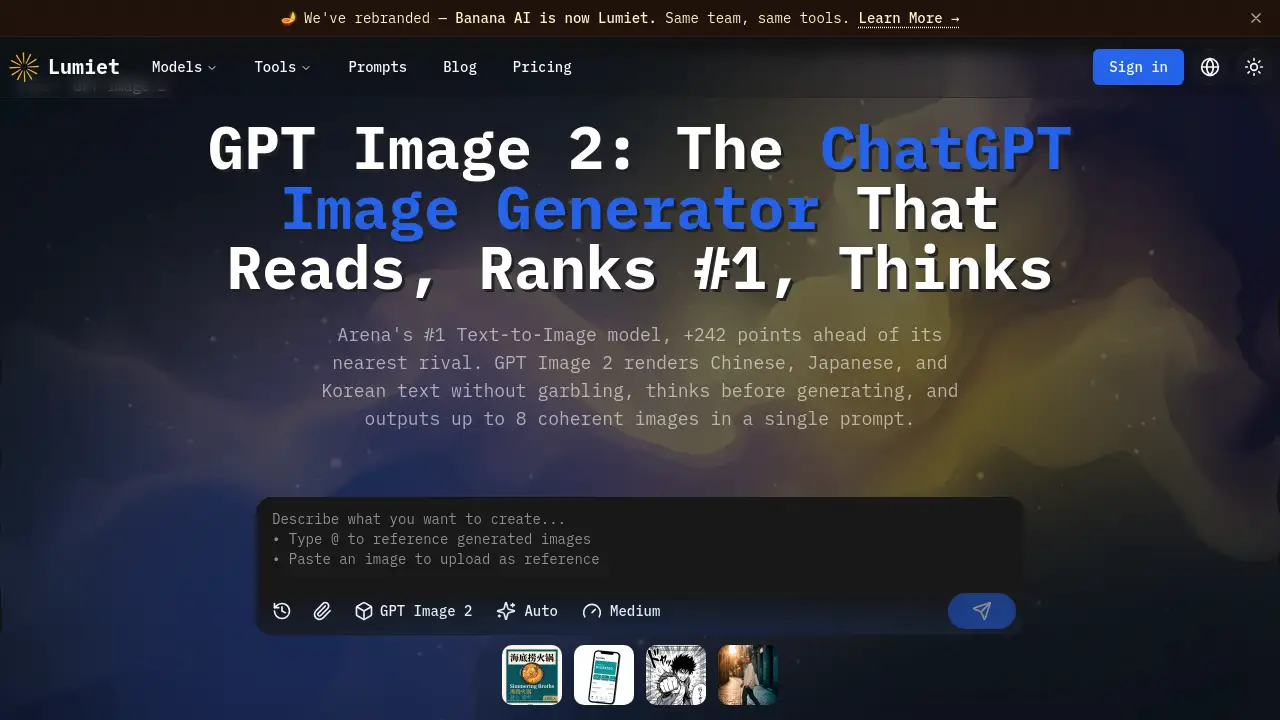
GPT Image 2 is a leading AI image generation model renowned for its superior text rendering and multilingual capabilities.
What is GPT Image 2?
GPT Image 2, also known as ChatGPT Images 2.0, is OpenAI's advanced text-to-image AI model. It is designed to solve a common pain point in AI image generation: accurately rendering text, especially in non-Latin scripts like Chinese, Japanese, and Korean. This model stands out by integrating a "Thinking" mode, which allows it to reason and plan before creating images, resulting in higher accuracy and the ability to generate coherent multi-image sets. It is suitable for designers, marketers, developers, and content teams who need professional-grade, text-accurate visuals for global campaigns, product mockups, and educational materials. Its recognition as the #1 ranked model on the Arena Text-to-Image leaderboard underscores its significant impact on the field.
Key Features of GPT Image 2
Accurate Multilingual Text Rendering
GPT Image 2 renders text in Chinese, Japanese, Korean, Arabic, Hindi, and other languages natively, ensuring characters are correctly placed and legible without garbled output or the need for manual post-editing.
Thinking Mode for Coherent Generation
The model uses a multi-step reasoning process to search for context and check its generation plan before creating images, enabling it to produce up to 8 coherent and stylistically consistent images from a single prompt.
High-Resolution 2K Output
Images can be generated at up to 2K resolution, providing sharp detail suitable for print materials, digital billboards, and high-density displays where fine textures and typography are crucial.
Conversational Chat Interface
Users can generate and refine images through plain-language conversation, describing what they want and making targeted edits without needing complex prompt engineering or API commands.
Flexible Aspect Ratio Support
The model supports standard formats like 1:1 (square), 3:2 (landscape), and 2:3 (portrait), making it easy to create assets optimized for social media, banners, posters, and mobile-first designs.
Three-Tier Quality System
It offers Low, Medium, and High quality tiers, allowing users to balance speed and cost for rapid prototyping versus final, high-fidelity professional assets.
Use Cases for GPT Image 2
Multilingual Marketing and Advertising
Teams can create localized posters, social media graphics, and banner ads with accurate text in multiple languages directly within the image, significantly cutting down localization time.
Product Design and UI Mockups
Designers can generate product shots with precise text labels, app interfaces, and website mockups where every UI element and piece of copy is rendered correctly.
Educational and Infographic Creation
Educators and content creators can produce annotated diagrams, step-by-step instructional visuals, and multilingual teaching materials with clear, accurate labels and text.
E-Commerce Visuals
Online sellers can create lifestyle images and product promotional materials that feature legible brand names and product descriptions, enhancing customer trust and clarity.
Coherent Multi-Image Storytelling
Writers and creators can use the Thinking mode to generate a series of up to 8 images that maintain consistent characters, style, and narrative flow for comics, storyboards, or presentations.
How to Use GPT Image 2
- Describe Your Idea: Go to the platform (like Lumiet) and type a plain-language description of the image you need. For example, "A modern poster for a tech conference with English and Japanese headlines."
- Select Quality and Format: Choose your desired quality tier (Low, Medium, or High) and pick an aspect ratio that fits your project, such as landscape for a banner.
- Generate and Refine: The AI generates your image. If adjustments are needed, use the chat interface to request specific changes, like "make the background darker" or "increase the font size."
- Download and Implement: Once satisfied, download the image in up to 2K resolution. The generated content is typically cleared for commercial use, ready for your deck, website, or print material.
Target Audience for GPT Image 2
- Graphic Designers and Digital Artists
- Multinational Marketing and Content Teams
- E-commerce Store Owners and Product Marketers
- App and Web Developers/UI Designers
- Educators and Instructional Designers
- Content Creators and Social Media Managers
Is GPT Image 2 Free?
GPT Image 2 can be tried for free on platforms like Lumiet without requiring a credit card. For extended use, it operates on a credit-based system. The official pricing on Lumiet includes a Pro plan with monthly credits.
| Plan | Price | Key Features for GPT Image 2 |
|---|---|---|
| Free | $0 | Access to generate images, typically at a lower quality tier or with limited credits. |
| Pro (Monthly) | $12.9/month | 500 credits/month, access to Low, Medium, and High quality tiers, priority generation, and commercial use rights. |
| Pro (Yearly) | $9.9/month (billed annually) | Same as Pro (Monthly) but with equivalent of 2 months free. |
GPT Image 2's Pros and Cons
| Aspect | Pros | Cons |
|---|---|---|
| Output Quality | #1 ranked for text-to-image; superior multilingual text accuracy and coherence. | Generation speed (5-10s) may be slower than some specialized competitors. |
| Features | Unique Thinking mode for planning; conversational interface; high 2K resolution. | Thinking mode for multi-image output is currently limited to ChatGPT and not yet available via all APIs. |
| Usability | Easy to use with plain-language prompts; no complex syntax required. | New users may need to experiment to fully leverage the conversational refinement. |
| Pricing & Value | Clear three-tier credit system allows cost control for different project needs. | High-quality generations consume more credits (12 per image), which can add up for high-volume users. |
Frequently Asked Questions about GPT Image 2
What is GPT Image 2?
GPT Image 2 is OpenAI's advanced text-to-image AI model, officially named ChatGPT Images 2.0. It is the successor to DALL-E 3 and is currently ranked #1 on the Arena Text-to-Image leaderboard. Its key strengths are accurate multilingual text rendering and a Thinking mode for coherent generation.
Is GPT Image 2 better than DALL-E 3?
Yes, GPT Image 2 is considered the direct upgrade to DALL-E 3. It offers sharper text accuracy, native support for multilingual scripts like Chinese and Japanese, higher 2K resolution output, and the advanced Thinking mode for more logical and coherent image sets.
Can GPT Image 2 write text in Chinese and Japanese?
Absolutely. A core feature of GPT Image 2 is its accurate rendering of non-Latin scripts. It can natively generate clean, legible text in Chinese, Japanese, Korean, and other languages without garbled characters, which is a significant advantage for global content creation.
What is the "Thinking" mode in GPT Image 2?
The Thinking mode is a process where the model reasons before generating. It searches for context, checks its generation plan against the prompt, and can logically produce up to 8 coherent images in one go. This leads to more accurate and contextually relevant results, especially for complex prompts.
How much does it cost to use GPT Image 2?
Access starts with a free trial on platforms like Lumiet. For sustained use, it uses a credit system. For example, on Lumiet, a Pro subscription provides monthly credits that can be used across different quality tiers (Low, Medium, High), with higher quality consuming more credits per image.
Who should use GPT Image 2?
GPT Image 2 is ideal for professionals who need text-accurate images, such as designers creating marketing assets, teams running multilingual campaigns, e-commerce sellers needing product visuals, and developers building content pipelines where reliable text rendering is essential.
GPT Image 2 Tags
GPT Image 2, ChatGPT Images 2.0, AI image generator, text-to-image AI, multilingual AI, AI that writes text, Chinese text AI, Japanese text AI, Korean text AI, Thinking AI, Arena #1 model, DALL-E 3 alternative, AI for designers, commercial AI art