Introduction
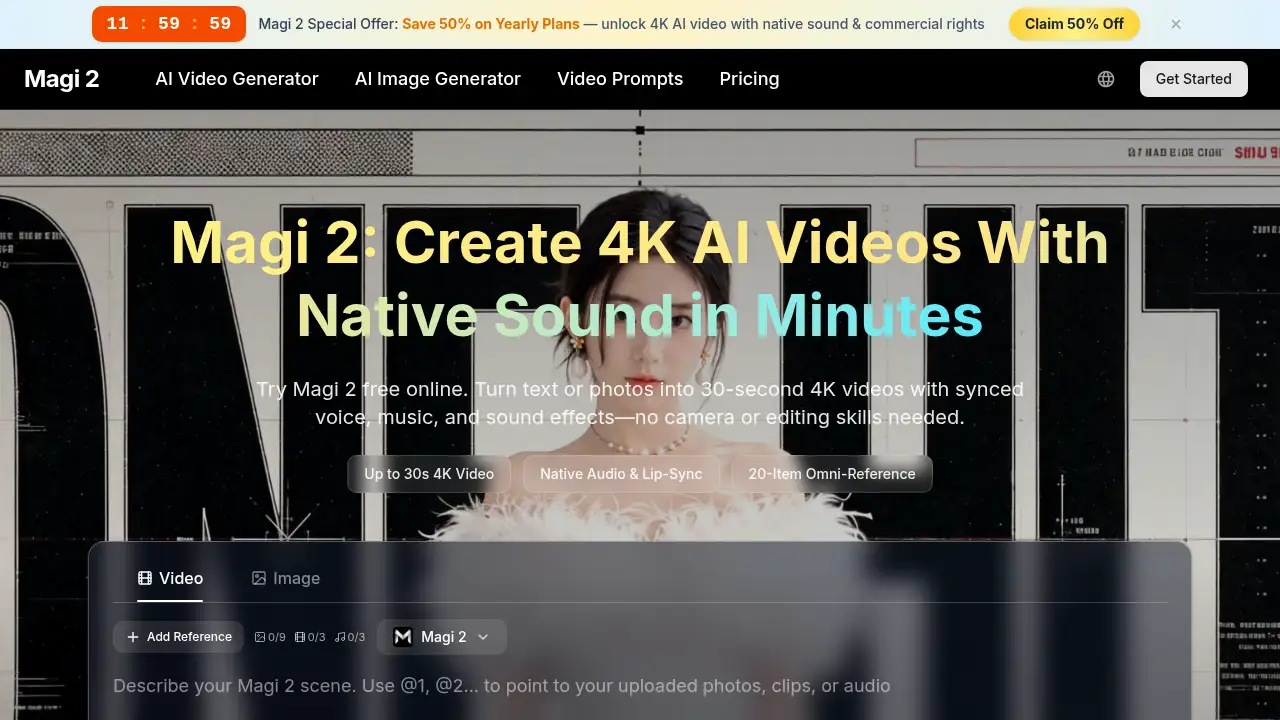
Magi 2 AI video generator makes 4K clips with sound.
What is Magi 2?
Magi 2 is an online AI video generator that turns text prompts or photos into short 4K AI videos up to 30 seconds long. It is designed to solve a common content problem: creating polished video with synchronized voice, music, and sound effects usually requires cameras, editing software, and time. Magi 2 combines video generation, native audio, lip-sync, and simple editing in one browser-based studio. According to the product page, it ranks #1 on the Artificial Analysis Image-to-Video Leaderboard with 1,163 Elo. Magi 2 is aimed at social media creators, marketers, e-commerce sellers, teachers, indie filmmakers, and designers who need fast AI video creation without a production crew. The main value of Magi 2 is speed: users can go from an idea or image to a downloadable 4K clip in minutes, with no watermark on paid plans.
Key Features of Magi 2
30-Second Native 4K Output
Generate clips up to 30 seconds in 4K clarity and choose from six aspect ratios, including vertical formats for social platforms. This makes Magi 2 useful for longer AI video creation than many short-form generators.
Synced Dialogue, Foley, and Music
Magi 2 creates natural speech with matched lip movement, plus sound effects, room tone, and music in one pass. Native audio reduces the need for separate audio editing tools.
Multi-Reference Consistency Up to 20 Files
Upload images, reference videos, audio clips, and keyframes to keep characters, products, and brand styles steady across shots. The 20-item reference system in Magi 2 supports consistent image to video and story-driven workflows.
Smart Video Editing and Camera Control
Edit existing footage, swap scene details, and direct camera paths or hard cuts while keeping lighting and motion natural. The editing tools in Magi 2 help users refine AI video generator output without starting over.
480B-Parameter MoE Intelligence
Magi 2 uses a scaled Multi-Head Latent Mixture-of-Experts model to understand complex scenes, physics, and subtle human motion. This supports smoother motion and more reliable text to video results.
Private Workspace and Commercial Rights
Magi 2 keeps drafts private in a personal asset library, exports clean files without watermarks on paid plans, and provides commercial license certificates on paid plans. This matters for teams that need safe, business-ready AI video content.
Use Cases for Magi 2
Social Media Creators
Turn daily ideas into 9:16 vertical videos with built-in sound and smooth cuts. Magi 2 helps creators post more often without filming or spending hours editing.
Marketing and Ad Teams
Test new hooks, moods, and product scenes in an afternoon. The Magi 2 AI video generator supports fast campaign testing before a full studio budget is committed.
E-Commerce Sellers
Upload product photos and turn them into lively showcase videos with clean motion and lifestyle backdrops. Magi 2 can help sellers create product clips that are ready for ads and product pages.
Teachers and Students
Bring lessons, science concepts, and book reports to life with clear visual clips. The Magi 2 text to video workflow makes visual learning easier to produce online.
Indie Filmmakers and Studios
Map camera moves, lighting mood, and multi-shot pacing for pre-visualization and concept reels. Magi 2 gives filmmakers a quick way to pitch scenes and test ideas.
Designers and Storytellers
Pair AI image generation with video tools to design characters, animate illustrations, and share rich worlds. The Magi 2 image to video feature helps visual creators move from still art to motion.
How to Use Magi 2
- Write a short scene description, upload a photo to animate, or attach up to 20 reference files for character, outfit, style, and sound guidance.
- Choose clip length up to 30 seconds, select an aspect ratio such as 16:9 or 9:16, and enable native audio for voices and music.
- Click Create and let Magi 2 render the 4K video in the cloud.
- Preview the result, make quick edits if needed, and download a clean clip. Paid plans include watermark-free exports and commercial license options.
Target Audience for Magi 2
- Social media creators and short-form video publishers
- Marketing and advertising teams
- E-commerce sellers and product brands
- Teachers, students, and visual educators
- Indie filmmakers, studios, and pre-visualization teams
- Designers, illustrators, and storytellers
- Small businesses that need fast AI video content
Is Magi 2 Free?
Magi 2 offers free starter credits so new users can try the AI video generator before paying. Paid subscriptions add more credits, faster generation, private generation, watermark-free output, commercial licenses, and up to 4K resolution. Prices below are from the product page and use yearly billing discounts; they may change.
| Plan | Price | Features |
|---|---|---|
| Free starter credits | $0 | Free starter credits to test Magi 2; paid plans are needed for full commercial and export features |
| Lite | $7.9/month billed yearly | 400 credits/month, commercial license, no watermark, private generation, up to 4K, 1 concurrent generation |
| Pro | $17.9/month billed yearly | 1,500 credits/month, priority speed, no watermark, private generation, up to 4K, 4 concurrent generations |
| Ultra | $49.9/month billed yearly | 4,400 credits/month, fastest speed, no watermark, private generation, up to 4K, 10 concurrent generations, dedicated support |
Magi 2's Pros and Cons
| Aspect | Pros | Cons |
|---|---|---|
| Pricing | Free starter credits and tiered plans for different budgets | Full commercial and watermark-free use requires a paid plan |
| Features | 4K output, native audio, lip-sync, 20 references, and editing controls in one studio | Clips are limited to 30 seconds per run |
| Workflow | Browser-based and fast, with cloud rendering and a simple three-step process | Requires a stable internet connection |
| Output rights | Commercial license certificates on paid plans | Rights depend on the selected plan |
| Audience fit | Useful for creators, marketers, sellers, educators, and filmmakers | Advanced users may want more granular timeline control |
Frequently Asked Questions about Magi 2
What is Magi 2 best used for?
Magi 2 is best for short AI video creation, including social clips, product ads, concept reels, and visual lessons. It combines text to video, image to video, native audio, and simple editing in one online studio.
Does Magi 2 create native audio and lip-sync?
Yes. Magi 2 can generate synced dialogue, sound effects, ambient tone, and music alongside the video. The lip-sync feature is designed to match speech with character mouth movement.
Can I use Magi 2 videos commercially?
Paid plans include commercial license certificates, according to the product page. Users should confirm the current license terms before publishing brand or client work.
How long can Magi 2 videos be?
Magi 2 supports clips up to 30 seconds in a single run. That length works well for social media reels, ads, teasers, and short explainers.
Is there a free trial for Magi 2?
Yes. Free starter credits are available so users can test the AI video generator. Paid plans are required for features such as watermark-free exports, more credits, and commercial licenses.
What references can I upload to Magi 2?
Magi 2 accepts up to 20 reference files, including images, reference videos, audio clips, and start-to-end keyframes. These references help keep characters, products, and brand styles consistent.
Magi 2 Tags
Magi 2, AI video generator, 4K AI videos, native audio, text to video, image to video, lip-sync video, AI video creation, 30-second 4K video, commercial license, AI video editing, Magi 2 review