Introduction
Transcribe video to text online for free with AI-powered accuracy for meetings, lectures, and YouTube.
What is Transcribe Video to Text?
Transcribe Video to Text is an online tool that uses artificial intelligence to automatically convert spoken audio from video files into written text. This product solves the time-consuming and tedious problem of manual transcription, where users would have to pause, rewind, and type content themselves. It is suitable for a wide range of users who need to extract text from video recordings quickly. The ability to transcribe video to text efficiently matters because it saves significant time, improves accessibility, and creates searchable, editable records from video content for meetings, educational lectures, interviews, and online videos.
Key Features of Transcribe Video to Text
Batch Video Transcription
Upload multiple video files at once to transcribe video to text in a queue, streamlining the workflow for users with several recordings to process.
Support for Long Videos
The tool is designed to handle long videos efficiently, processing extended recordings like full lectures or lengthy meetings without compromising on speed.
High Accuracy Transcription
Leveraging advanced AI, the service aims to deliver high accuracy transcripts, minimizing the need for extensive manual corrections post-processing.
Multi-Language Support
It supports transcription in various languages and offers translation options, making it versatile for international content or multilingual speakers.
Secure and Private Processing
User data privacy is emphasized; uploaded videos and the resulting text transcripts are not stored or reused, ensuring content security.
Easy Edit and Download
After the AI converts video to text, users can review, make quick edits directly in the interface, and download the final transcript in a convenient format.
Use Cases for Transcribe Video to Text
Academic Lecture Review
Students and educators can transcribe video to text from recorded lectures to create study notes, summaries, or accessible learning materials without replaying the entire video.
Meeting Minutes and Documentation
Professionals can upload recordings of team meetings or client calls to automatically generate accurate minutes, ensuring no detail is missed and saving hours of manual note-taking.
Content Creation for YouTube
Creators can easily convert video to text from their YouTube clips to generate captions, blog posts, show notes, or social media content, repurposing their video content efficiently.
Interview and Research Analysis
Journalists, researchers, and HR professionals can transcribe interviews or focus groups, allowing for easier analysis, quoting, and data organization from long video recordings.
How to Use Transcribe Video to Text
Using the tool is a straightforward three-step process designed for ease of use.
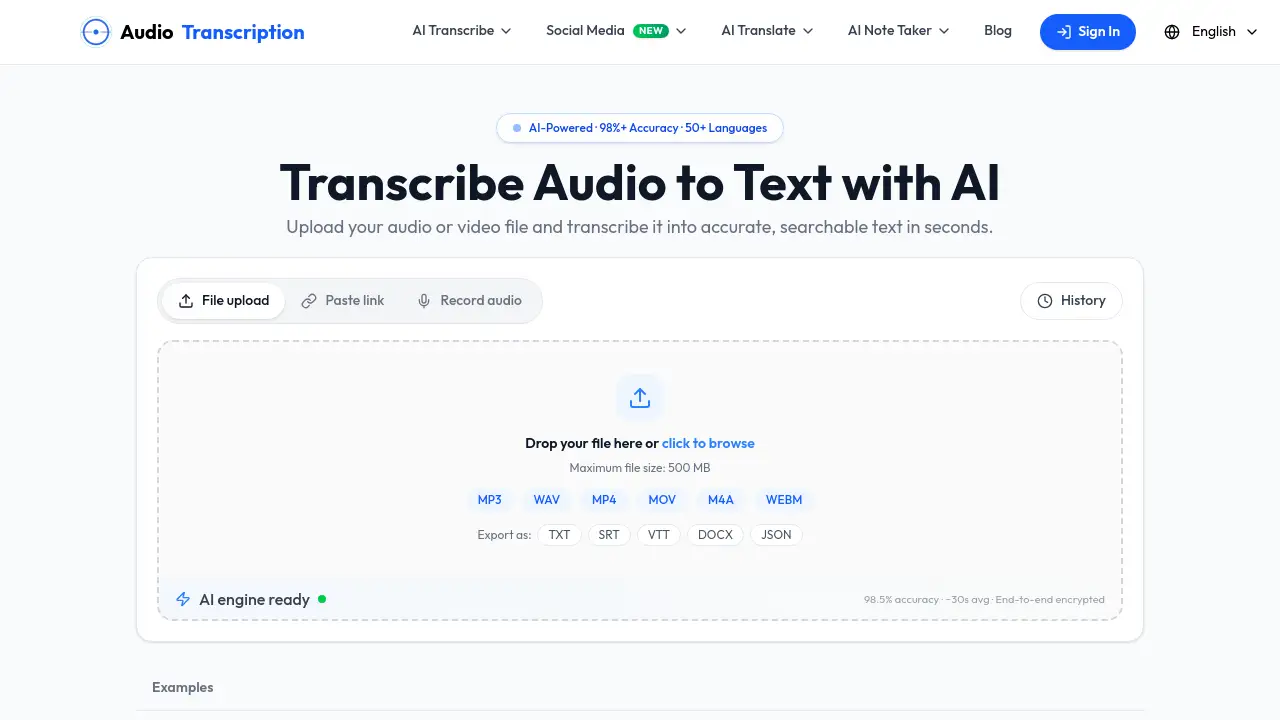
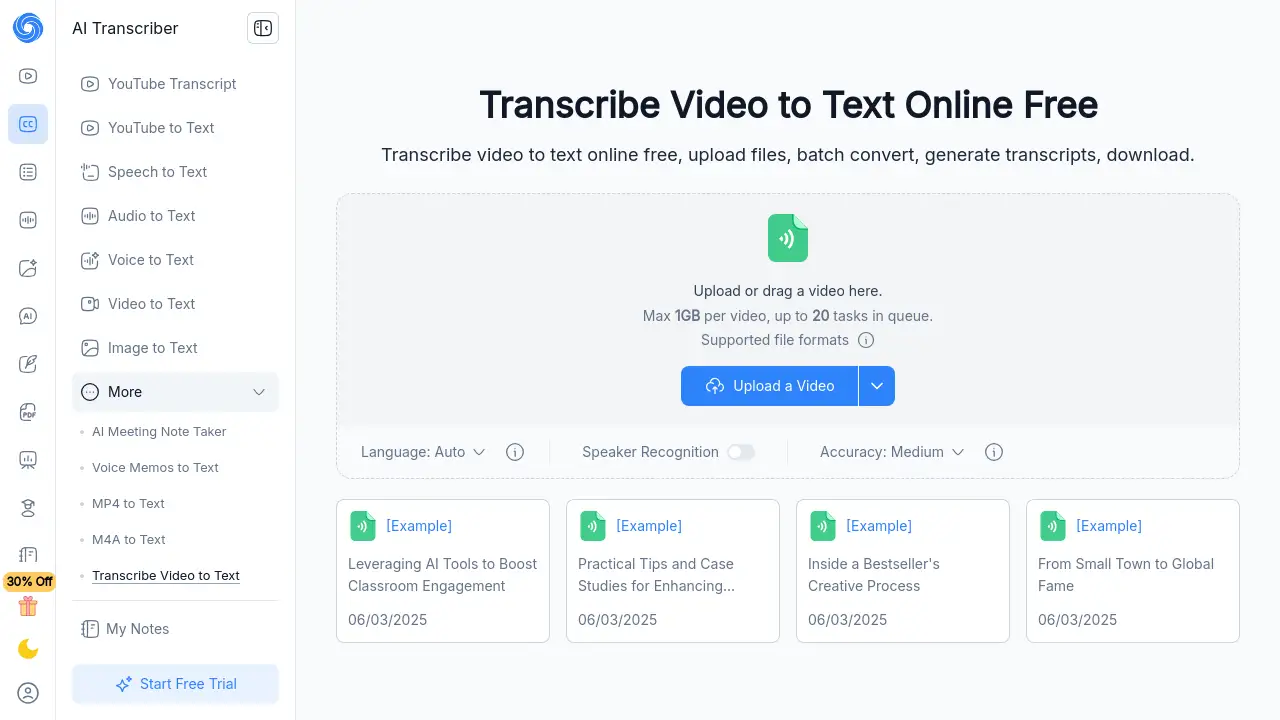
- Upload Your Video: Navigate to the tool's webpage and upload your video file by dragging and dropping or selecting it from your device. The platform supports various formats and videos up to 1GB.
- AI Transcription: Once uploaded, select your preferred language and settings. The AI will then automatically transcribe the video to text. The processing time is fast, even for longer videos.
- Edit and Download: Review the generated transcript. You can make any necessary edits directly in the browser. Finally, download the clean text file to your computer for immediate use.
Target Audience for Transcribe Video to Text
- Students and Academics: For transcribing lectures, seminars, and research interviews.
- Professionals and Teams: For documenting meetings, training sessions, and conference calls.
- Content Creators and Marketers: For creating subtitles, blog content, and scripts from video material.
- Journalists and Researchers: For accurately quoting interviews and analyzing spoken-word data.
- Freelancers and Consultants: For client work that requires deliverables like interview transcripts or meeting summaries.
Is Transcribe Video to Text Free?
Based on the reference information, the product offers a free online service. The homepage prominently features a "Start Free Trial" button and states the core service is free. Specific details on premium tiers or limitations of the free plan are not explicitly provided in the given content. For the most current and detailed pricing information, users are advised to check the official NoteGPT website.
| Plan | Price | Key Features (Based on Available Info) |
|---|---|---|
| Free Tier | $0 | Online transcription, support for videos up to 1GB, batch processing queue. |
Transcribe Video to Text's Pros and Cons
| Aspect | Pros | Cons |
|---|---|---|
| Cost & Accessibility | Offers a robust free online service, making it accessible to individuals and students. | Full feature set and limits of the free plan are not clearly detailed in the provided content. |
| Ease of Use | Very simple, three-step process with no software installation required. | Advanced customization options for transcription settings may be limited. |
| Performance | Fast processing and supports batch transcription of multiple videos. | Accuracy, while high, is still AI-dependent and may require proofreading for perfect results. |
| Data Security | Emphasizes privacy with a policy of not storing user videos or transcripts. | Being an online tool, it requires a stable internet connection for upload and processing. |
Frequently Asked Questions about Transcribe Video to Text
How accurate is the video to text transcription?
The AI-powered transcription is designed for high accuracy, especially with clear audio. While it performs well for most use cases like meetings and lectures, background noise or strong accents may require some minor manual editing for a perfect transcript.
Can I transcribe long videos to text?
Yes, the tool is specifically built to handle long videos efficiently. It can process extended recordings such as hour-long lectures, meetings, or interviews without a significant drop in performance or accuracy.
What video file formats are supported?
The service supports common video formats. While a specific list isn't detailed in the snippet, tools like this typically support MP4, MOV, AVI, and other standard formats. The interface states a maximum file size of 1GB per video.
Is it safe to upload my videos to transcribe them?
According to the provider, it is safe. They state that your files are processed securely and are not stored or reused after transcription. This privacy-focused approach is a key feature of the service.
Can I edit the transcript after the video is converted to text?
Absolutely. Once the AI converts video to text, the transcript is displayed in an editor where you can make corrections, adjust formatting, or fix any errors before downloading the final version.
Does the tool support multiple speakers or speaker recognition?
The reference interface includes a "Speaker Recognition" option, indicating that the tool can identify and label different speakers in a conversation, which is highly useful for transcribing interviews or multi-person meetings.
Transcribe Video to Text Tags
transcribe video to text, video to text, convert video to text, online video transcription, free transcription, AI transcription, transcribe meetings, transcribe lectures, YouTube transcript, long video transcription, batch transcribe, speech to text, high accuracy transcription