Introduction
Need a simple way to capture spoken content from videos? YouTube to Transcript AI is a web-based tool that converts YouTube videos into readable text. Paste a link, get a transcript, and copy or download it in seconds. It supports 100+ languages and even generates AI summaries. This review covers what YouTube to Transcript AI does, its best features, and the types of users who benefit from it.
What is YouTube to Transcript AI?
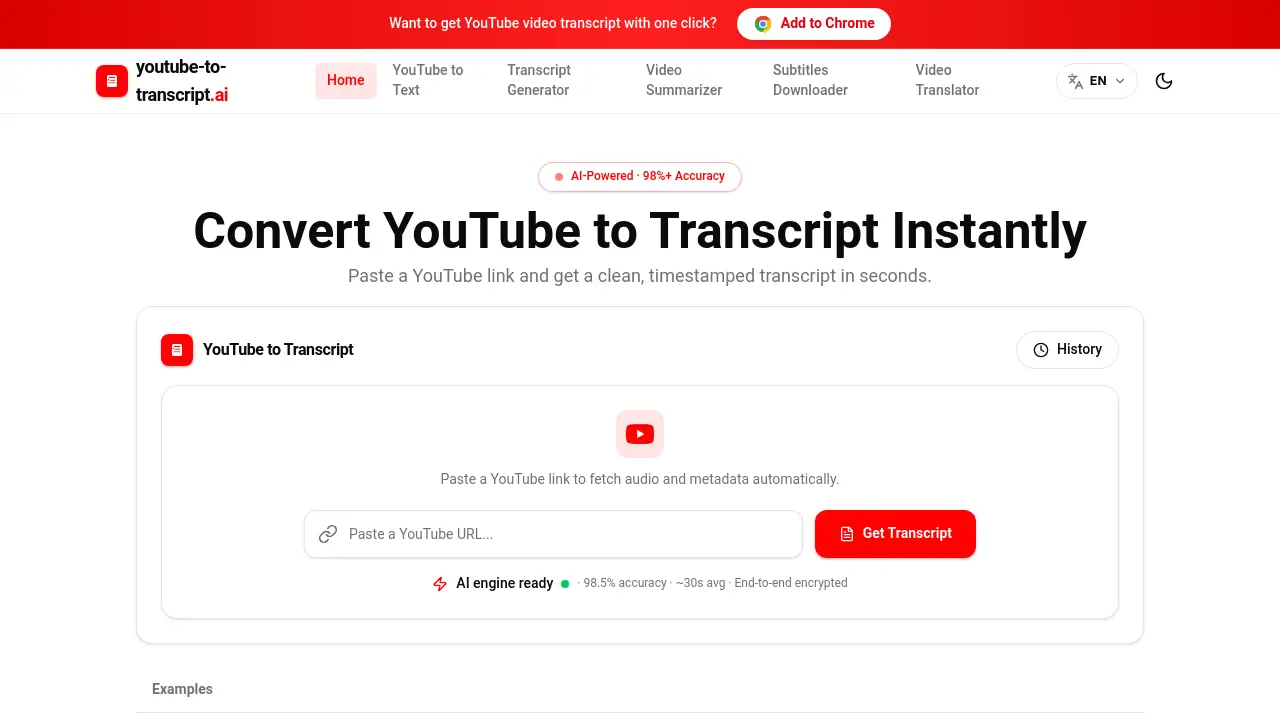
YouTube to Transcript AI is a free online transcription tool designed for anyone who needs a YouTube video transcript without manual typing. Instead of typing out a YouTube video transcript by hand, users can paste a YouTube URL and let the tool handle the work. The main goal is to solve the problem of watching long videos over and over just to capture specific statements. After a link is submitted, the system retrieves existing subtitles or activates speech recognition when captions are missing. In seconds, the video is converted into a clean, timestamped transcript that can be searched, highlighted, copied, and exported. Journalists, students, creators, marketers, and researchers all use YouTube to Transcript AI to save time and improve their workflows. Unlike many generic tools, this YouTube transcript generator focuses on clean, practical output. Because it works in the browser, there is no software to install, and the interface is simple enough for beginners. The result is a reliable YouTube video transcript that users can turn into subtitles, study notes, or content assets.
Key Features of YouTube to Transcript AI
Paste a Link and Get a Transcript
Paste any YouTube URL, including Shorts and embedded links. YouTube to Transcript AI then retrieves subtitles or starts speech recognition automatically.
High-Accuracy Transcription
Speech models handle accents, overlapping dialogue, and noisy rooms. This helps produce a reliable YouTube video transcript for interviews and lectures, and YouTube to Transcript AI is designed to keep errors low even in difficult audio.
100+ Language Support
Auto-detect the spoken language and receive translations in 100+ languages. This makes YouTube to Transcript AI useful for global teams and language learners who need a YouTube video transcript in their own language.
Timestamps and Chapters
Every line is clickable and time-coded. Auto-generated chapter markers help users jump to relevant sections of a YouTube video transcript without scrubbing the video. This is a key benefit of YouTube to Transcript AI for long tutorials and lectures.
Flexible Export Formats
Users can export any YouTube video transcript as TXT, DOCX, SRT, VTT, or CSV. Editors can drop files straight into subtitle tools or content systems. YouTube to Transcript AI supports the formats that typical transcription projects need.
AI Summaries
Turn a long talk into a five-bullet summary. YouTube to Transcript AI also highlights key quotes, which is helpful for quick reviews and meeting notes.
Speaker Labels
Separate speakers automatically and rename them with a click. This feature makes a multi-person YouTube video transcript easier to read and cite.
Searchable Transcripts
Use keyword search to jump to any moment. With YouTube to Transcript AI, users can find the exact sentence inside a transcript without replaying the entire video.
Long Video Support
The tool can handle long videos, including videos over 1900 seconds. YouTube to Transcript AI is useful for interviews, lectures, and webinars that would take too long to transcribe manually.
Privacy-First Design
Links and transcripts stay private. Users can delete anything at any time with one click. This privacy approach makes YouTube to Transcript AI a safe option for sensitive interviews or unpublished content.
Use Cases for YouTube to Transcript AI
Journalists and Reporters
Reporters pull verbatim quotes from press conferences and interviews. With YouTube to Transcript AI, fact-checking is faster because the exact wording is available in seconds.
Academic Researchers
Researchers can turn recorded lectures and qualitative interviews into coded text. A YouTube video transcript is easier to cite and analyze than raw audio.
Podcast and Video Editors
Editors build show notes, chapter markers, and social clips from the text. YouTube to Transcript AI provides the raw material for repurposing long-form content into shorter pieces.
Language Learners and Teachers
Learners read along with native speech to pick up vocabulary and phrasing. Teachers use a YouTube video transcript to create listening exercises, subtitles, and vocabulary lists.
Marketers and Growth Teams
Marketers can use YouTube to Transcript AI to mine competitor webinars and keynote talks for quotes and content ideas. A single YouTube video transcript can support a week of social posts and blog writing.
Video or Content Creators
Creators transform long videos into shorts, captions, blog posts, and newsletters. YouTube to Transcript AI gives creators a clean starting point, so one video can become many assets.
How to Use YouTube to Transcript AI
Using YouTube to Transcript AI takes only three steps:
- Copy the YouTube link and paste it into the input box. Regular watch pages, Shorts, and most embedded video formats work.
- Click generate. The tool retrieves existing subtitles first, then uses speech recognition when no subtitles are found.
- Review the transcript, read the AI summary, and copy the text or download the file in TXT, DOCX, SRT, VTT, or CSV format.
With YouTube to Transcript AI, the entire process is fast and requires no technical skills.
Target Audience for YouTube to Transcript AI
- Students and language learners
- Journalists and reporters
- Academic researchers
- Podcast and video editors
- Marketers and growth teams
- Content creators
- Remote workers and interviewers
Is YouTube to Transcript AI Free?
According to the official website, YouTube to Transcript AI is free for everyday use. Users can paste a YouTube link and get usual transcription, translation, and summarization results without paying in advance. The product page also states that expanded quota packages for large-volume users will be released soon, with limited-time offers when available.
| Plan | Price | Features |
|---|---|---|
| Free | $0 | Transcripts, translation, AI summaries, and export options for everyday use |
| Expanded quota | To be announced | For large volumes and higher usage demands |
YouTube to Transcript AI's Pros and Cons
| Aspect | Pros | Cons |
|---|---|---|
| Ease of use | Simple three-step workflow, no install needed | Requires an internet connection |
| Transcription | High accuracy, supports 100+ languages | May take longer if no subtitles exist |
| Export options | TXT, DOCX, SRT, VTT, and CSV downloads | Large-volume pricing not yet published |
| Privacy | Delete transcripts and links anytime | No offline mode mentioned |
Frequently Asked Questions about YouTube to Transcript AI
Is YouTube to Transcript AI free?
Yes, YouTube to Transcript AI is free for everyday use. Users can paste a YouTube link and get transcripts, translations, and AI summaries without upfront payment.
Does YouTube to Transcript AI support languages other than English?
Yes. It supports 100+ languages and can auto-detect the spoken language. This makes YouTube to Transcript AI a strong choice for international users and language learners.
What export formats are available?
Users can download a YouTube video transcript as TXT, DOCX, SRT, VTT, or CSV. These formats work with subtitle editors, document tools, and spreadsheets.
Can I get an AI summary instead of the full transcript?
Yes. The AI summary feature in YouTube to Transcript AI turns long videos into short bullet lists and key quotes. This is useful for scanning a video before reading the full transcript.
How accurate is the transcription?
The tool uses speech recognition tuned for real-world audio, including accents, noise, and overlapping speech. If subtitles already exist, YouTube to Transcript AI generates the transcript quickly from those captions.
Can I delete my transcripts and links?
Yes. Using YouTube to Transcript AI, users can delete their links and transcripts at any time with one click. The privacy-first design keeps data under user control.
YouTube to Transcript AI Tags
YouTube to Transcript AI, YouTube transcript generator, YouTube video transcript, transcribe YouTube videos, YouTube subtitles generator, AI video summary, video to text, YouTube to text converter, timestamped transcript, SRT download, VTT download, YouTube transcription tool