Introduction
omni 1.2 flash creates cinematic AI video clips.
What is omni 1.2 flash?
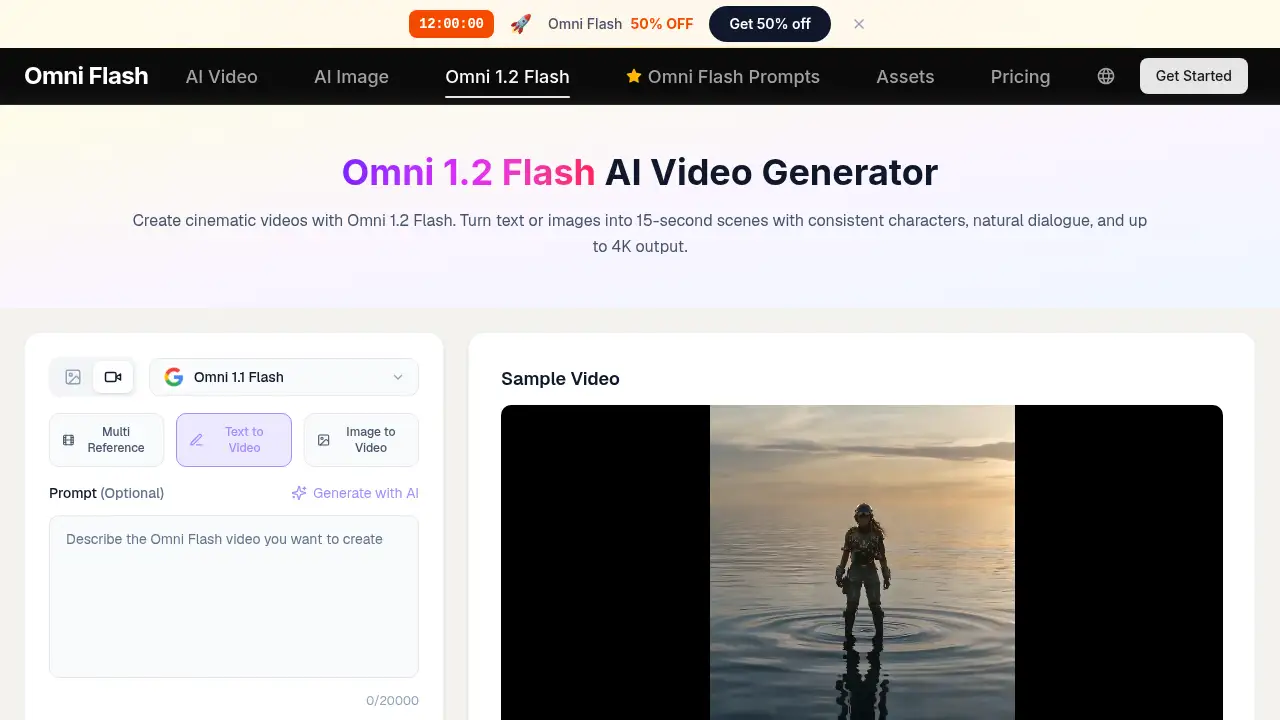
Omni 1.2 Flash is an AI video generator that turns text or images into short cinematic videos. It is built for creators who need fast drafts and delivery-ready final files without a full production pipeline. The tool generates clips up to 15 seconds, supports scene extension to 30 seconds, and can output up to 4K. It addresses a common AI video issue: keeping characters, products, and brand details consistent across shots. With Omni 1.2 Flash, users can start with text to video or image to video, add reference images, and refine a clip through follow-up instructions. It matters because it combines longer clip length, stronger reference consistency, cleaner natural dialogue, and a draft-first workflow in one model. Solo creators, agencies, and independent teams can use Omni 1.2 Flash for ads, social clips, product demos, and story scenes. The product is positioned as a faster, lower-cost update to Omni 1.1 Flash, with about 30% lower 720p pricing per second.
Key Features of omni 1.2 flash
15-Second Clips and Scene Extension
Omni 1.2 Flash generates a single clip up to 15 seconds and extends compatible scenes by 3 to 10 seconds per round, reaching up to 30 seconds. This helps tell a complete short story without leaving the model.
Draft-First 4K Delivery
Omni 1.2 Flash lets users generate native 360p or 720p drafts, compare takes, and upscale only the best result to 1080p or 4K. This keeps iteration cheap while final output stays sharp for delivery.
Lower Cost per Second
720p output with Omni 1.2 Flash costs about $0.07 per second, down from roughly $0.10 on the previous model. Longer 15-second takes become more practical for budget-conscious AI video projects.
Stronger Reference Consistency
Omni 1.2 Flash accepts up to 6 reference images, or 3 per character when directing two characters, plus up to 3 reference videos. Products, faces, and brand details stay more consistent across shots.
Stateful Conversational Editing
Omni 1.2 Flash supports stateful edits on the same clip. Users can swap a product, adjust lighting, or change the camera angle with a follow-up instruction while the rest of the scene stays locked.
Cleaner Speech and Lip Sync
Omni 1.2 Flash improves natural dialogue, lip movement, and multi-speaker separation. Talking-head clips, ads with spoken lines, and interview-style scenes become more usable straight from the model.
Use Cases for omni 1.2 flash
Short Ads and Social Videos
Use Omni 1.2 Flash to create 15-second cinematic videos for social feeds, paid ads, or product teasers. The draft-first workflow and 4K upscale option support quick testing and final delivery.
Product Demos with Consistent Branding
Upload product reference images and use Omni 1.2 Flash to keep packaging, logos, and details consistent. Image to video and reference images make it easier to build clean product scenes.
Character-Led Story Scenes
Direct two characters with up to 3 reference images per character and use Omni 1.2 Flash for dialogue-driven scenes. Natural dialogue and stronger identity consistency help keep a short story coherent.
Client-Ready AI Video Drafts
Agencies can use Omni 1.2 Flash to compare 360p or 720p drafts before upscaling a winning take to 1080p or 4K. Stateful conversational editing reduces the need to regenerate every change.
How to Use omni 1.2 flash
- Choose Omni 1.2 Flash text to video or image to video. Write a scene or upload an image, then add reference images when a product or character must stay consistent.
- Direct the Omni 1.2 Flash scene by describing subject, action, environment, camera movement, lighting, dialogue, and timing.
- Review a 360p or 720p draft. Use follow-up instructions to edit the same clip, such as changing a product, lighting, or camera angle.
- Extend a compatible scene by 3 to 10 seconds per round if the story needs more time, up to 30 seconds total.
- Upscale the chosen Omni 1.2 Flash result to 1080p or 4K for delivery.
Target Audience for omni 1.2 flash
- Solo content creators making short cinematic videos
- Social media marketers testing ad concepts
- Agencies producing client-ready AI video drafts
- Product marketers creating consistent brand demos
- Storytellers building short character-led scenes
- Small teams that need fast text to video or image to video output
Is omni 1.2 flash Free?
The provided information does not list a free plan or trial for Omni 1.2 Flash. Pricing is usage-based: 720p output is about $0.07 per second, and a full 15-second 720p clip costs close to what 10 seconds cost on the previous model. For current plan details, check the official Omni 1.2 Flash product page.
| Plan | Price | Features |
|---|---|---|
| Usage-based 720p output | About $0.07 per second | 15-second generation, 30-second extended scenes, references, draft-first upscale |
| Higher-resolution delivery | Not listed in reference | Upscale selected drafts to 1080p or 4K |
omni 1.2 flash's Pros and Cons
| Aspect | Pros | Cons |
|---|---|---|
| Pricing | 720p output is about 30% lower per second than the previous model; draft-first workflow can reduce iteration cost | Usage-based pricing can add up when many final seconds are produced |
| Features | 15-second clips, 30-second extension, up to 4K, 6 image references, 3 video references, conversational editing | Extended scenes are capped at 30 seconds |
| Workflow | Fast drafts and stateful edits reduce regeneration | Users still need clear prompts and scene direction |
| Audio | Cleaner dialogue, lip sync, and multi-speaker separation | It is not a full replacement for complete audio post-production |
Frequently Asked Questions about omni 1.2 flash
What is the maximum clip length in Omni 1.2 Flash?
Omni 1.2 Flash generates clips up to 15 seconds in one pass. Compatible scenes can be extended by 3 to 10 seconds per round, reaching up to 30 seconds total.
Can Omni 1.2 Flash output 4K video?
Yes. Omni 1.2 Flash supports native 360p or 720p drafts, then lets users upscale a chosen result to 1080p or 4K for delivery.
How many reference images does Omni 1.2 Flash support?
Omni 1.2 Flash supports up to 6 reference images, or 3 per character when directing two characters. It also accepts up to 3 reference videos.
How much does Omni 1.2 Flash cost?
The reference lists 720p output at about $0.07 per second, down from roughly $0.10 on the previous model. Higher-resolution pricing is not listed in the provided information.
Does Omni 1.2 Flash support text to video and image to video?
Yes. Omni 1.2 Flash supports both text to video and image to video workflows, with reference images available for stronger identity and style consistency.
Can users edit an Omni 1.2 Flash clip without regenerating it?
Yes. Omni 1.2 Flash uses stateful conversational editing, so users can change a product, lighting, or camera angle with a follow-up instruction while the rest of the scene stays locked.
omni 1.2 flash Tags
omni 1.2 flash, Omni 1.2 Flash AI video generator, cinematic videos, text to video, image to video, 4K AI video, consistent characters, natural dialogue, reference images, scene extension, conversational editing, AI video drafts