Introduction
Transform PDFs into engaging videos effortlessly.
What is PDF to Video?
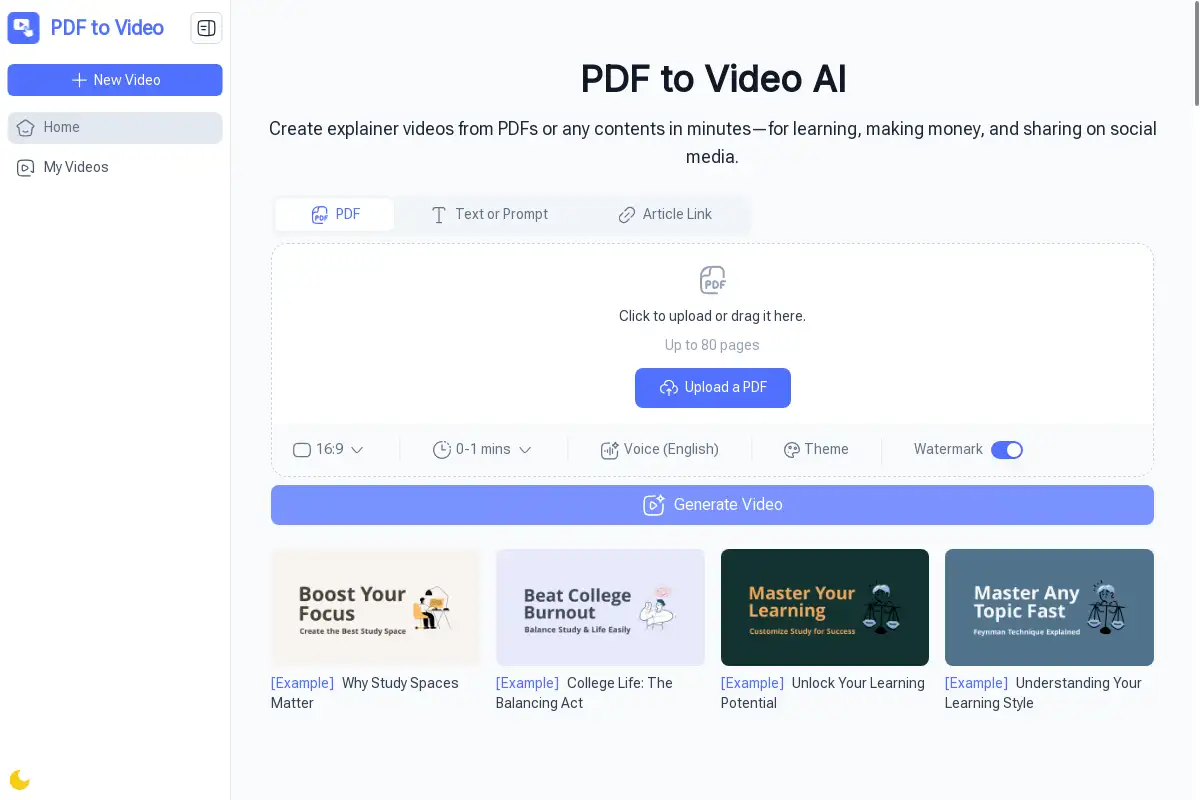
PDF to Video is an AI-powered tool that allows users to convert PDF documents into clear and engaging explainer videos quickly. This platform is designed for anyone looking to enhance their content without the hassle of complicated software or extensive editing skills.
PDF to Video's Core Features
AI-Powered Conversion
- Automatically analyzes PDF content to create smooth videos.
No Sign-Up Needed
- Users can start converting files instantly without creating an account.
Free & Online
- Accessible from any browser, allowing for conversions anytime.
Customizable Output
- Options to adjust voiceovers, timing, and design for a personalized touch.
Fast & Efficient
- Converts PDFs into videos in just minutes.
Professional Quality
- Delivers results that resemble videos produced by experienced editors.
PDF to Video's Usage Cases
Teachers & Trainers
- Convert lesson materials into interactive video formats.
Business Professionals
- Present reports and proposals in a more engaging way.
Marketers
- Create quick video ads or explainers from PDF brochures.
Students
- Transform notes into study-friendly videos.
Content Creators
- Produce ready-to-share videos in mere minutes.
Nonprofits
- Enhance awareness campaigns with impactful visual storytelling.
How to use PDF to Video?
To use PDF to Video, simply drag and drop your PDF document onto the website or select it from your device. The AI will analyze the content and generate a video, which can be customized if necessary. Once satisfied, users can download or share the final product instantly.
PDF to Video's Audience
- Educators
- Business professionals
- Marketers
- Students
- Content creators
- Nonprofit organizations
Is PDF to Video Free?
Yes, PDF to Video is completely free to use. There are no hidden costs, and users can create and share videos online without any sign-up requirements.
PDF to Video's Frequently Asked Questions
Can I use PDF to Video without an account?
Yes, you can start using the tool immediately without signing up.
How long does it take to convert a PDF?
The conversion process typically takes just minutes.
What types of PDFs can be converted?
Most standard PDF formats can be converted, including text and images.
Is the video quality good?
Yes, the output is designed to look professional and polished.
PDF to Video's Tags
PDF to Video, AI video creation, PDF converter, video editing, online tool, free video maker, interactive videos, educational content, marketing videos.