Introduction
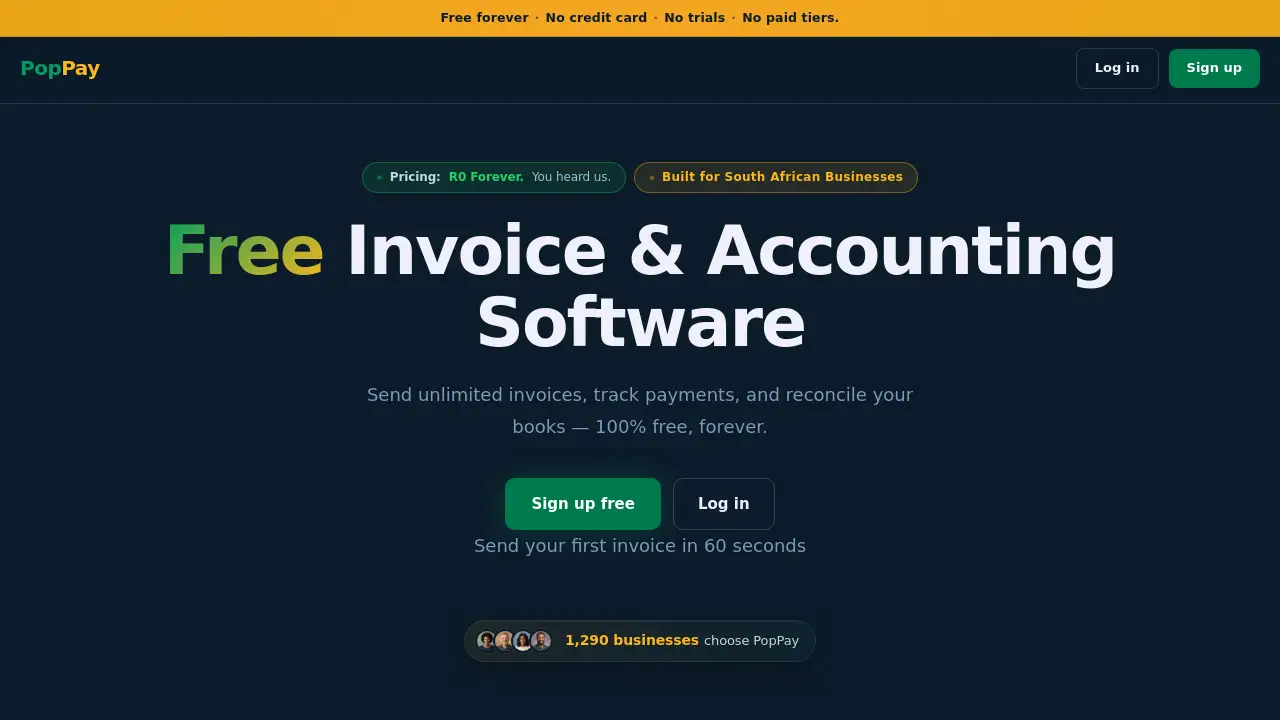
PopPay is a free invoice and accounting software designed for small businesses and freelancers in South Africa.
What is PopPay?
PopPay is a financial management tool built specifically for the South African market. It solves the common problem of complex and expensive accounting software by offering a streamlined platform to send invoices, match EFT payments, and manage cash flow. The software is ideal for freelancers, sole proprietors, and small business owners who need a simple way to handle their basic bookkeeping without a hefty price tag. Its core value lies in automating repetitive tasks like payment follow-ups, saving users time and helping them get paid faster, all for free.
Key Features of PopPay
Free Invoice Creation and Sending
PopPay allows users to create and send professional invoices to clients directly from the platform, a crucial feature for managing billing and ensuring timely payments.
Automated EFT Payment Matching
The software can automatically match incoming EFT (Electronic Funds Transfer) payments with the correct invoices, simplifying bank reconciliation and reducing manual data entry for South African businesses.
Smart Payment Follow-Ups
To improve cash flow, PopPay automates payment reminders and follow-up emails for overdue invoices, helping users collect payments more efficiently.
Cash Flow Management Tools
Users can get a clear overview of their financial health with built-in tools to track income, expenses, and outstanding payments, aiding in better financial planning.
Secure Cloud-Based Access
All financial data is stored securely in the cloud, allowing users to access their invoices and accounting information from anywhere, at any time.
Use Cases for PopPay
Freelancers and Consultants
Independent professionals can use PopPay to invoice clients for projects, track time if integrated, and manage their freelance income and expenses in one place.
Small Retail and Service Businesses
Local shops, cafes, or service providers can streamline their billing process, match daily EFT sales, and keep tabs on outstanding customer payments.
Startups and Side Hustles
New businesses and side projects operating on a tight budget can manage their basic accounting needs without investing in costly software, using PopPay’s free invoice software.
Creative Agencies and Contractors
Designers, developers, and marketing agencies can issue project-based invoices, automate client payment reminders, and maintain clear financial records for multiple clients.
How to Use PopPay
Getting started with PopPay is designed to be straightforward. Here are the typical steps:
- Sign Up for a Free Account: Visit the PopPay website and create an account using an email address.
- Set Up Your Business Profile: Enter your business details, such as name, logo, and banking information for invoicing.
- Create and Send Your First Invoice: Use the dashboard to fill in client details, add line items for products or services, and send the invoice directly via email.
- Track Payments and Cash Flow: As payments are received, PopPay can match them to invoices. Users can then monitor their dashboard for insights into paid and overdue invoices and overall cash flow.
Target Audience for PopPay
- Freelancers and independent contractors in South Africa
- Sole proprietors and small business owners
- Startups and entrepreneurs with limited initial capital
- Consultants, creatives, and agency owners
- Any South African micro-business needing simple, free accounting software
Is PopPay Free?
According to the product description, PopPay offers its core invoice and accounting features for free. The "R0 forever" promise indicates a permanent free plan, making it accessible for users who need basic financial management without a subscription fee.
| Plan | Price | Key Features |
|---|---|---|
| Free | R0 / $0 Forever | Send invoices, match EFT payments, automate follow-ups, manage cash flow. |
PopPay's Pros and Cons
| Aspect | Pros | Cons |
|---|---|---|
| Pricing | Completely free with no hidden fees; exceptional value for cost-sensitive users. | May lack advanced features required by larger, established businesses. |
| Ease of Use | Streamlined for core tasks like invoicing and payment matching; likely has a gentle learning curve. | Depth of accounting features may be limited compared to full-scale enterprise software. |
| Features for SA Market | Built-in EFT payment matching is highly relevant for the local South African banking landscape. | Integrations with other business tools (e.g., e-commerce platforms) may be limited. |
| Automation | Automates time-consuming tasks like payment reminders, improving cash flow management. | Customization options for invoices or workflows might be basic. |
Frequently Asked Questions about PopPay
Is PopPay really free forever?
Yes. According to the official product description, PopPay's core features—including sending invoices, matching EFT payments, and cash flow management—are available for "R0 forever," meaning there is no charge for using these services.
How does PopPay match EFT payments?
PopPay likely connects to your business bank account via secure APIs (like those offered by banks or third-party providers) to import transaction data. It then uses details like payment references or amounts to automatically link incoming EFT deposits to the corresponding invoices in your PopPay account.
Can I use PopPay on my mobile phone?
As a cloud-based accounting software, PopPay's website should be accessible through a mobile web browser. For the best experience and any dedicated mobile app availability, users should check the official PopPay website or app stores.
Is PopPay suitable for a registered company (Pty Ltd)?
PopPay is primarily designed for freelancers, sole proprietors, and small businesses. While a registered company (Pty Ltd) can use it for basic invoicing and payment tracking, it may not support all the complex accounting requirements, such as detailed financial statements or VAT reporting, that larger entities need. Consulting an accountant is advised.
What happens if I need more advanced accounting features?
PopPay focuses on free invoice software and essential cash flow tools. Businesses that grow and require features like inventory management, advanced payroll, or detailed financial reporting may need to consider upgrading to a more comprehensive paid accounting solution.
Is my financial data secure with PopPay?
PopPay states it uses secure cloud-based access. Users should review the platform's privacy policy and security measures on its website to understand how their data, including bank information and client details, is protected and stored.
PopPay Tags
free accounting software South Africa, PopPay invoice software, EFT payment matching, free invoice software, cash flow management tool, small business accounting South Africa, send invoices online, automated payment reminders, financial software for freelancers, South African business tools, cloud-based accounting, get paid faster