Introduction
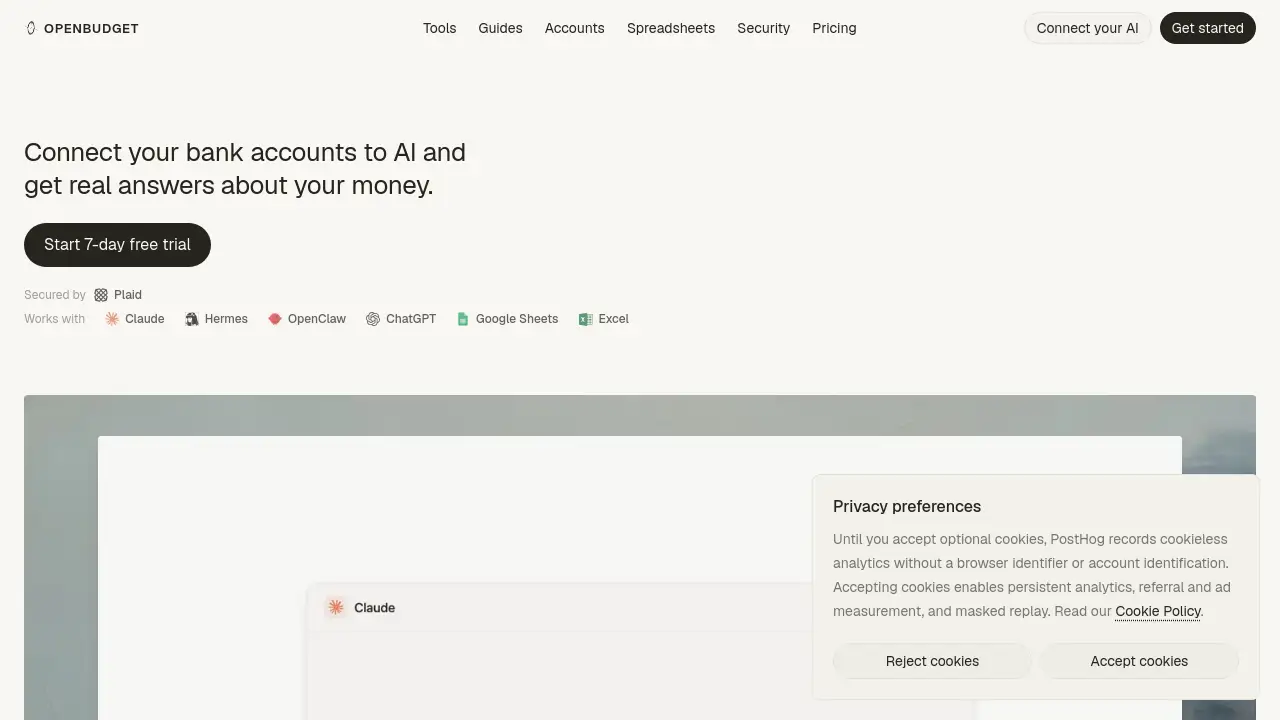
Managing money often means juggling spreadsheets, banking apps, and manual data entry. OpenBudget offers a simpler path by connecting your bank accounts directly to AI assistants. OpenBudget is an AI budgeting tool that works with Claude, ChatGPT, Google Sheets, and Excel. Instead of exporting CSV files, users ask plain-language questions and get real answers. With support for over 10,000 banks, OpenBudget makes financial insights accessible to everyone. This OpenBudget review covers features, pricing, and target users.
What is OpenBudget?
OpenBudget is a financial data connector that links your bank accounts to AI platforms like Claude and ChatGPT, plus Google Sheets and Excel. The core idea is simple: connect your bank once, and your transactions, balances, and spending habits flow automatically into the tools you already use. No more downloading statements, cleaning up spreadsheets, or wondering where money went.
The main problem OpenBudget solves is the time and effort required to turn raw banking data into clear answers. Most people want to know how much they spend and where, yet the process of collecting and analyzing that information is tedious. OpenBudget removes that friction by acting as a bridge between your bank and AI. Once connected, users can ask questions like "How much did I spend on dining last month?" and receive accurate answers instantly.
This tool matters because it turns passive transaction data into actionable advice. As an AI budgeting tool, OpenBudget suits anyone who uses AI assistants regularly and wants better visibility into personal finance. Whether you are tracking a monthly budget or planning to pay down debt, OpenBudget gives you a live data source that speaks the language of AI.
Key Features of OpenBudget
Connect Banks Directly to AI
OpenBudget supports over 10,000 banks and cards, so most users can link their primary accounts in about two minutes. The secure connection is built on Plaid, a trusted financial data platform. Once connected, transactions flow into Claude, ChatGPT, Google Sheets, and Excel automatically. This makes OpenBudget an AI budgeting tool that fits into existing workflows.
Automatic Categorization Rules
OpenBudget automatically sorts transactions into more than 100 categories. If a user sets a rule once, the AI remembers it and applies it to future transactions. This reduces manual corrections and keeps budgets accurate over time.
Split Charges by Item
Mixed purchases, such as a department store visit that includes clothes and household goods, can be split into the correct budget categories. OpenBudget lets the AI separate these transactions so each category stays precise.
Track Cards and Loans
Beyond daily spending, OpenBudget shows balances, APRs, due dates, and payoff options for credit cards and loans. Users can ask about their debt and get clear answers about what they owe and how to pay it down.
Bank-Grade Security
Bank credentials stay encrypted with Plaid, and OpenBudget cannot move money. The connection is read-only for account activity, which lowers risk while still giving users full visibility into their finances.
Scheduled Check-ins and Automations
Claude and ChatGPT can run recurring tasks, and OpenBudget serves as the live data source for those automations. Users can set prompts such as "Every morning at 8am, summarize yesterday's spending" or "Every Friday, check bills due in the next 7 days."
Use Cases for OpenBudget
Morning Spending Summaries
Users can ask ChatGPT or Claude to summarize the previous day's spending every morning. OpenBudget provides the fresh transaction data, so the summary reflects what actually happened.
Weekly Bill Checks
A weekly prompt can check bills due in the next seven days. OpenBudget pulls balances and due dates from linked accounts, helping users avoid late fees and plan cash flow.
Monthly Category Reviews
Mid-month reviews can highlight which spending categories are running hot. OpenBudget helps users adjust habits before the month ends, preventing overspending surprises.
Loan Payoff Planning
With card and loan tracking, users can ask about balances and APRs to explore payoff strategies. OpenBudget connects your bank data to AI so debt questions get clear, data-backed answers.
How to Use OpenBudget
- Visit the OpenBudget website and connect your bank account securely through Plaid.
- Choose your AI platform, such as Claude or ChatGPT, and install the OpenBudget connector.
- Ask questions in plain language about transactions, budgets, or spending trends.
- Set up recurring automations for daily, weekly, or monthly financial check-ins.
Target Audience for OpenBudget
- Individuals who want to track spending without manual effort
- Couples managing shared household budgets
- Freelancers and gig workers with irregular income
- ChatGPT and Claude users looking for live financial data
- Anyone who wants an AI budgeting tool with bank-level security
Is OpenBudget Free?
The official homepage does not list exact pricing details. OpenBudget may offer a free tier or trial period for new users, but this is not confirmed in the reference content. Since pricing plans are not fully disclosed, readers should visit the official OpenBudget website to check current plans and subscription options.
OpenBudget's Pros and Cons
| Aspect | Pros | Cons |
|---|---|---|
| Setup | Connects in about 2 minutes | Requires a supported bank or card |
| Security | Bank-grade encryption via Plaid | Limited to accounts available through Plaid |
| AI Integration | Works with Claude and ChatGPT | Needs a separate AI subscription |
| Automation | Recurring check-ins save time | Setup may feel technical for beginners |
| Data Accuracy | Real transaction data from 10,000+ banks | Less useful for cash-only spending |
Frequently Asked Questions about OpenBudget
Is OpenBudget safe to use with my bank account?
Yes, OpenBudget uses Plaid to connect to your bank. Plaid encrypts your credentials, and OpenBudget cannot move money or make payments from your accounts.
Do I need ChatGPT or Claude to use OpenBudget?
Yes, the main experience relies on connecting OpenBudget to an AI assistant like Claude or ChatGPT. It also integrates with Google Sheets and Excel for spreadsheet-based tracking.
What kind of questions can I ask about my money?
Users can ask about spending totals, budget categories, trends, balances, upcoming bills, and loan payoff options. For example, "How much did I spend on restaurants last week?" OpenBudget is an AI budgeting tool that answers these questions in plain language.
Does OpenBudget support multiple bank accounts?
Yes, it supports over 10,000 banks and cards, so users can connect several accounts. OpenBudget gathers transactions from all linked accounts into the same AI workspace.
Is there a free version of OpenBudget?
The official homepage does not clearly state pricing. Users should visit the OpenBudget website to check for free trials or current plan options.
How is OpenBudget different from regular budgeting apps?
Unlike traditional budgeting apps, OpenBudget connects directly to AI assistants like Claude and ChatGPT. This allows natural-language questions and custom automations instead of forcing users into a fixed dashboard.
OpenBudget Tags
OpenBudget, OpenBudget review, AI budgeting tool, connect bank to AI, Claude ChatGPT budgeting, personal finance AI, bank account automation, Plaid budgeting app, spending tracker AI, smart budgeting tools