Introduction
Scribix is an AI video clipper for short clips.
What is Scribix?
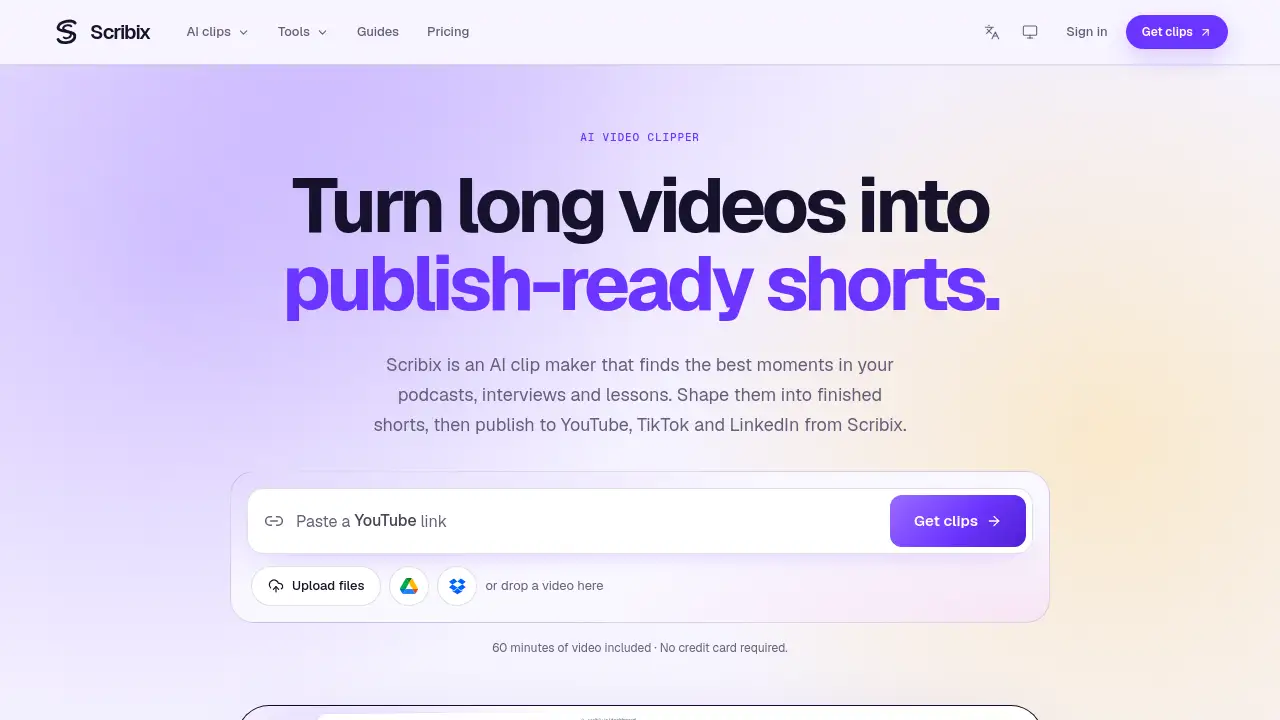
Scribix is an AI video clipper and AI clip maker that turns long videos into publish-ready shorts. It is built for podcasts, interviews, webinars, lessons, and talking-head videos. Instead of manually scrubbing through hours of footage, users upload a video and review AI-suggested moments that have a clear theme and enough context to stand alone. The AI video clipper uses spoken content and timing to support transcript-based cuts. Users can then shape clips with dynamic captions and 9:16 framing, download MP4 files, or publish to YouTube, TikTok, and LinkedIn on paid plans. As an AI video clipper, Scribix helps creators and teams repurpose existing footage without starting from a blank timeline. It matters because short-form video is a major discovery channel, but editing long recordings into clips can be slow. Scribix keeps the workflow in one workspace: find the moment, finish the short, and send it to connected channels.
Key Features of Scribix
AI-Powered Moment Selection
Scribix reviews spoken content and timing to suggest moments with a clear theme and enough context. This helps users find shareable podcast clips, interview clips, and lesson highlights faster.
Transcript-Based Cutting
Refine clip start and end points using the transcript. This AI video clipper feature helps keep the story coherent while removing slow or off-topic sections.
Dynamic Captions and 9:16 Framing
Correct caption text and adjust position, color, and emphasis. Users can also reframe wide recordings into vertical 9:16 video and adjust zoom to keep the speaker in view.
Cover and Title Preparation
Prepare a title and cover that give viewers a reason to watch. A consistent cover and clear title help each short look ready for social platforms.
Multi-Platform Social Publishing
On paid plans, connect YouTube, TikTok, and LinkedIn accounts. Select destinations, tailor each platform’s copy, and track individual post statuses from Scribix.
MP4 Export and Transcript Tools
Download finished MP4 clips, covers, and available post copy. Scribix also offers audio-to-text, YouTube transcript, AI notes, transcript editing, and text or subtitle exports as dedicated tools.
Use Cases for Scribix
Podcast Clips
Turn a long episode into focused shorts that can travel across social channels. The AI clip maker helps podcasters pick moments that make sense without extra context.
Interview Shorts
Find strong answers and emotional beats in recorded interviews. Transcript-based cuts make it easier to keep the quote intact and remove filler.
Webinars and Lessons
Convert presentations and lessons into vertical video with captions. This is useful for educators, coaches, and teams that want more reach from existing recordings.
Talking-Head Videos
Reframe wide talking-head footage into 9:16 format. Add dynamic captions and a prepared cover to make the short feel complete.
Team Social Publishing
Manage connected accounts, adjust post copy for each destination, and follow publishing status. Paid plans support a shared workflow for YouTube, TikTok, and LinkedIn.
How to Use Scribix
- Upload a long video from Google Drive, Dropbox, or a local device. Common formats include MP4, MOV, WebM, AVI, and MKV.
- Review AI-suggested moments with their context and timing. Choose the stories to turn into shorts.
- Refine the clip on a paid plan: correct captions, adjust 9:16 framing, trim with the transcript, and prepare a title and cover.
- Export the finished MP4, cover, and post copy, or publish directly to connected YouTube, TikTok, and LinkedIn accounts on paid plans.
Using Scribix as an AI video clipper keeps the process simple: upload, choose, refine, and share. Free accounts can export the suggested clips as they are.
Target Audience for Scribix
- Podcasters who want more clips from each episode
- Content creators making talking-head videos and tutorials
- Social media managers and marketing teams
- Educators, coaches, and webinar hosts
- Interviewers and video producers
- Small teams managing YouTube, TikTok, and LinkedIn channels
Is Scribix Free?
Scribix offers free access with 60 minutes of video included and no credit card required. Free accounts can export the suggested clips as they are. For users comparing an AI video clipper, the free tier is a simple way to test the workflow. Paid plans add clip refinement, caption editing, framing adjustments, cover preparation, and social publishing. Exact paid pricing is not listed in the reference content, so check the official Scribix site for current plan details.
| Plan | Price | Features |
|---|---|---|
| Free | $0 | 60 minutes of video included; no credit card required; AI-suggested clips; export suggested clips as they are |
| Paid | Not listed in reference content | Refine clip boundaries; correct captions; adjust 9:16 framing; prepare covers; publish to YouTube, TikTok, and LinkedIn; manage connected accounts and post statuses |
Scribix's Pros and Cons
| Aspect | Pros | Cons |
|---|---|---|
| Pricing | Free entry includes 60 minutes and no credit card | Direct publishing and detailed editing require a paid plan; public price is not listed in the reference |
| Features | AI moment selection, transcript cuts, dynamic captions, 9:16 framing, MP4 export | Free users cannot refine AI-suggested clips |
| Workflow | Upload, refine, and publish in one workspace | Social publishing is limited to YouTube, TikTok, and LinkedIn in the listed content |
| Formats | Accepts MP4, MOV, WebM, AVI, and MKV | Upload limits and source-video storage depend on the plan |
| Audience | Useful for podcasts, interviews, webinars, lessons, and talking-head videos | Best for frequent short-form creators rather than occasional manual editors |
Frequently Asked Questions about Scribix
How does the AI video clipper choose moments?
The AI video clipper uses the spoken content and timing to suggest moments with a clear theme and enough context to stand on their own. Users review the suggestions and choose what to share.
Can I edit the clips Scribix suggests?
Yes, on a paid plan. Users can refine clip boundaries, correct captions, adjust framing, and prepare the cover. Free accounts can export the suggested clips as they are.
What does Scribix export?
Users can download a finished MP4, cover, and available post copy. On a paid plan, they can also send the finished video to connected social accounts.
Which platforms can I publish to?
On paid plans, Scribix connects to YouTube, TikTok, and LinkedIn. Users can select destinations, edit each platform’s copy, and track individual post statuses.
Which source videos can I upload?
Scribix accepts common formats including MP4, MOV, WebM, AVI, and MKV. Upload limits, video-processing allowance, and retained video storage depend on the plan.
Is Scribix only for podcasts?
No. The AI clip maker also works for interviews, webinars, lessons, talking-head videos, and other long recordings. Scribix also provides dedicated transcription tools.
Scribix Tags
AI video clipper, AI clip maker, video to shorts, podcast clips, interview clips, talking-head videos, transcript-based cuts, dynamic captions, 9:16 video, social publishing, MP4 export, AI video editing