Introduction
Create ad-ready AI videos in minutes with the Seedance 2.5 AI video generator. This tool focuses on fast video creation for advertisers and content creators.
What is seedance 2.5?
Seedance 2.5 is an advanced AI video generator developed by Bytedance. It helps users turn text prompts and image references into short, production-ready videos in minutes. The primary problem it solves is the time-consuming and expensive process of traditional video production. Instead of relying on complex editing software or filming crews, marketing teams and solo creators can quickly produce launch videos, explainers, and short ads directly from a single prompt. This product matters because it prioritizes speed and brand consistency, allowing users to generate multiple video variants for testing without losing their visual identity. Whether someone is comparing the Seedream 2.5 video generator or searching for seedance 3 online free alternatives, version 2.5 offers a focused workflow for ad-ready content.
Key Features of seedance 2.5
Clear Prompt-to-Video Mapping
This feature turns clear prompts into structured scenes with stronger motion and pacing. Users can describe the subject, action, and setting, and the model accurately translates those instructions into video frames.
Reference-Based Brand Consistency
Users can upload brand assets as visual references. The model then keeps the visual identity stable across multiple iterations, which is very useful for campaign variants.
Better Creative Control
This feature allows users to direct shot composition, motion style, and scene energy using practical camera instructions. It gives more control over the final output without needing technical editing skills.
Fast Iteration for Performance
The tool supports quick generation of multiple video hooks and versions. This enables teams to test different creative approaches and optimize for performance rapidly.
Multi-Platform Formats
It generates vertical, square, and widescreen outputs. This makes it easy to create content specifically for paid ads on social channels, landing pages, or other digital platforms.
Production-Ready Exports
The exported video files are clean and ready to fit directly into editing, approvals, and publishing workflows. There is no need for post-processing to make the files usable.
Use Cases for seedance 2.5
Creating Ad Campaign Videos
Marketers can use the Seedance 2.5 AI video generator to create short ad variants for A/B testing. By changing the prompt or reference image, they can test different hooks and visuals without reshoot costs.
Producing Product Explainers
Businesses can quickly produce short explainer videos for their product launch. With the text-to-video feature, a simple product description can be turned into a animated or live-action style clip.
Social Media Content Creation
Content creators can generate engaging social media posts in multiple formats. The multi-platform output makes it easy to share the same content on TikTok, Instagram, and YouTube Shorts with proper aspect ratios.
How to Use seedance 2.5
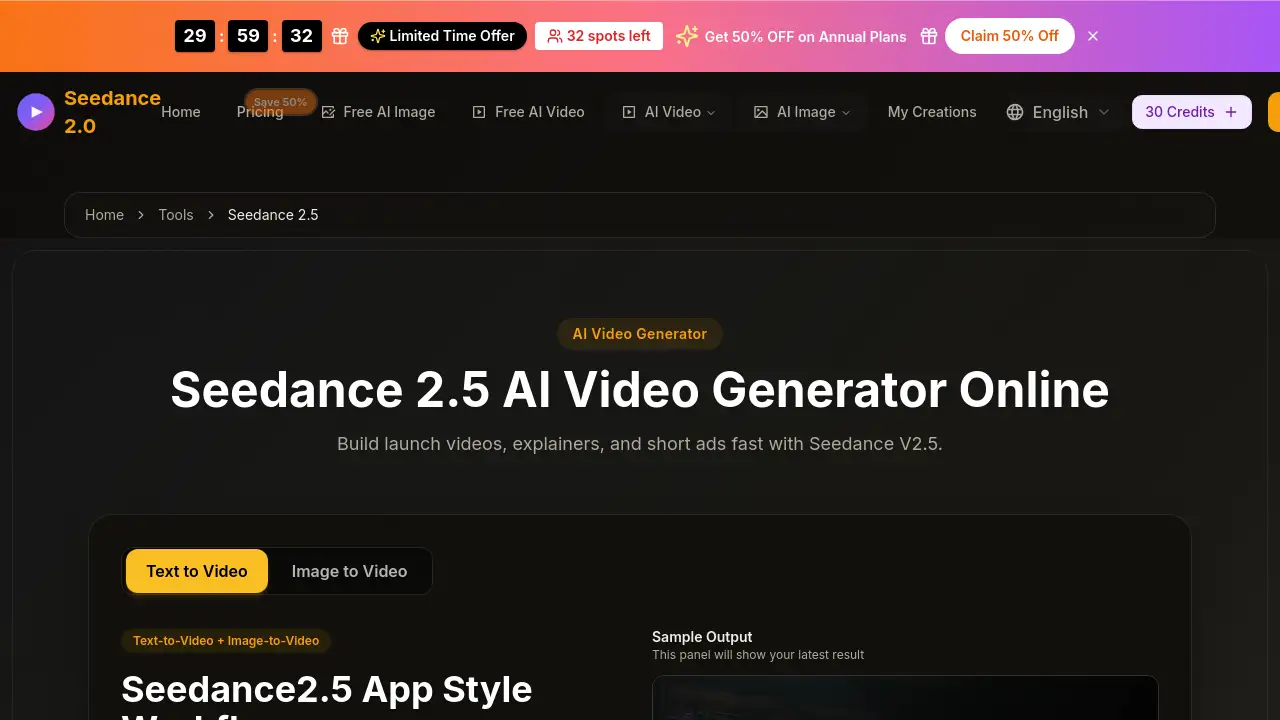
Using the Seedance 2.5 AI video generator follows a simple three-step workflow:
- Write a prompt: Open the workflow page. Write a clear prompt describing the video's subject, audience, and desired action. Optionally, upload a reference audio file (MP3, WAV, M4A) for timing or style reference.
- Configure output settings: Choose a style preset, select the aspect ratio (vertical, square, or widescreen), set the video duration, and adjust the quality level.
- Generate, review, and export: Click the generate button. The tool will render the clip in approximately one to two minutes. Review the result in the sample panel, compare different versions, and export the best one for your campaign.
Target Audience for seedance 2.5
- Marketing teams that need to produce multiple ad variants quickly.
- Content creators who want to generate short, engaging social media videos.
- Small business owners who need low-cost product explainers and launch videos.
- Agencies managing multiple client campaigns requiring consistent brand visuals.
- Freelance video editors looking for a fast way to generate base clips for further editing.
Is seedance 2.5 Free?
The pricing for Seedance 2.5 is based on a credit system. The interface estimates credits for each generation based on prompt complexity, duration, and quality settings. Specific pricing tiers are not detailed on this product page. Users can start creating by signing in to the web app. For the most accurate and up-to-date pricing, it is recommended to check the official Seedance 2.5 website or account dashboard.
| Plan | Price | Features |
|---|---|---|
| Free/Trial | $0 | Limited test credits after sign-in |
| Pay-as-you-go | Variable | Purchase credit packs based on usage |
seedance 2.5's Pros and Cons
| Aspect | Pros | Cons |
|---|---|---|
| Speed | Generates clips in 1-2 minutes | Generation time can increase with queue load or complex prompts |
| Output Quality | Production-ready exports for ads | Requires precise prompts to achieve desired motion and style |
| Brand Control | Reference-based consistency across variants | Limited if no brand reference assets are available |
| Format Flexibility | Supports vertical, square, and widescreen | Aspect ratio options may be limited compared to other editing tools |
| Ease of Use | Simple 3-step workflow | New users may need a few tries to master prompt writing |
Frequently Asked Questions about seedance 2.5
How to access seedance 2.5?
Open the Seedance 2.5 page, sign in with an account, and start creating directly from text-to-video or image-to-video without leaving the workflow interface.
How to use seedance 2.5 effectively?
Write focused seedance 2.5 prompts, add visual references if needed, choose the right aspect ratio and quality, then generate. Refine one variable at a time to compare outcomes.
Is seedance 2.5 text-to-video and image-to-video?
Yes. Users can generate from text prompts alone, from image references alone, or combine both for stronger control over style, composition, and motion.
What video formats and file types are supported?
For references, you can upload JPG, PNG, GIF, and MP4 files up to 500MB each. Generated results are downloaded as standard video files from the result panel.
How long does seedance 2.5 generation take?
Most clips finish in around one to two minutes, depending on queue load, prompt complexity, duration, and quality settings.
How can I get better seedance 2.5 results?
Use one clear objective, describe the subject and action in detail, add camera direction, set a visual style, and iterate one variable at a time to compare outcomes.
seedance 2.5 Tags
seedance 2.5, AI video generator, text-to-video, image-to-video, Bytedance seedance, video ad maker, AI video creation, short video generator, creative AI tool, online video tool, seedance 2.5 workflow, AI content creation