Introduction
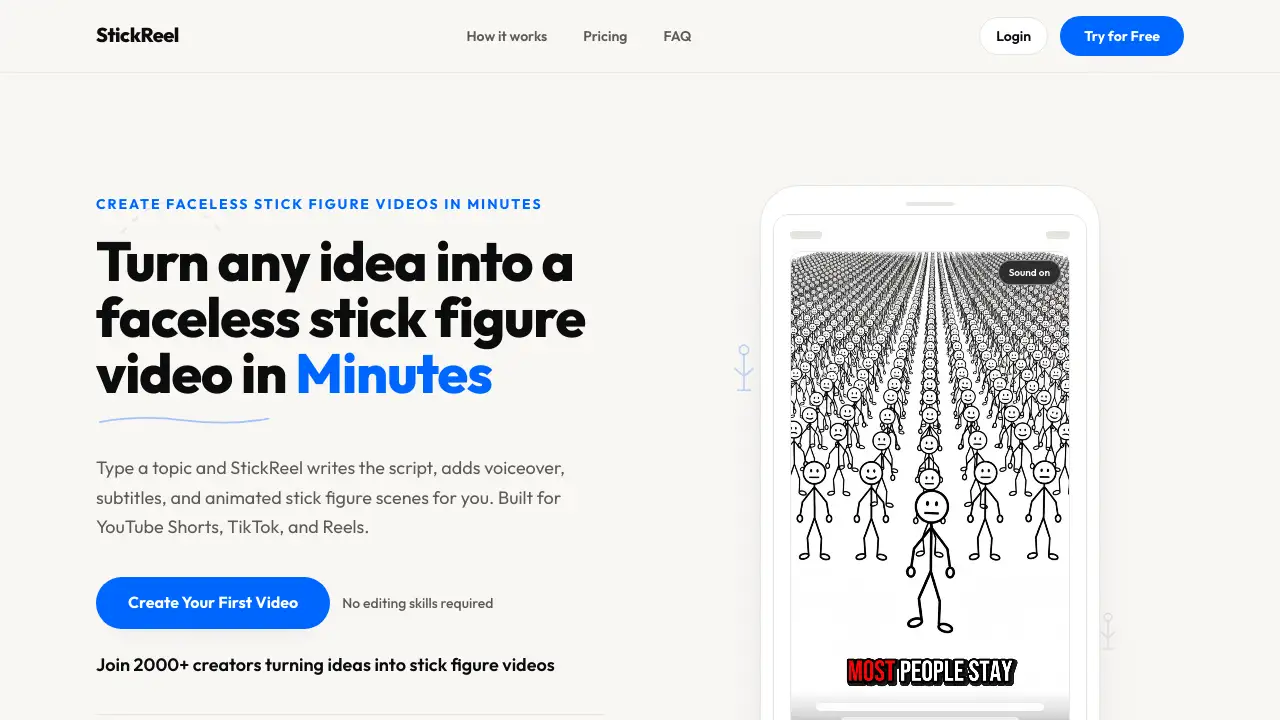
StickReel is a stick figure video generator that turns simple text prompts into complete animated videos. It writes the script, adds a voiceover, generates subtitles, and creates stick figure scenes automatically. The platform is made for creators who want faceless videos for YouTube Shorts, TikTok, and Instagram Reels without recording or drawing. This makes it one of the most practical AI video generator tools for short-form content.
What is StickReel?
StickReel is an online stick figure video generator designed for faceless video creation. It helps anyone turn an idea into a finished video in minutes. Instead of working with a camera or a timeline, users type a topic or paste a script. StickReel then writes the video script, generates a voiceover, adds auto subtitles, and animates stick figure scenes. The tool is useful for creators who want a simple stick figure video maker without spending time on manual editing. It is also a good fit for YouTube Shorts automation, TikTok content creation, and Instagram Reels production.
This type of stick figure video is appealing because it stands out in feeds full of stock clips and talking-head content. With commercial usage included in every plan, it also works for client projects and faceless channels.
Key Features of StickReel
AI Script Generation for Stick Figure Videos
Users can start with a one-line topic or paste their own script. StickReel instantly generates a full script in several formats including Explainer, Story, Listicle, Hot Take, and Promo.
Natural-Sounding Voiceovers for Stick Figure Video
The AI voiceover feature auto-detects language from the topic or lets users choose a voice manually. Each voice has a preview, which helps creators match the tone of their stick figure video.
Animated Scenes for Stick Figure Videos
StickReel keeps the same character consistent across every scene. Moving Images uses subtle camera movement, while Mixed Motion adds animation on key scenes for more visual variety.
Dynamic Subtitles for Stick Figure Videos
Burned-in captions are optional but highly recommended for short-form platforms. Dynamic subtitles make a stick figure video easy to follow when viewers are watching without sound.
Fast MP4 Export for Stick Figure Videos
Users can pick a portrait 9:16 stick figure video for Shorts, TikTok, and Reels, or landscape 16:9 for YouTube. The typical export time is around ten minutes from start to finish.
Commercial Usage Rights for Stick Figure Videos
Every StickReel plan includes commercial usage. This allows creators to monetize their stick figure videos on YouTube, TikTok, and Instagram without extra licensing.
Use Cases for StickReel
Consistent YouTube Shorts Uploads
With a dedicated stick figure video generator, creators can produce daily videos without staring at a blank page. The AI script and animation features keep the workflow fast and repeatable.
TikTok Explainer Videos
Educators, history channels, and trivia pages can explain a topic through a stick figure video. The simple animation style helps viewers focus on the message rather than distracting visuals.
Instagram Reels Promotions
Marketers can turn product benefits into short stick figure videos for Instagram Reels. The Promo script format makes it easy to keep the call-to-action clear and direct.
How to Use StickReel
Using StickReel is simple and requires no previous video editing experience.
- Enter a topic such as “Why people procrastinate,” or paste a pre-written script.
- Let StickReel’s stick figure video generator create the script, voiceover, subtitles, and animated scenes.
- Review the scenes and choose the video format: 9:16 for short-form or 16:9 for YouTube.
- Download the completed MP4 and publish it to YouTube Shorts, TikTok, or Instagram Reels.
The entire stick figure video production process is guided, so there is no timeline editing or animation software to learn.
Target Audience for StickReel
- Educators and explainer creators looking for an AI video generator
- Commentary and storytelling channels that want faceless videos
- Marketers and brand managers creating social campaigns
- Founders who build in public and publish regularly
- Agencies managing video content for multiple clients
- Anyone who wants a repeatable way to publish stick figure videos
Is StickReel Free?
StickReel offers a free trial for new users. After that, users choose a monthly plan based on the number of videos they need. All plans include script generation, AI voiceover, auto subtitles, MP4 export, and commercial usage. The official homepage does not list exact prices, so visitors should check the StickReel website for current pricing.
| Plan | Videos per Month | Included Features |
|---|---|---|
| Starter | 16 | Script, voiceover, subtitles, MP4, commercial usage |
| Creator | 40 | Everything in Starter with a higher video volume |
| Pro | 120 | Everything in Creator with the highest volume |
This pricing setup makes it a practical stick figure video generator for solo creators and small teams.
StickReel's Pros and Cons
| Aspect | Pros | Cons |
|---|---|---|
| Ease of use | No drawing or editing skills required | Limited manual control over animation |
| Speed | Finished MP4 in about ten minutes | Render time depends on scene length |
| Content style | Clean stick figure video style stands out | Stick figures may not fit every brand |
| Pricing | Commercial usage included on all plans | Subscription needed for large volumes |
| Output | Optimized for Shorts, TikTok, and Reels | No built-in scheduler for auto-publishing |
Frequently Asked Questions about StickReel
Do I need to draw anything to make a stick figure video?
No. StickReel generates all the stick figure scenes automatically. This makes it a friendly stick figure video generator for beginners who have no animation experience.
Can I use my own script with StickReel?
Yes. You can paste a script you already wrote, and StickReel will keep your words exactly as written while adding the voiceover, subtitles, and animated scenes. This option is helpful for creators who have a clear idea for their stick figure video.
How long does it take to create a stick figure video?
Most videos take about ten minutes. The process includes AI script generation, voiceover creation, scene review, and MP4 export, so content is ready to publish within a single workflow.
What video formats does StickReel export?
StickReel exports MP4 files. You can choose 9:16 vertical video for YouTube Shorts, TikTok, and Instagram Reels, or 16:9 landscape for regular YouTube and presentations.
What is the difference between Moving Images and Mixed Motion?
Moving Images uses illustrated stick figure scenes with subtle camera movement. Mixed Motion adds real animation to key scenes. Both options are part of the same stick figure video generator platform.
Can I use StickReel videos for commercial projects?
Yes. Every plan includes commercial usage rights. You can monetize your videos or create content for clients without buying a separate license.
StickReel Tags
stick figure video generator, stick figure video maker, AI stick figure videos, faceless videos, YouTube Shorts video tool, TikTok video creator, Instagram Reels maker, AI script generator, auto subtitles, animated stick figures, commercial video rights, StickReel review