Introduction
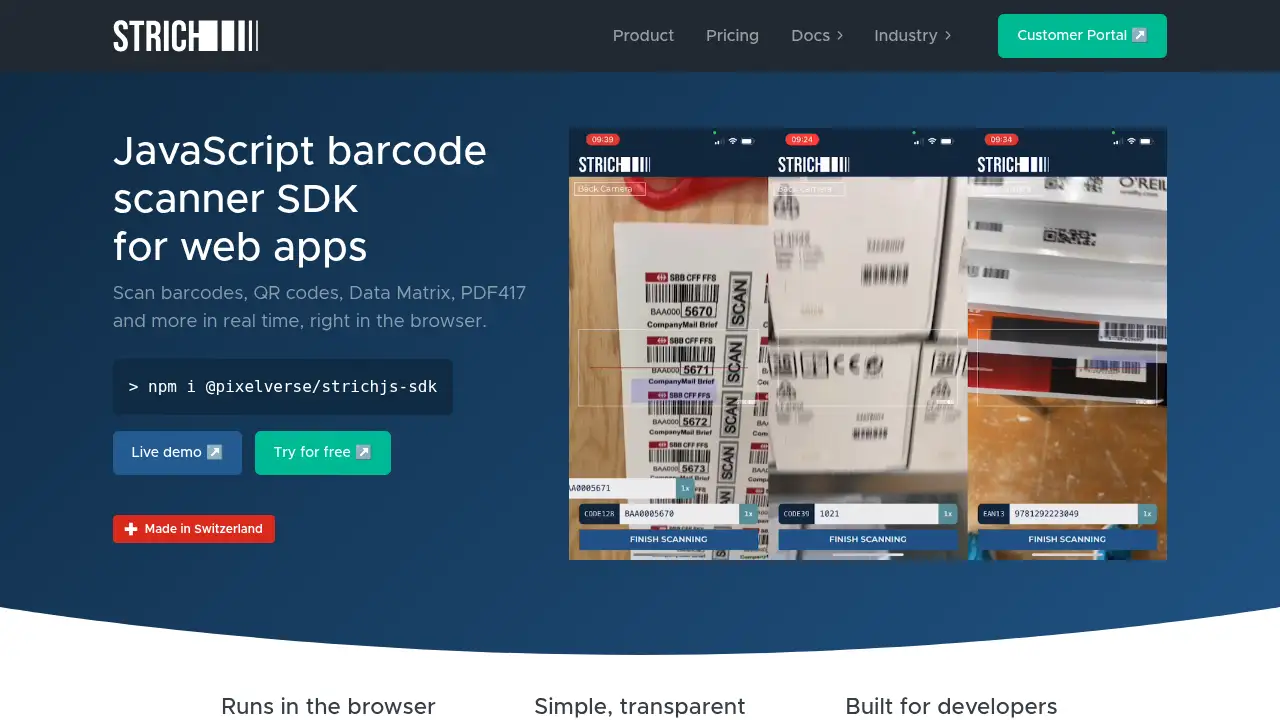
STRICH Barcode Scanning SDK is a JavaScript library that adds real-time 1D and 2D barcode scanning to web apps. It runs entirely in the browser, needs no backend, and offers fast decoding, a ready-made scanning dialog, and transparent pricing for teams of any size.
What is STRICH Barcode Scanning SDK?
STRICH Barcode Scanning SDK is a commercial JavaScript SDK that brings barcode and QR code scanning directly into web applications. All decoding happens locally on the user's device, so there is no server round trip, no image upload, and no extra infrastructure to maintain. The library is distributed as a single JavaScript file with embedded WebAssembly and ships at under 1 MB.
The problem it solves is familiar to most web developers: browsers can access a camera, but turning raw video frames into a reliable barcode read is hard. Open source options such as ZXing-JS and QuaggaJS work in ideal conditions but often struggle with glare, faded print, curved packaging, or low-end phones. STRICH positions itself as a drop-in alternative that handles those real-world conditions while staying simple to integrate.
It suits teams building retail apps, warehouse tools, ticketing systems, and any web app that needs a dependable web barcode scanner. Because it has zero dependencies and works with vanilla JavaScript, React, Angular, Vue, and Svelte, it fits into existing projects without forcing a framework change.
Key Features of STRICH Barcode Scanning SDK
GPU-Accelerated 1D/2D Decoding
Decode 1D and 2D symbologies through a GPU-accelerated pipeline that runs fully on-device. This keeps 1D/2D barcode scanning fast even on budget Android hardware.
One-Line Popup Scanner
Drop in a ready-made scanning dialog with minimal code, or embed the scanner inside an existing layout. The popup option shortens setup time for teams that want browser-based barcode scanning without designing a custom UI.
Complete Scanning Interface
Use a proven interface that includes a targeting overlay, camera selector, flashlight, and tap-to-focus. Camera quirks across devices are handled automatically, which reduces device-specific debugging.
Works With Any Framework
Install from NPM or a CDN and use sample code for vanilla JS, React, Angular, Vue, and Svelte. The JavaScript barcode scanning SDK has zero dependencies, so it adds no extra packages to a project.
Reads Difficult Codes
Handle faded ink, scratches, glare, low light, curved surfaces, and inverted light-on-dark codes. This makes the barcode scanning library more forgiving in messy real-world environments.
Tested on Real Devices
Each release is quality-checked on current iPhones and iPads as well as budget Android phones and tablets. Real-device testing matters because emulators cannot reproduce autofocus behavior or slow hardware.
Local, Private Decoding
Keep all barcode data on the device, with an optional offline operation add-on that produces zero network traffic. Client-side barcode scanning helps teams meet privacy and security requirements.
Use Cases for STRICH Barcode Scanning SDK
Retail and Point of Sale
Scan products with a phone or tablet camera instead of dedicated handheld hardware. Staff can look up prices, process returns, and check stock from a browser-based till.
Inventory and Warehouse Management
Count stock, receive shipments, and track items on warehouse floors and in delivery vans. Fast decoding on low-end hardware keeps scanning practical during long shifts.
Event Ticketing and Access Control
Validate tickets at the door with QR code scanning in a mobile web app. A short scan time matters when a queue is waiting.
Libraries and Second-Hand Book Sales
Identify books instantly using only a smartphone or tablet. This removes the need for extra scanners at the counter and speeds up intake for donated or resold items.
Marketing Campaigns
Connect printed QR codes to landing pages, coupons, or loyalty flows. Reliable scanning in outdoor light helps campaigns work across the full range of visitor devices.
Healthcare and Lab Workflows
Read sample labels and printed codes at the point of care. Local decoding means sensitive identifiers stay on the device rather than traveling to a server.
How to Use STRICH Barcode Scanning SDK
- Get a license. Start the 14-day free trial from the STRICH website, then choose a monthly or annual plan that matches expected scan volume.
- Install the SDK. Add the package from NPM or load it from a CDN, then import it into the project.
- Initialize the scanner. Create a scanner instance with the symbologies to support, such as QR Code, Code 128, EAN-13, or Data Matrix.
- Choose an interface. Launch the built-in popup scanner for a fast start, or embed the scanner element into a custom page layout with the targeting overlay and camera controls.
- Handle results. Pass decoded values to the application logic, then test on real phones, including at least one budget Android device, before going live.
Target Audience for STRICH Barcode Scanning SDK
- Front-end and full-stack developers adding a web barcode scanner to an existing product
- SaaS companies that need barcode scanning inside a browser-based app
- Retail, logistics, and field-service teams replacing dedicated scanning hardware
- Libraries, event organizers, and healthcare providers with high-volume scanning needs
- Enterprise procurement teams that require invoicing, resellers, or custom license terms
- Startups that want a low-commitment trial before committing to an annual plan
Is STRICH Barcode Scanning SDK Free?
A free 14-day trial is available with no large up-front commitment. After the trial, plans are billed by scan volume on a monthly basis, or as a flat annual fee per app. Unlimited devices and unlimited URLs are included on the monthly plans, and scan limits are soft: scans are never blocked, and accounts that exceed the limit two months in a row are asked to upgrade within seven days. Exact prices are published on the official pricing page.
| Plan | Billing | Key Features |
|---|---|---|
| Free Trial | 14 days, no cost | Full SDK access, unlimited devices, all supported 1D and 2D symbologies |
| Basic (Monthly) | Priced by scan volume | Up to 10k scans/month soft limit, unlimited devices and URLs, free updates, human support |
| Professional (Monthly) | Priced by scan volume | Up to 100k scans/month soft limit, custom scanner UI branding as an optional add-on |
| Business / Enterprise (Annual) | Flat annual fee per app | Unlimited scans and devices, offline license checking add-on, priority support, purchase orders and invoicing |
Prices exclude VAT and sales tax, which are added where applicable by the merchant of record, Paddle.
STRICH Barcode Scanning SDK's Pros and Cons
| Aspect | Pros | Cons |
|---|---|---|
| Performance | GPU-accelerated decoding that stays fast on budget phones | Speed depends on camera quality and lighting conditions |
| Integration | Zero dependencies, single JS file, samples for five frameworks | Requires a license key, so it is not a drop-in public-domain library |
| Reliability | Reads damaged, curved, inverted, and glare-affected codes | Not all possible barcode edge cases can be guaranteed |
| Privacy | Fully client-side decoding, optional offline add-on | Offline operation and custom branding are paid add-ons |
| Pricing | Transparent, unlimited devices, soft scan limits, free trial | Exact plan prices must be checked on the pricing page |
| Support | Human support on all paid plans, priority support on annual plans | Support response times are not published in detail |
Frequently Asked Questions about STRICH Barcode Scanning SDK
Does STRICH Barcode Scanning SDK work offline?
Yes. Decoding runs entirely in the browser with no backend required. An optional offline operation add-on removes network traffic completely, which is useful for apps used in areas with poor connectivity.
Which barcode types are supported?
The SDK reads common 1D and 2D symbologies, including QR Code, Code 128, EAN, UPC, Data Matrix, and more. Inverted light-on-dark codes are supported across all included barcode types.
Do users need a native app or dedicated scanner hardware?
No. Any device with a browser and camera access can act as a web barcode scanner, including smartphones and tablets. This is a major advantage for teams that want to avoid buying and maintaining handheld scanners.
How does it compare with open source libraries like ZXing-JS and QuaggaJS?
Open source libraries are free and work well in controlled conditions, but they can struggle with glare, low light, damaged labels, or unusual hardware. STRICH is positioned as a faster, more reliable alternative, and the vendor publishes a direct comparison on its site.
What happens if a plan's monthly scan limit is exceeded?
Limits are soft, and scans are never blocked. If an account exceeds its limit two months in a row, the vendor asks for an upgrade within seven days rather than cutting off service.
Is there a free trial?
Yes, a 14-day free trial is offered with no large up-front commitment. Annual plans can be purchased online by card, invoice, or bank transfer, and purchase orders, resellers, and OEM licenses are also available for enterprise buyers.
STRICH Barcode Scanning SDK Tags
STRICH Barcode Scanning SDK, JavaScript barcode scanning SDK, web barcode scanner, 1D/2D barcode scanning, browser-based barcode scanning, client-side barcode scanning, QR code scanning, barcode scanning library, web app barcode scanning, barcode scanner API, JavaScript QR code scanner, barcode scanning SDK pricing