Introduction
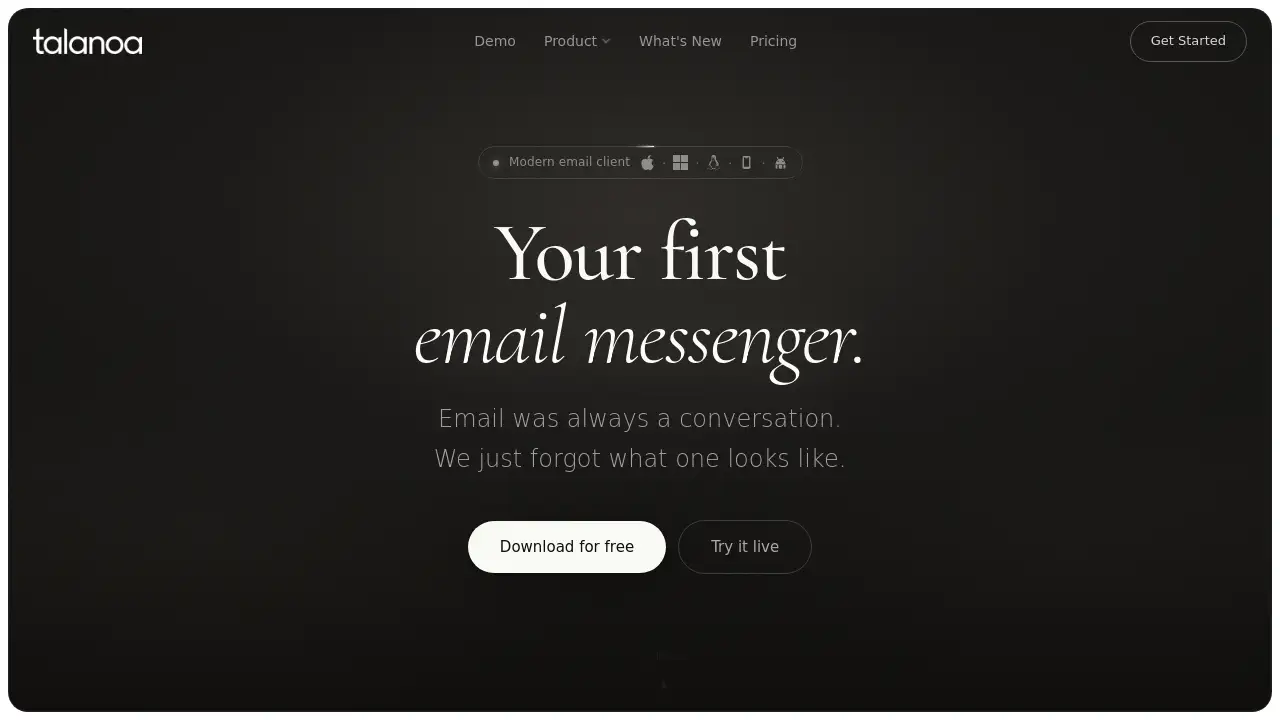
Talanoa email client turns email threads into chat-style conversations for a calmer, people-first inbox. It is a modern email client for macOS, Windows, and Linux.
What is Talanoa?
Talanoa email client is an email messenger that reshapes how people read and reply to messages. Instead of long quoted chains, every message becomes a bubble, so a thread feels like a chat. The app combines a people-first inbox, Kanban tasks, and a built-in calendar in one place. It is designed for anyone who wants less clutter and more focus, especially remote workers, freelancers, and small teams. As a Talanoa email client, it also emphasizes privacy: emails are stored locally, and AI features run on the user’s computer. This makes it a strong option for those comparing a private email client with cloud-based alternatives. It matters because email remains central to work, yet most inboxes still force users to manage noise instead of meaningful conversations.
Key Features of Talanoa
Conversation-Style Email Threads
Talanoa email client turns every message into a bubble. It hides quotes, signatures, and disclaimers so users can read and reply like a chat.
People-First Inbox
The people-first inbox groups all emails from one person into a single thread. This reduces hunting through subject lines and keeps context in view.
Kanban Tasks from Email
Users can turn any email into a task with a due date, status, project, and notes. Kanban tasks sit beside the original conversation, so action items do not get lost.
Built-In Calendar and Scheduling
The built-in calendar lets users accept invitations, check availability, and share booking links without leaving the inbox. This cuts down on app switching and follow-up emails.
Ask AI in Plain Words
An AI email assistant answers questions about emails, attachments, to-dos, and calendar events. Every answer shows its sources, and nothing happens until the user confirms.
On-Device AI and Privacy
Talanoa runs AI models on the user’s device. It reports zero cloud uploads, zero cloud sync, and no tracking, supporting its claim as a private email client.
Unified Inbox for Any Provider
Talanoa email client connects Gmail, Outlook, iCloud, Yahoo, and IMAP accounts. A unified inbox brings every account into one timeline.
Offline Access
As an offline email client, Talanoa keeps working when the connection drops. Users can still read, search, and organize messages without a network.
Use Cases for Talanoa
Managing Client Conversations
Freelancers and consultants can keep every client thread in one person-focused view. This makes it easier to reply with context and avoid missed messages.
Turning Requests into Tasks
Team members can convert emails like “review the roadmap” into Kanban tasks. The original conversation stays attached, so the next step is clear.
Scheduling Meetings Faster
Users can share available times and accept invitations inside Talanoa email client. The built-in calendar removes the usual back-and-forth.
Catching Up on Long Threads
An AI email assistant summarizes long discussions into decisions, next steps, and owners. This helps users read less while staying informed.
Protecting Sensitive Work
Professionals who handle private data can use on-device AI and local storage. A private email client reduces exposure to cloud processing.
Managing Multiple Accounts
People with work and personal inboxes can connect every account to one unified inbox. Messages appear in one stream, ordered by time.
How to Use Talanoa
- Download Talanoa for macOS, Windows, or Linux from the official website.
- Connect email accounts such as Gmail, Outlook, iCloud, Yahoo, or IMAP.
- Open any thread to see the conversation view, then reply like a chat.
- Turn important messages into Kanban tasks with due dates and notes.
- Use the built-in calendar, Ask AI, and offline mode to manage daily work.
The Talanoa email client is designed to be learned by using it. Most actions stay close to the conversation, so users do not need to jump between separate apps.
Target Audience for Talanoa
- Remote workers and distributed teams
- Freelancers, consultants, and founders
- Privacy-conscious professionals
- Users with multiple email accounts
- People who want a modern email client with tasks and calendar
- Anyone tired of traditional inbox clutter
Is Talanoa Free?
The available reference information does not list exact prices or confirm a free plan. Talanoa has a Pricing page at talanoa.email/pricing, so users should check there for current plan details, trial availability, and platform limits. Because pricing can change, the official page is the best source.
Talanoa's Pros and Cons
| Aspect | Pros | Cons |
|---|---|---|
| Privacy | On-device AI, local storage, zero cloud sync | Local AI may depend on device performance |
| Features | Conversation view, tasks, calendar, AI, unified inbox | Many features may take time to learn |
| Platforms | macOS, Windows, and Linux support | No mobile app mentioned in reference |
| Email support | Gmail, Outlook, iCloud, Yahoo, IMAP | Provider-specific behavior may vary |
| Pricing | Official pricing page available | Exact costs not provided in reference |
| Offline use | Works without a connection | Offline abilities may vary by setup |
Frequently Asked Questions about Talanoa
What is Talanoa email client?
Talanoa email client is a modern email app that turns threads into conversations. It adds a people-first inbox, Kanban tasks, and a built-in calendar for macOS, Windows, and Linux.
Which email providers work with Talanoa?
Talanoa supports Gmail, Outlook, iCloud, Yahoo, and any IMAP mailbox. Users can connect multiple accounts and view them in a unified inbox.
Does Talanoa work offline?
Yes. Talanoa is described as an offline email client that can still work when the connection drops. Users can read, search, and organize messages without a network.
Is Talanoa private?
Talanoa states that emails are stored locally, with zero cloud sync and no tracking. Its AI features run on the user’s computer, which supports its position as a private email client.
Can Talanoa turn emails into tasks?
Yes. Users can convert an email into a Kanban task with a due date, status, project, and notes. The original conversation remains attached.
Is Talanoa free?
The reference information does not list exact prices or confirm a free plan. Check the official Talanoa pricing page for current details.
Talanoa Tags
Talanoa, Talanoa email client, modern email client, email messenger, people-first inbox, Kanban tasks, built-in calendar, AI email assistant, private email client, offline email client, unified inbox, email productivity