Introduction
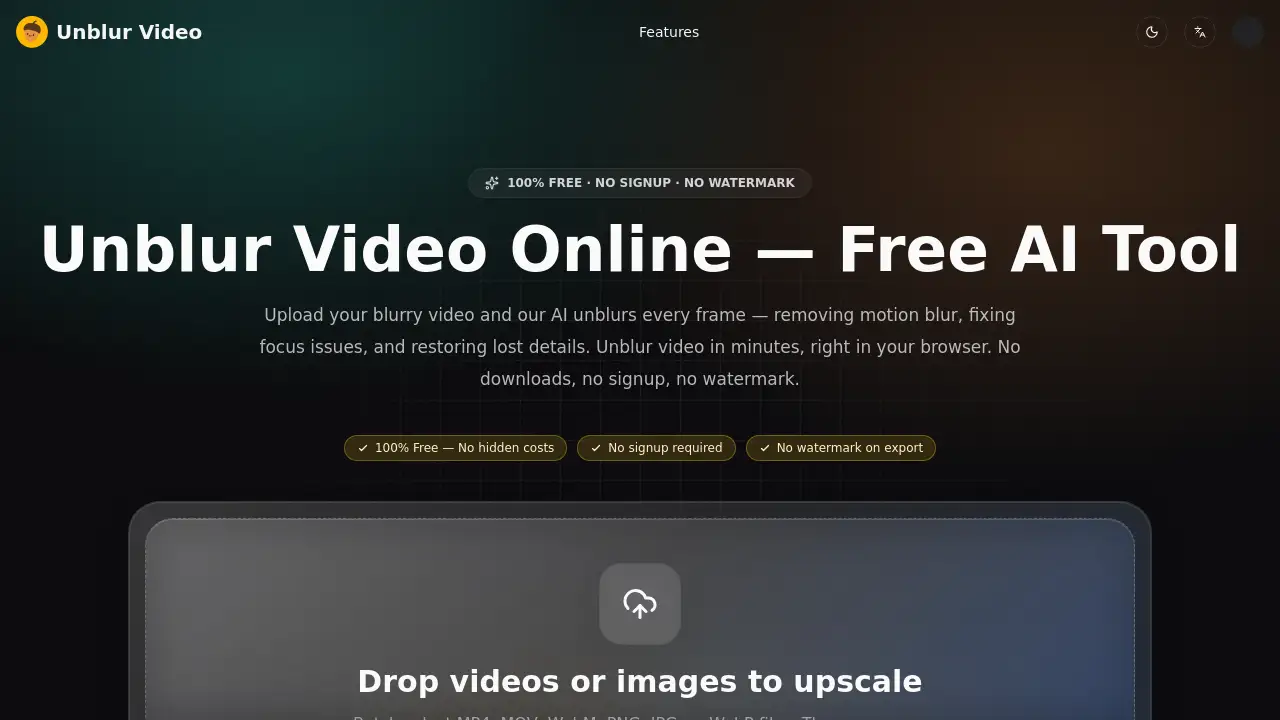
Unblur Video is a free AI tool to clarify blurry clips.
What is Unblur Video?
Unblur Video is a browser-based AI tool designed to unblur video footage and improve visual clarity without installing editing software. It addresses common problems such as motion blur, missed focus, compression artifacts, low-light noise, and pixelation. Users can upload a clip, let AI process each frame, preview the result, and download a clearer video. Because it is positioned as a free video deblur tool with no signup and no watermark, it suits casual creators and professionals who need a quick way to unblur video online. The main value is speed and simplicity: instead of learning a complex editor, users can unblur video in a few steps and get shareable results. It is especially useful when reshoots are impractical or when older footage needs a clarity boost.
Key Features of Unblur Video
AI-Powered Frame-by-Frame Unblurring
Unblur Video analyzes each frame to reconstruct lost detail, so users can unblur video with natural-looking results rather than a simple sharpening filter. This supports consistent video clarity across fast scenes and slow pans.
Motion Blur Removal
The tool detects camera shake and fast movement to remove motion blur from handheld and action clips. It helps unblur video from sports, travel, and everyday recordings.
Focus Blur Correction
When autofocus misses, the AI restores sharpness to faces, text, and key details. Users can unblur video with focus issues without reshooting the scene.
Compression Artifact Restoration
Unblur Video targets quality loss from platform compression on TikTok, Instagram, and YouTube. It can help sharpen blurry video before re-uploading or sharing.
Low-Light and Noise Cleanup
For dark, grainy recordings, the tool reduces blur and noise together while preserving natural tones. This makes it easier to unblur video shot in low light.
Old Video and Pixelation Recovery
The AI can depixelate and restore old, low-resolution recordings. It offers a practical way to unblur video from old camcorder tapes, compressed phone clips, and archived files.
Browser-Based and Private Processing
Unblur Video works in desktop and mobile browsers without downloads. According to the product page, uploaded videos are processed securely and automatically deleted afterward.
Use Cases for Unblur Video
Social Media Creators
Creators can unblur video online for Reels, Shorts, and Stories after platform compression softens a clip. The result is a clearer version ready for sharing.
E-Commerce Sellers
Sellers can sharpen blurry video footage of products, packaging, and labels. A clearer product clip may help viewers see details without a reshoot.
Video Editors and Teams
Editors can unblur video before adding client footage to a timeline. This provides a cleaner starting point and can reduce time spent on manual sharpening.
Old Video Restoration
Families and archivists can unblur video from old camcorder tapes or early phone recordings. AI video unblurring can restore faces and places that look soft on modern screens.
Online Course Creators
Course creators can unblur video lessons that look dated or soft. Consistent video clarity helps keep tutorial content easier to watch.
How to Use Unblur Video
- Open Unblur Video in a browser and upload a blurry video file. Supported formats include MP4, MOV, AVI, MKV, and WEBM.
- Let the AI analyze each frame and automatically identify the blur type. No manual settings are required to unblur video online.
- Preview the before-and-after result to check video clarity.
- Download the unblurred video with no watermark, according to the product page.
- Share the clearer clip on YouTube, TikTok, Instagram, or another platform.
Target Audience for Unblur Video
- Social media creators who need to unblur video for short-form platforms.
- E-commerce sellers who want to sharpen blurry video product clips.
- Video editors handling soft or compressed client footage.
- People restoring old videos and low-resolution recordings.
- Online course creators updating older tutorial footage.
- General users seeking a free video deblur tool with no signup.
Is Unblur Video Free?
Unblur Video is described as 100% free, with no signup required, no watermark on export, and no hidden costs listed. The product page also states there are no trial credits, daily caps, or practical usage restrictions for the public tool.
| Plan | Price | Features |
|---|---|---|
| Free | $0 | Unblur video online, AI frame-by-frame processing, no signup, no watermark, browser-based use |
No paid plan is listed in the reference information. For any future pricing changes, users should check the official Unblur Video site.
Unblur Video's Pros and Cons
| Aspect | Pros | Cons |
|---|---|---|
| Pricing | Free with no signup or watermark listed | No premium plan or paid support details are provided |
| Features | Handles motion, focus, compression, low-light, and old video blur | No advanced manual controls are mentioned |
| Access | Browser-based on desktop and mobile | Processing depends on video length and resolution |
| Privacy | Product page says videos are deleted after processing | Users must rely on the tool’s stated privacy practice |
Frequently Asked Questions about Unblur Video
What does Unblur Video do?
Unblur Video is an AI deblur and sharpen tool for blurry footage. It aims to unblur video affected by motion blur, focus issues, compression, low light, or pixelation.
Is Unblur Video really free?
Yes. The product page describes Unblur Video as 100% free, with no signup, no watermark, and no hidden costs. Users can unblur video online without a credit card according to the listed information.
Do I need to install software or create an account?
No. Unblur Video is browser-based, and no account is required to unblur video. This makes it accessible on desktop and mobile browsers.
Which video formats are supported?
The tool supports major formats such as MP4, MOV, AVI, MKV, and WEBM, with the product page noting “and more.” Users can upload a blurry video and download the result in a standard format.
What types of blur can it fix?
It is designed to remove motion blur, correct focus blur, restore compression artifacts, clean low-light noise, and recover old or pixelated video. These features make it a practical AI video unblurring tool for many everyday clips.
Are uploaded videos private?
The product page states that videos are processed securely and automatically deleted afterward. It also says content is not stored, shared, or used beyond the requested unblurring task.
Unblur Video Tags
unblur video, unblur video online, AI video unblurring, free video deblur tool, sharpen blurry video, remove motion blur, fix focus blur, video clarity, no signup video tool, no watermark video tool, browser-based video enhancer, old video restoration