Introduction
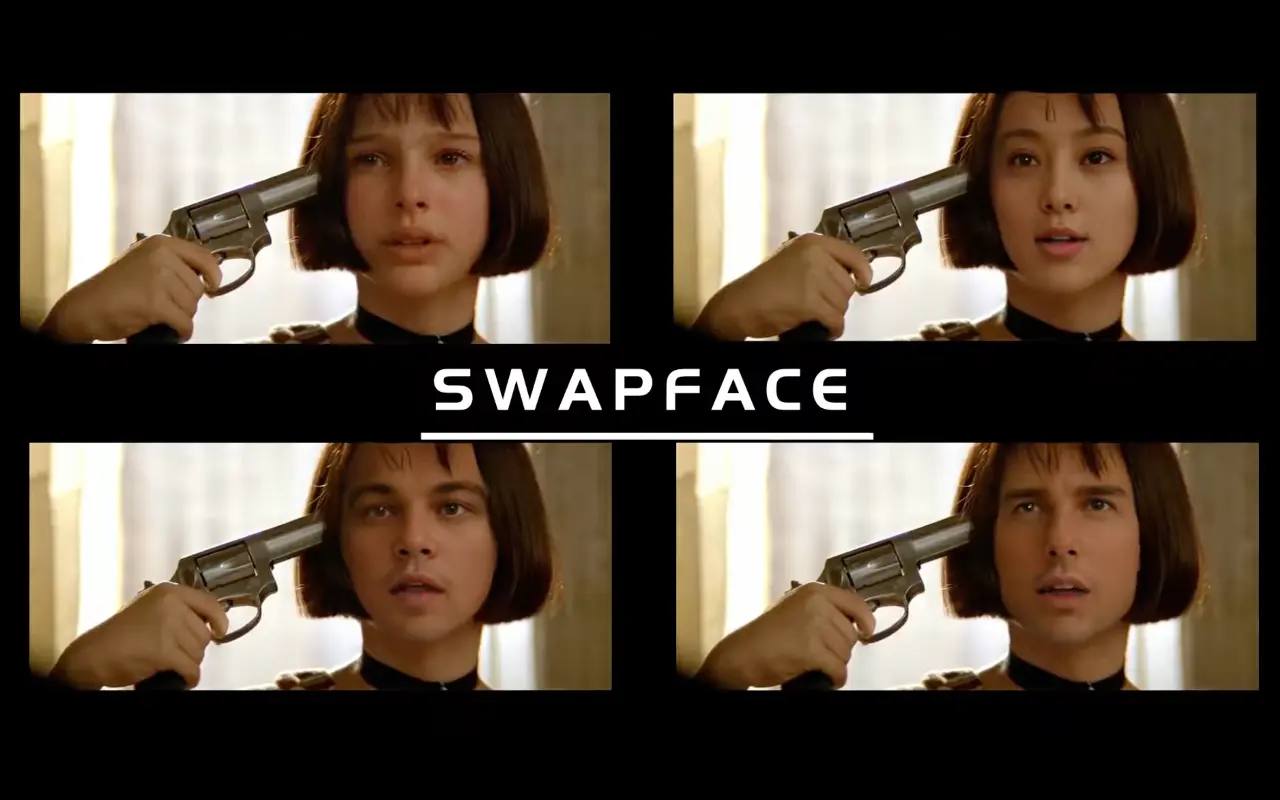
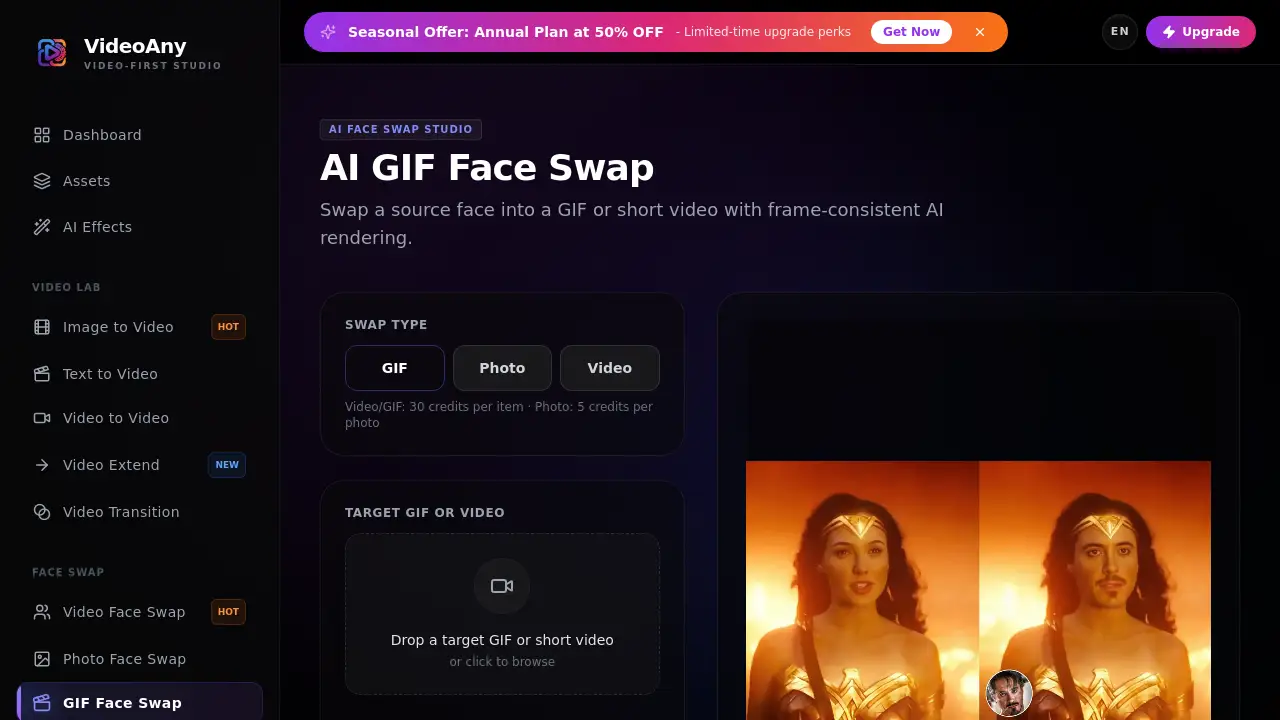
GIF face swap is an AI-powered feature from VideoAny that replaces a face in an animated GIF or short video with another face image. This face swap tool keeps motion, timing, and expressions intact while applying one reference face across frames. The GIF face swap feature is part of the VideoAny video-first studio, which also includes video face swap, photo face swap, text-to-video, and AI avatar tools. It offers a simple way to create an animated face swap online.
What is Gif Face Swap?
GIF face swap is an online AI face swap tool designed for animated media. Users upload a target GIF or short video plus a source face image, and the system replaces the selected face using frame-consistent AI rendering. The result is a natural-looking GIF face swap that follows the original clip’s movement and timing. This makes the product different from a simple photo editor because it works on animated sequences.
This GIF face swap solution is useful for content creators who want fast results without using complex editing software. Since it lives inside VideoAny’s AI video studio, users can combine it with video face swap, photo face swap, image-to-video, text-to-video, and lip sync features. As an AI face swap feature, it is designed for people who need a reliable face swap video generator without downloading heavy programs. The workflow is simple, and the cost is based on credits. A GIF face swap generation uses 30 credits, while a photo face swap uses 5 credits.
Key Features of Gif Face Swap
Upload GIF or Short Video as Target
Users can upload an animated GIF or a short video clip as the target file. This flexibility makes the GIF face swap tool useful for both classic memes and modern short-form videos.
Add a Source Face Image
The source face image drives the entire swap. VideoAny recommends a clear, front-facing portrait with steady lighting to get the best result from this AI face swap tool.
Frame-Consistent AI Rendering
The GIF face swap engine applies one reference face across the whole animation. This preserves the original motion and timing and helps reduce flicker or distortion during the face swap video process. This is important for any AI face swap workflow, especially face swap video content.
Built for Animated Media
This face swap tool handles GIF, MP4, WebM, and MOV targets through the same frame-consistent pipeline. It is designed for animated content, not just still images, so users can create a smooth animated face swap from many formats.
Quick Tips for Better Output
The product page includes practical guidance for cleaner GIF face swap results. Users should choose clips with visible faces, avoid heavy occlusions, and start with short drafts before exporting longer videos.
Responsible Use Policy
VideoAny requires users to have the rights and permission to use uploaded videos and faces. Illegal content, non-consensual deepfakes, and impersonation are prohibited by the product’s content policy.
Use Cases for Gif Face Swap
Creating Memes and Funny GIFs
GIF face swap is an easy way to put a different face into a funny animated scene. The output keeps the original motion, so the GIF face swap feels natural and shareable.
Social Media Content
Brands and influencers can use this AI face swap tool to produce short animated posts with a consistent face. This is helpful for challenges, reaction clips, and promotional GIF face swap content.
Video Editing Experiments
Video editors can test character looks or preview ideas by swapping faces in short clips. The frame-consistent rendering helps the face stay aligned with the original movement, making the GIF face swap online experience smooth. This AI face swap capability is also useful for quick face swap video tests.
Personalized Gifts and Entertainment
Users can create short animated greetings or entertainment clips by putting a person’s face into a favorite GIF. This is a lighthearted way to use GIF face swap for personal projects.
How to Use Gif Face Swap
Using the GIF face swap feature is straightforward.
- Open the Gif Face Swap page on VideoAny.
- Upload a target GIF or short video file.
- Upload a source face image with a clear, front-facing face.
- Generate the GIF face swap with 30 credits.
- Preview the output and save the result from the generated archive.
This simple workflow makes GIF face swap accessible to users who are not familiar with professional video editing tools.
Target Audience for Gif Face Swap
- Content creators who make memes and animated clips.
- Social media managers who need quick face swap videos.
- Video editors looking for an AI face swap tool.
- Marketers producing short promotional content.
- Casual users who want fun GIF face swap results.
Is Gif Face Swap Free?
The product page does not clearly list a free plan. VideoAny uses a credit-based system for GIF face swap generation: a GIF or short video face swap costs 30 credits, while a photo face swap costs 5 credits. VideoAny also promotes a seasonal annual plan with 50% off. Pro benefits include faster queues, higher resolutions, and expanded usage options. For exact pricing, users should check the official VideoAny pricing page.
| Plan | Price | Features |
|---|---|---|
| Free | Not clearly stated | Credit-based tool usage |
| Pro | Annual plan with seasonal 50% OFF | Faster queues, higher resolutions, expanded usage options |
Gif Face Swap's Pros and Cons
| Aspect | Pros | Cons |
|---|---|---|
| Ease of use | Simple upload and generate process | Limited advanced controls for manual adjustments |
| Output quality | Frame-consistent AI face swap with smooth motion | Best results require clear, front-facing source media |
| Compatibility | Supports GIF, MP4, WebM, and MOV files | Not ideal for heavily occluded or blurry clips |
| Pricing | Credit-based system with seasonal discounts | Exact prices are not listed on the product page |
Frequently Asked Questions about Gif Face Swap
Can I use an animated GIF directly?
Yes. You can upload a GIF as the target media and a still image as the replacement face. This is the main use case for the GIF face swap feature.
Can I upload a short video on the GIF page?
Yes. MP4, WebM, MOV, and GIF targets use the same frame-consistent video face swap pipeline. This makes the tool useful for both GIF face swap and face swap video tasks.
How do I get a cleaner GIF face swap?
Use a clear source portrait and a target animation with a visible face, stable lighting, and limited occlusion. Avoid heavy blur, extreme filters, or objects covering the face.
Do I need permission to use the face?
Yes. You must have the rights and permission to use both the video and the face image. Non-consensual deepfakes and impersonation are prohibited.
How many credits does GIF face swap cost?
Each GIF or short video face swap uses 30 credits. A photo face swap costs 5 credits. Check your VideoAny account for current credit balance and plan details.
What formats does VideoAny accept for GIF face swap?
The product page mentions GIF targets and short video formats such as MP4, WebM, and MOV. This gives users more flexibility when creating an animated face swap with VideoAny.
Gif Face Swap Tags
GIF face swap, AI face swap, face swap video, animated face swap, face swap tool, VideoAny face swap, video face swap, photo face swap, GIF face swap online, face swap generator, AI GIF maker, face swap short video