Introduction
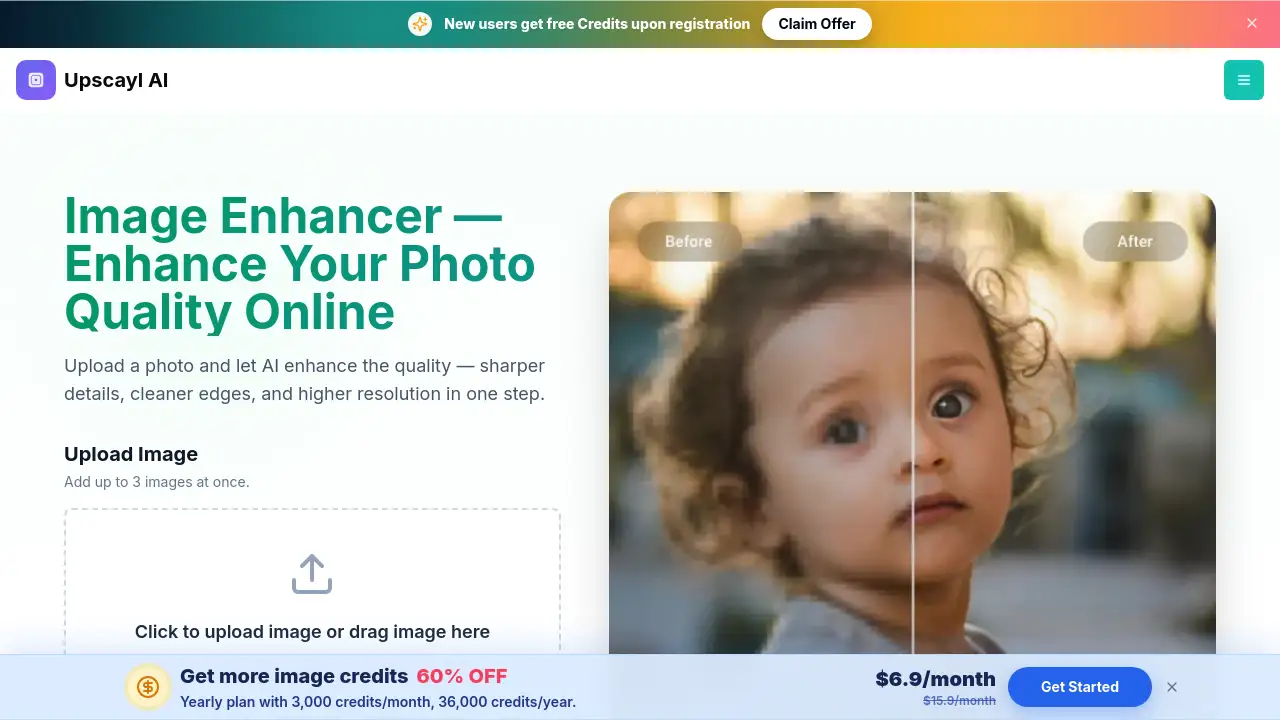
AI image enhancer tools have changed how people fix photos online. The Upscayl Image Enhancer is a browser-based AI image enhancer that helps users fix blurry photos, sharpen details, and increase resolution without editing software. Uploading a JPG, PNG, or WebP file produces a clearer, 4K-ready photo in seconds. Because the process is automated, anyone can enhance image quality with just a few clicks. This makes the AI image enhancer valuable for everyday users, online sellers, and creative professionals who need sharp images quickly.
What is Image Enhancer?
The Image Enhancer by Upscayl is an AI image enhancer designed to improve photo quality automatically. It solves a common problem: images that are blurry, low-resolution, noisy, or full of compression artifacts. Instead of manual filters, the AI studies the photo, identifies soft edges and missing detail, and reconstructs the image. In one step, users can enhance image quality, sharpen details, and increase resolution. This matters because clear visuals are important for social media posts, online stores, and printed materials. The tool is suitable for photographers, small business owners, designers, and casual users who want better results without a steep learning curve. Since it runs in any modern browser, this AI image enhancer removes the need to install heavy software and makes high-quality enhancement accessible to everyone.
Key Features of Image Enhancer
One-Step AI Enhancement
The AI image enhancer combines sharpening, denoising, and upscaling into a single action. Users don't need to adjust complex settings to enhance image quality.
Resolution Upscaling to 4K
The AI image enhancer can increase resolution while keeping edges clean and natural. The AI generates new pixels that match the original content, so users can get 4K-ready output from smaller source files.
Blur and Softness Reduction
The tool automatically identifies out-of-focus areas, motion blur, and lens softness. It helps fix blurry photos by sharpening edges and reducing softness without making the image look fake.
Face Enhancement for Portraits
Face-aware processing runs GFPGAN to sharpen eyes, smooth skin noise, and define facial features naturally. This AI image enhancer mode is useful for portraits, headshots, and group photos.
Old Photo and Vintage Image Restoration
This AI image enhancer reduces grain, clears compression artifacts, and recovers lost sharpness in old digital photos and scanned images. The original character remains intact while photo quality improves.
Browser-Based Workflow
No software installation is required. This AI image enhancer works directly in the browser, so users can upload an image, enhance it, and download the result from any device.
Use Cases for Image Enhancer
Sharper Portraits and Headshots
The face enhancement mode makes the AI image enhancer ideal for portraits. It sharpens eyes and facial features while keeping skin texture natural.
Old Photo Cleanup
Old family photos and scanned prints can be restored with cleaner detail. The AI image enhancer reduces grain and recovers lost sharpness, so memories remain clear.
Ecommerce Product Photos
Online sellers can use the AI image enhancer to make product images look sharp at every zoom level. Labels, packaging details, and textures become clearer without reshoots.
Web and Social Media Images
Compressed web downloads and social media exports often lose detail. This AI image enhancer brings back sharpness and reduces JPEG artifacts before publishing.
How to Use Image Enhancer
- Go to the Image Enhancer page and upload a JPG, PNG, or WebP file. Users can also paste a direct HTTPS image URL or add up to 3 images at once.
- Choose an output resolution from 1K, 2K, 4K, 6K, or 8K.
- Turn on Face Enhance if the image contains portraits. The AI image enhancer will run GFPGAN face enhancement along with upscaling.
- Wait for the AI to analyze the photo, fix blurry photos, sharpen details, and increase resolution.
- Preview the enhanced image side by side with the original. Download the final result in JPG, PNG, or WebP.
Target Audience for Image Enhancer
This AI image enhancer is built for a wide range of users.
- Photographers who need quick, high-resolution files for clients
- Ecommerce sellers who want sharper product photos
- Designers who need clean images for web layouts
- Small businesses that create social media content
- Anyone restoring old family photos
- Casual users who want to fix blurry photos on their phone
Is Image Enhancer Free?
The AI image enhancer offers trial credits to new accounts. Each successfully enhanced image uses 1 credit, and failed jobs are not charged. Exact paid pricing is not listed on the product page, so users should check the official website for credit packs.
| Plan | Price | Features |
|---|---|---|
| Trial | $0 | Trial credits for new accounts; 1 credit per successful enhancement |
| Paid | See official site | Additional credits for continued use; access to all output resolutions |
Image Enhancer's Pros and Cons
The AI image enhancer balances useful features with a few limits.
| Aspect | Pros | Cons |
|---|---|---|
| Ease of Use | Browser-based, no software installation, simple upload process | Requires an account to process and download images |
| Output Quality | 4K-ready output, sharp details, natural-looking edges | Results depend on the source image quality |
| File Handling | Supports JPG, PNG, WebP, and ZIP; allows up to 3 images at once | 20 MB per file limit |
| Pricing | New accounts receive trial credits; no watermark on downloads | Paid pricing details are not clearly listed on the page |
Frequently Asked Questions about Image Enhancer
What is an AI image enhancer?
An AI image enhancer is a tool that uses artificial intelligence to improve photo quality automatically. It can fix blurry photos, sharpen details, and increase resolution without manual editing.
Can the AI image enhancer fix blurry photos?
Yes. The AI image enhancer reduces blur and sharpens out-of-focus areas. Mild to moderate blur improves noticeably, while extreme motion blur or heavy defocus has limits.
Does the AI image enhancer increase resolution?
Yes. The AI upscales the image to a higher resolution while adding detail to keep it looking sharp. Users can choose from 1K, 2K, 4K, 6K, or 8K output.
Is 4K-ready output possible with the Image Enhancer?
Yes. The AI image enhancer supports output resolutions suitable for 4K displays and large prints, provided the source image has enough usable detail.
Do enhanced images have a watermark?
No. Downloaded results from the AI image enhancer do not include watermarks.
What image formats are supported?
Users can upload JPG, JPEG, PNG, and WebP files. Supported output formats include JPG, PNG, and WebP.
Image Enhancer Tags
AI image enhancer, enhance image quality, fix blurry photos, sharpen details, increase resolution, 4K-ready output, upscale image online, photo quality enhancer, face enhancement AI, old photo restoration, ecommerce photo enhancer, no watermark image enhancer