Introduction
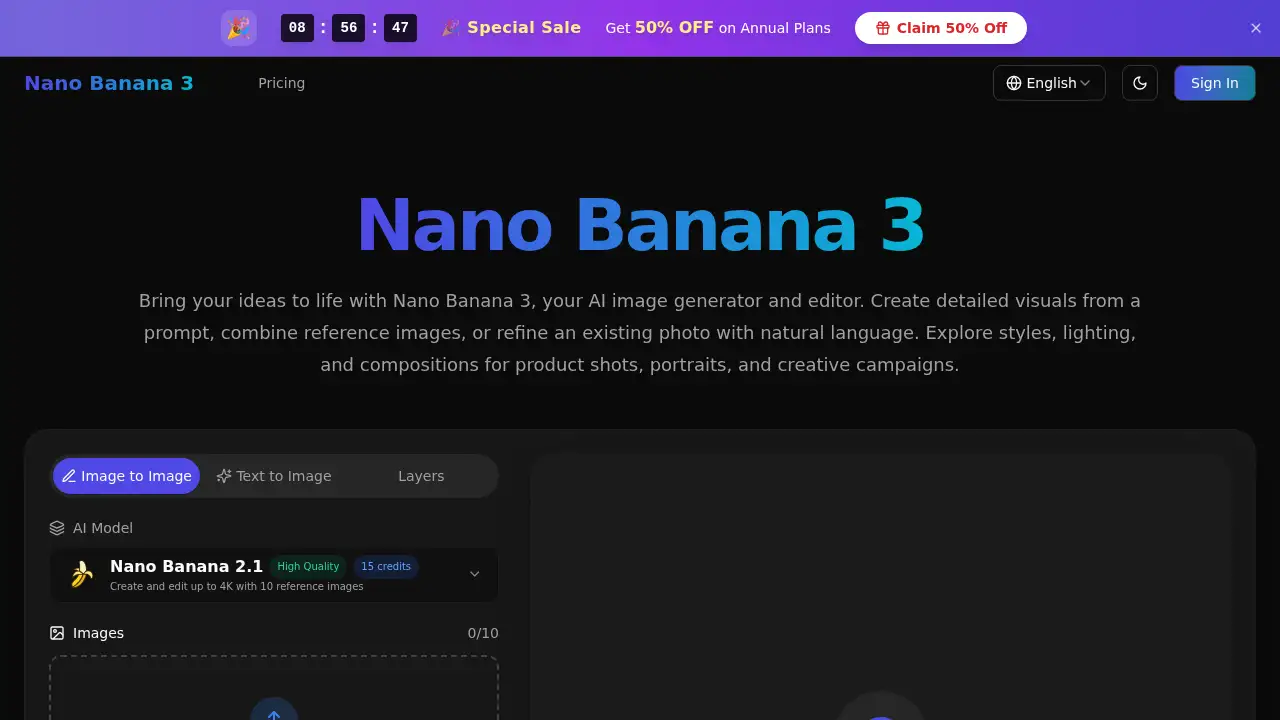
Nano Banana 3 is an AI image generator and editor.
What is Nano Banana 3?
Nano Banana 3 is an AI image generator and editor that creates visuals from text prompts, reference images, or existing photos. It is designed for people who want to move from a rough idea to a usable image without a complicated workflow. The tool can generate new images, combine visual references, and refine details with natural language editing. This makes Nano Banana 3 useful for product shots, portraits, social content, campaign concepts, and other creative projects. It matters because it gives creators a simple way to explore visual directions before committing time or budget to a full shoot or design round.
Key Features of Nano Banana 3
Rich, Natural Detail
Generate images with tactile surfaces, considered lighting, and lifelike depth. Nano Banana 3 supports high-resolution output up to 4K with supported settings.
Words That Belong in the Image
Create posters, packaging concepts, and editorial visuals with integrated typography. Describe the exact words, placement, and style in your prompt.
References, Working Together
Combine reference images to guide a composition. Bring a subject, setting, and style direction into one image with Nano Banana 3.
A Recognizable Visual Identity
Carry a character or product across new scenes by using reference images. This helps maintain appearance, proportions, and defining details for consistent characters.
Creative Direction in Plain Language
Change lighting, shift the palette, or refine a specific detail with natural language editing. Tell Nano Banana 3 what to change and what to preserve.
Composition with Intention
Turn a detailed brief into a visual story. Explore product layouts, explainer visuals, and campaign concepts with clear creative direction.
Use Cases for Nano Banana 3
E-commerce and Retail
Turn product photos into studio-style images, lifestyle scenes, and seasonal storefront visuals. Use Nano Banana 3 to test backgrounds and compositions while keeping the product as the focus.
Marketing and Advertising
Develop campaign concepts, social posts, and promotional layouts from a brief. Explore different moods, formats, and visual directions before choosing one for the brand.
Fashion and Apparel
Visualize collection moods, outfit combinations, and editorial settings. Bring garment references into Nano Banana 3 to develop lookbook concepts and compare styling ideas.
Architecture and Interior Design
Explore room styling, materials, furniture arrangements, and lighting from a photo or concept. Create visual studies that help clients compare design directions before detailed planning.
Gaming and Entertainment
Develop character concepts, environment studies, props, and storyboard frames. Use reference images to guide recurring visual details while exploring atmosphere and art direction.
Education and Publishing
Create lesson illustrations, editorial artwork, book-cover concepts, and visual storytelling assets. Turn an abstract idea into a visual draft, then review details and text for the audience.
How to Use Nano Banana 3
- Start with text-to-image for a new idea, or upload reference images to guide an edit. Choose the model and format that fit the project.
- Write a prompt that describes the subject, setting, lighting, and style. For edits, explain what should change and what should stay the same.
- Generate the image with Nano Banana 3, review the result, and adjust the prompt if needed.
- Explore another variation when the direction is close but not final.
- Download the preferred image when it feels right for the project.
Target Audience for Nano Banana 3
- E-commerce sellers who need product and lifestyle visuals
- Marketing teams exploring campaign concepts
- Photographers testing portrait edits and lighting ideas
- Fashion designers developing lookbook directions
- Interior designers comparing room styles and materials
- Game artists sketching characters and environments
- Educators and authors creating lesson art and cover concepts
- Independent creators who want an AI image generator and editor
Is Nano Banana 3 Free?
No free plan is listed in the provided information. Nano Banana 3 uses one-time credit packs, and credits never expire. Users should check the official site for current availability, features, and credit costs.
| Plan | Price | Features |
|---|---|---|
| Starter Pack | $19.90 one-time | 1,000 credits, includes all features, credits never expire |
| Growth Pack | $39.90 one-time | 3,000 credits, includes all features, credits never expire |
| Professional Pack | $99.90 one-time | 9,000 credits, includes all features, credits never expire |
Nano Banana 3's Pros and Cons
| Aspect | Pros | Cons |
|---|---|---|
| Pricing | One-time credit packs with non-expiring credits | No free plan is listed |
| Features | Supports reference images, natural language editing, integrated text, and up to 4K output on supported models | Some options depend on selected model and settings |
| Usability | Simple prompt-based workflow for beginners and creators | Exact text and small details should be reviewed before publishing |
| Creative use | Useful for product shots, portraits, campaigns, and concept work | Credit costs can vary by resolution and settings |
Frequently Asked Questions about Nano Banana 3
What can I create with Nano Banana 3?
Nano Banana 3 can generate portraits, product concepts, campaign imagery, illustrations, posters, and other visuals from text prompts. It also works as an AI image editor for existing photos.
Can I edit an existing image with Nano Banana 3?
Yes. Upload a reference image and describe the changes you want, such as a new background, lighting mood, outfit, or color palette. Mention the details you want to preserve for more focused edits.
Does Nano Banana 3 support 4K output?
Nano Banana 3 offers up to 4K output on supported models. Available resolutions, aspect ratios, and credit costs depend on the selected settings, so check the editor before generating.
Can Nano Banana 3 keep characters or products consistent?
Yes. Use clear reference images to guide appearance, proportions, and defining details. This helps maintain consistent characters or product looks across different scenes.
Can I add text inside images with Nano Banana 3?
You can request text for posters, labels, and other visuals. Put the exact wording in quotation marks and describe its position and style. Review spelling and small details before sharing or printing.
How much does Nano Banana 3 cost?
Nano Banana 3 offers credit packs starting at $19.90 for 1,000 credits. Larger packs include 3,000 credits for $39.90 and 9,000 credits for $99.90, with credits that never expire.
Nano Banana 3 Tags
Nano Banana 3, AI image generator, AI image editor, 4K AI images, reference-guided compositions, consistent characters, natural language editing, AI text in images, product photography AI, campaign visuals, AI image generation, Nano Banana 3 review