Introduction
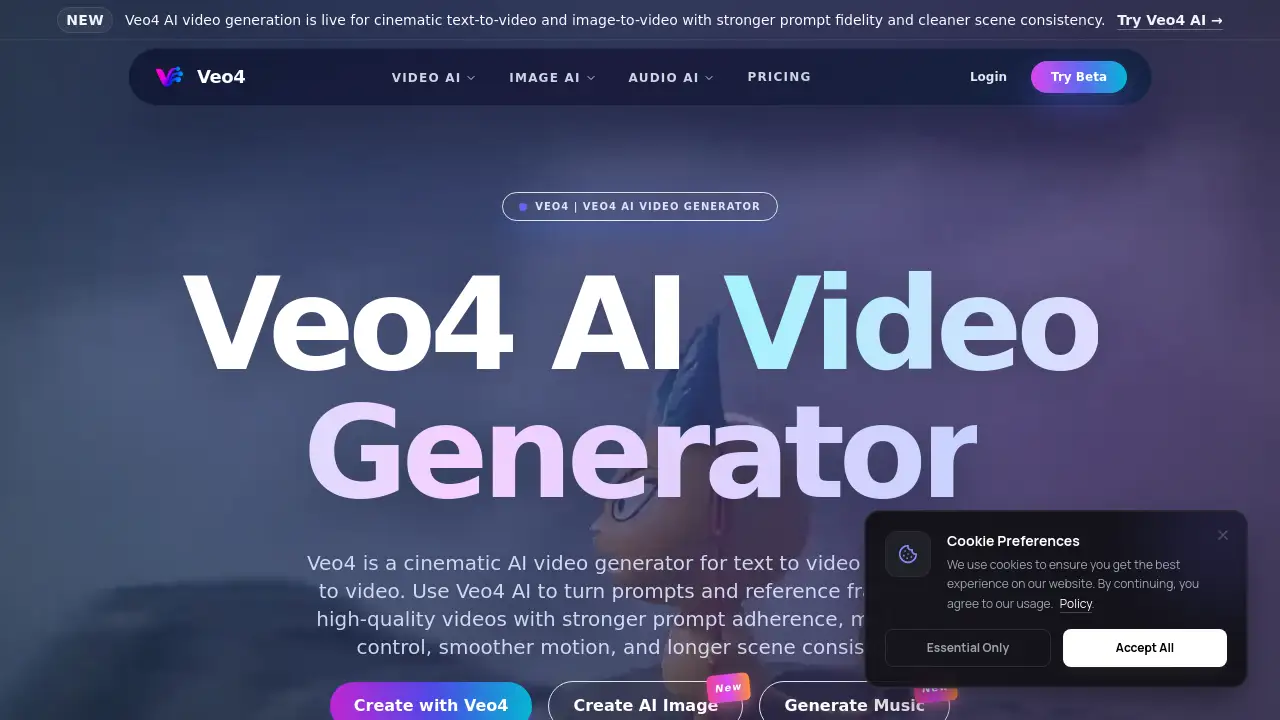
The Veo4 AI video generator is a powerful cinematic AI tool designed to transform text prompts and reference images into high-quality, production-ready videos with impressive scene consistency and motion control.
What is Veo4 AI?
Veo4 AI is a cinematic AI video generator that specializes in text to video and image to video creation. It addresses the common challenges in AI video generation, such as poor adherence to user prompts, inconsistent scenes, and unnatural motion. The platform is built to offer stronger prompt fidelity, allowing users to guide the generation process more effectively using multimodal inputs like reference images and detailed text descriptions. This makes it a suitable tool for creators, marketers, and businesses that need to rapidly produce professional-looking video content for campaigns, social media, product launches, and explainer videos without extensive production resources.
Key Features of Veo4 AI
Cinematic Video Generation
Veo4 AI is engineered to produce cinematic-quality videos from text prompts or reference frames, focusing on realistic motion, tighter camera control, and cleaner consistency across longer shots.
Stronger Prompt Fidelity
The core technology is designed for stronger instruction following, meaning the generated video more accurately reflects the details and intent described in the user's initial text prompt.
Multimodal Input Control
Users can guide the creation process by uploading reference images, storyboards, or concept art to influence the composition, visual tone, subject continuity, and overall shot planning of the final video.
Smoother Motion and Physics
The AI model prioritizes generating smoother, more natural-looking motion and realistic physics within scenes, enhancing the professional quality of the output.
Integrated Audio Workflow
The platform includes tools to add voiceovers, music, and sound effects directly to Veo4-generated videos, streamlining the post-production process for complete campaign assets.
Production-Ready Outputs
Videos are generated with a cinematic, high-quality finish intended for immediate use in professional settings like advertising, social media campaigns, and product marketing.
Use Cases for Veo4 AI
Launch and Product Videos
Quickly create eye-catching launch videos and product demos that showcase features in a cinematic style, ideal for marketing campaigns and website landing pages.
Social Media and Ad Clips
Generate short-form, engaging video content tailored for platforms like Instagram, TikTok, and YouTube ads, helping to boost audience engagement and conversion rates.
Explainer and Training Content
Produce clear, consistent explainer videos and internal training materials by turning scripts and concept images into dynamic visual content.
Creative Storyboarding and Testing
Use the image to video functionality to animate storyboards and concept art, allowing for fast visualization and iteration of creative ideas before full-scale production.
E-commerce and Brand Campaigns
E-commerce teams can create stylish product showcases and brand storytelling videos to highlight items and build a cohesive visual identity across channels.
How to Use Veo4 AI
- Choose Your Input Method: Start a new project by selecting either text to video or image to video. For text, enter a detailed, cinematic-style prompt. For image-guided creation, upload a reference photo or storyboard frame.
- Customize and Guide: Use advanced settings to guide the generation. You can adjust parameters related to motion, composition, and atmosphere. For image-based projects, the reference will heavily influence the visual style and subject.
- Generate and Review: Initiate the Veo4 AI video generation process. The AI will create a video clip based on your inputs. Review the output for prompt adherence and visual quality.
- Add Audio and Finalize: Utilize the integrated audio tools to add background music, sound effects, or a voiceover to your video, creating a final, polished asset ready for export and use.
Target Audience for Veo4 AI
- Content creators and video artists
- Digital marketing professionals and agencies
- Social media managers and influencers
- E-commerce and product marketing teams
- Educators and corporate trainers
- Startups and businesses needing cost-effective video production
Is Veo4 AI Free?
Veo4 AI offers a starter tier that provides free credits for users to test the core AI video generation capabilities. For higher usage limits, faster processing, longer video generations, and full production capacity, users need to upgrade to a paid plan. Specific pricing details for premium tiers should be checked on the official Veo4 pricing page.
| Plan | Price | Key Features |
|---|---|---|
| Starter | Free (with credits) | Access to test Veo4 AI generation, basic features. |
| Paid Tiers | Variable | Higher credit limits, faster queues, longer generations, advanced controls, and commercial usage. |
Veo4 AI's Pros and Cons
| Aspect | Pros | Cons |
|---|---|---|
| Output Quality | High cinematic quality, strong prompt fidelity, smooth motion. | Output may still require refinement for ultra-high-end professional use. |
| Workflow | Integrated text to video and image to video with audio tools in one platform. | New users may require time to learn how to craft optimal prompts for best results. |
| Accessibility | Free tier available for testing; democratizes access to cinematic video creation. | Advanced features and high-volume usage are locked behind paid plans. |
| Control | Multimodal input offers more creative control over composition and style. | The level of control may not match frame-by-frame manual editing in traditional software. |
Frequently Asked Questions about Veo4 AI
What is Veo4 AI?
Veo4 AI is a cinematic AI video generator that creates videos from text prompts or reference images. It is designed for stronger prompt adherence, smoother motion, and longer scene consistency, making it suitable for producing marketing and social media content.
Is there a free version of Veo4 AI?
Yes, Veo4 AI offers a free starter tier that provides credits to users who want to test the text to video and image to video generation features before committing to a paid subscription for expanded capabilities.
Can I use my own images to create videos?
Absolutely. The image to video feature allows you to upload a reference image, which Veo4 AI uses as a visual guide to generate a video clip, maintaining the composition, subject, and tone of your original image.
What kind of videos can I create with Veo4 AI?
You can create a wide variety of content, including product launch videos, advertisement concepts, social media clips, explainer videos, training materials, and creative short films. It is built for fast, campaign-ready AI video generation.
How does Veo4 AI ensure content safety?
The platform implements safeguards to block the generation of harmful content, including impersonation, non-consensual material, and misinformation. Users are required to have the rights to any images, prompts, or brand assets they upload.
Who is the ideal user for Veo4 AI?
The Veo4 AI video generator is ideal for content creators, marketing teams, social media managers, e-commerce brands, and agencies that need to produce high-quality video content quickly and efficiently without a large production budget.
Veo4 AI Tags
Veo4 AI, Veo4 AI video generator, text to video, image to video, cinematic AI video, AI video creation, prompt fidelity, video marketing tool, social media video maker, AI video editor, generate video from text, create video from image, video production AI