Introduction
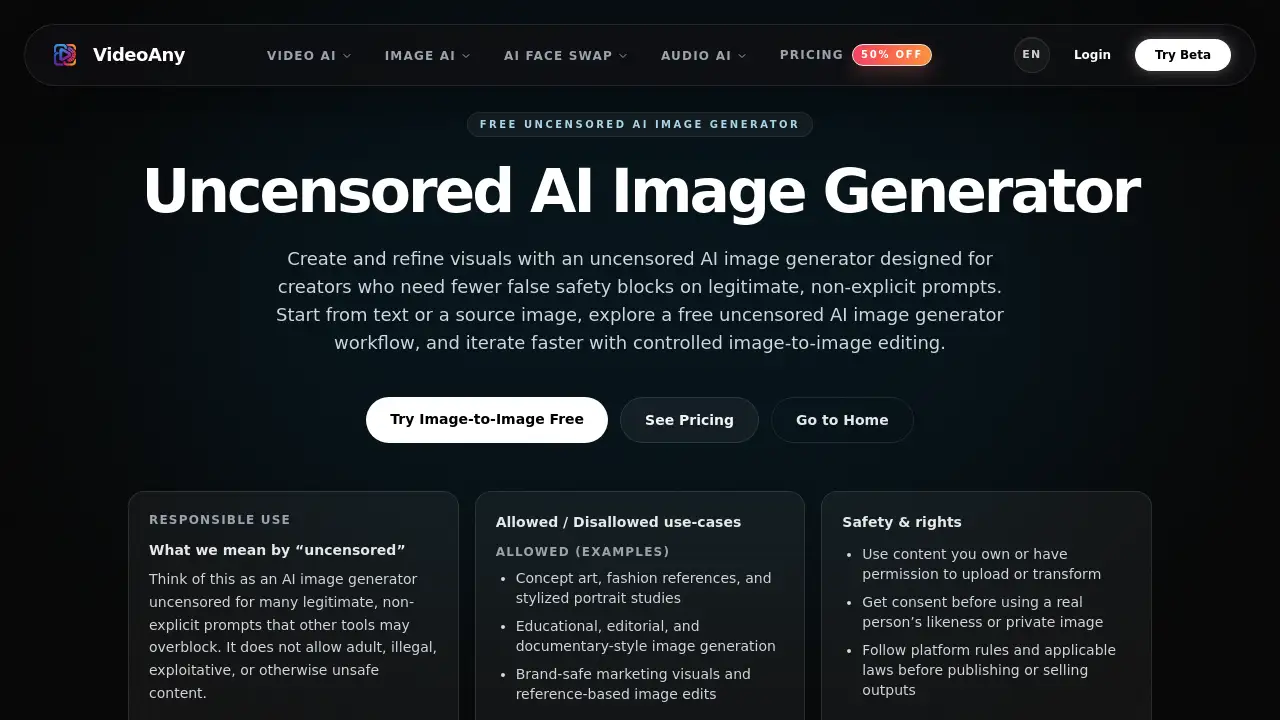
Many creators search for an uncensored AI image generator that balances creative freedom with responsible safety boundaries. This tool offers just that—artists, marketers, and editors can generate and refine visuals without encountering excessive false blocks on legitimate, non-explicit prompts. Designed for concept art, fashion references, and editorial projects, it reduces friction while maintaining clear ethical guidelines. The platform provides both text-to-image and image-to-image capabilities in a simple workflow, making it a practical choice for iterative creative work.
What is Uncensored AI Image Generator?
The Uncensored AI Image Generator is a web-based tool from VideoAny that allows users to create and edit visuals using artificial intelligence with fewer unnecessary safety restrictions. Unlike many mainstream AI image generators that over-flag harmless prompts (e.g., anatomical references or artistic nudes), this tool stays open for legitimate creative, educational, and branding use cases. It supports prompt-based generation and reference-image editing—functioning as both a free uncensored AI image generator for quick drafts and an uncensored AI image to image generator for controlled refinements. The platform explicitly prohibits adult, illegal, exploitative, or harmful content, ensuring a responsible environment. It meets the needs of concept artists, marketing teams, photo editors, and indie builders who require reliable image iteration without constant false positives.
The tool stands out because it describes itself as an AI image generator uncensored for many non-explicit prompts that other tools block. This distinction matters for professionals who work with body-positive fashion references, medical illustrations, or stylized figure studies—areas where mainstream AI often fails. By combining reasonable freedom with clear safety rules, it fills a gap for creators who want both flexibility and accountability.
Key Features of Uncensored AI Image Generator
Text-to-Image Generation
Start with a text prompt and generate high-quality visuals in seconds. The model handles a wide range of styles, from realistic portraits to abstract concept art. Supports creative iteration without sudden blocks on legitimate prompts.
Image-to-Image Editing
Upload a reference image and use the uncensored AI image to image generator function to restyle, refine, or modify specific elements. This gives users better control compared to prompt-only tools, ideal for professional photo editors and designers.
Fast Drafts for Creative Iteration
Generate multiple versions quickly to explore ideas before committing to a final direction. The speed and responsiveness make it suitable for brainstorming sessions and early-stage visual exploration.
Export-Ready Outputs
Images are produced in a format that works directly in real projects—no post-processing required. Supports standard image resolutions and file types for marketing assets, portfolios, or production mockups.
Clear Safety Boundaries
Unlike a truly “unrestricted” generator, this tool maintains responsible use policies. It allows non-explicit creative work while blocking adult, illegal, exploitative, or harmful content. Users know exactly what is allowed vs. disallowed, reducing guesswork.
Free Initial Access
The platform offers a free uncensored AI image generator workflow with text-to-image and image-to-image support. Users can test the tool without upfront payment, making it accessible to individual creators and small teams.
Use Cases for Uncensored AI Image Generator
Concept Art and Fashion References
Artists can generate anatomy-friendly character designs, stylized portraits, and fashion sketches without triggering false safety blocks. The uncensored AI image generator allows for nuanced poses and body types that other tools often reject.
Marketing and Brand-Safe Visuals
Marketing teams can create campaign drafts, product mockups, and brand-aligned imagery quickly. The tool stays within professional boundaries while enabling rapid iteration—ideal for early-stage visual exploration before production.
Editorial and Documentary Image Generation
Journalists, educators, and content creators can produce reference images for articles, textbooks, or documentaries. The model supports realistic or stylized visuals on a wide range of topics, as long as they adhere to the platform’s safety rules.
Reference-Led Photo Editing
Photo editors can use the uncensored AI image to image generator function to restyle or refine existing images with better control than text-only tools. This is useful for retouching, color grading, or adding creative effects.
How to Use Uncensored AI Image Generator
Using the free uncensored AI image generator is straightforward. Follow these steps:
- Open the tool – Navigate to the product page on VideoAny and access the generator interface.
- Choose your input – Either write a descriptive text prompt or upload a reference image you own or have permission to use.
- Generate drafts – Click the generate button. The AI produces multiple variations in seconds.
- Iterate and refine – Review the results. For image-to-image work, adjust parameters or submit a new reference to fine-tune details.
- Export your final image – Download the image in a format suitable for your project. Ensure you have rights to use and publish the output according to platform rules.
No technical expertise is required—the interface is designed for fast, intuitive iteration. The whole workflow encourages experimentation without friction.
Target Audience for Uncensored AI Image Generator
- Concept artists – Need to explore poses, anatomy, and styles without censorship.
- Fashion designers – Create lookbooks, mood boards, and silhouette studies.
- Marketing teams – Generate campaign drafts, product mockups, and brand visuals.
- Photo editors – Restyle or refine reference images with precise control.
- Indie builders – Rapidly prototype visual assets for apps, games, or websites.
- Educators and journalists – Produce editorial illustrations or documentary-style graphics.
- Small creative studios – Collaborate on visual iteration without overspending on software.
Is Uncensored AI Image Generator Free?
The product is currently offered as a free uncensored AI image generator with limited-time promotional access. According to the homepage, users can try the tool without paying for text-to-image, image-to-image, and export features. Detailed pricing plans (if any) are not explicitly listed in the reference materials; however, the site highlights a “Limited Time Offer.” It is recommended to visit the official product page for the most current pricing and subscription options. The free tier already includes core capabilities suitable for individual creators and small teams.
| Plan | Price | Features |
|---|---|---|
| Free (Limited Time) | $0 | Text-to-image, image-to-image, fast drafts, export-ready outputs |
For any additional plans, check the product website directly.
Uncensored AI Image Generator's Pros and Cons
| Aspect | Pros | Cons |
|---|---|---|
| Freedom | Fewer false blocks on legitimate non-explicit prompts; works for anatomy, fashion, editorial. | Still blocks adult/illegal content – not a fully unrestricted generator. |
| Ease of Use | Simple interface, fast generation, no learning curve. | Image quality may vary; requires prompt crafting for best results. |
| Features | Supports both text-to-image and image-to-image in one workflow. | No advanced customization (e.g., inpainting masks, style transfer sliders) compared to high-end tools. |
| Pricing | Free access available with no upfront cost. | Long-term pricing unclear; limited-time offer may expire. |
| Speed | Produces drafts quickly for iterative work. | Batch generation or high-resolution options not specified. |
| Safety | Clear allowed/disallowed guidelines, responsible use enforced. | Some users may want even fewer restrictions; tool is not completely “uncensored” in the broadest sense. |
Frequently Asked Questions about Uncensored AI Image Generator
Is this really an uncensored AI image generator for any content?
No. The tool defines “uncensored” as allowing many legitimate, non-explicit prompts that other tools over-block. It explicitly prohibits adult, illegal, exploitative, or harmful content. It is not an unrestricted generator for any material.
Can I use the free uncensored AI image generator without signing up?
The homepage indicates free access, but users likely need to open the tool via the website. Detailed sign-up requirements are not specified; visit the product page for exact steps.
How does the uncensored AI image to image generator work?
Upload a reference image, then use the AI to restyle or refine it based on a text prompt or additional parameters. The tool preserves the core structure while changing visual attributes.
What image formats can I export?
Export-ready outputs are provided in standard image formats suitable for real projects (e.g., PNG, JPEG). Exact resolution and file type details should be confirmed on the platform.
Are there any usage limits on the free plan?
Reference materials do not specify daily or monthly caps. The “Limited Time Offer” suggests that free access may be time-limited. Check the official site for current limits.
Is my data safe and my content private?
The platform likely follows standard privacy practices. Users retain ownership of their inputs, but should read the terms of service for details on data usage and storage.
Uncensored AI Image Generator Tags
uncensored AI image generator, free uncensored AI image generator, uncensored AI image to image generator, AI image generator uncensored, free AI image generator, text-to-image AI, image-to-image AI, unrestricted AI art tool, no false blocking AI, creative AI image editing, AI for concept art, safe AI image generator