Introduction
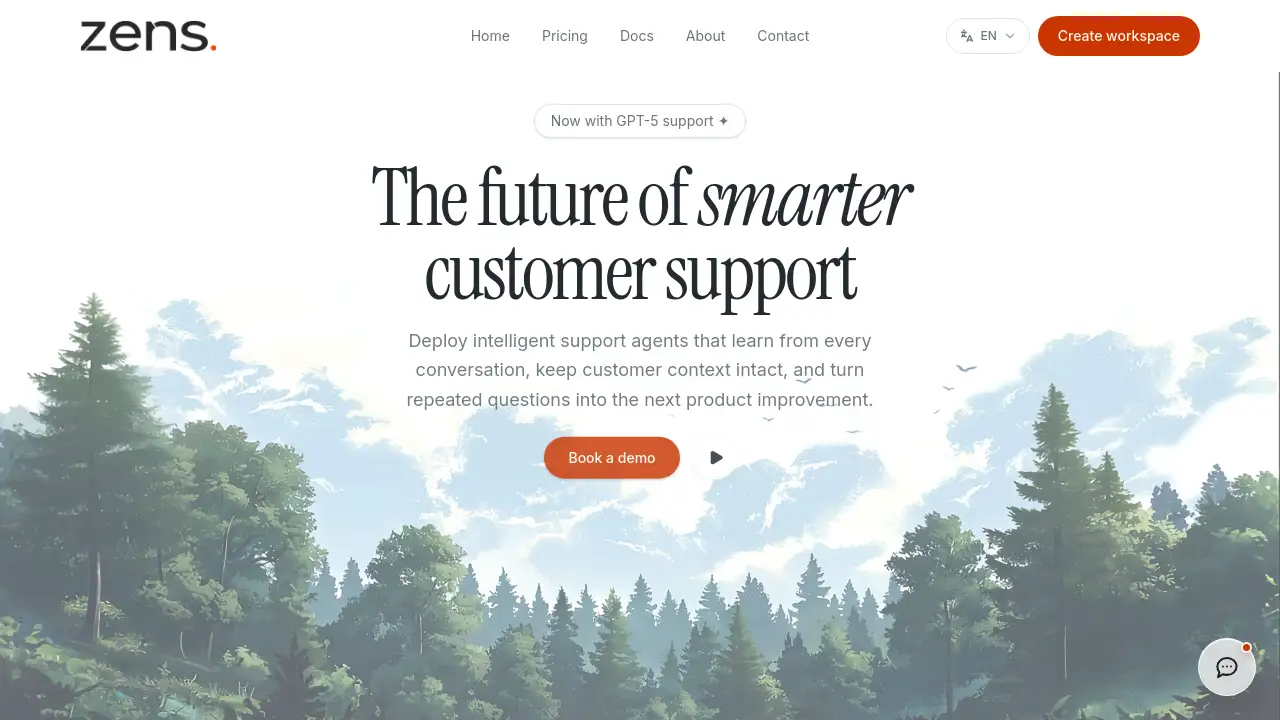
Zens AI is an AI customer support system that helps SaaS teams turn customer feedback into Codex and Multica workflows. The platform builds intelligent support agents that learn from every conversation, preserve customer context, and turn repeated questions into product improvements. This review covers how Zens AI works, its key features, use cases, and pricing.
What is Zens AI?
The core challenge that Zens AI addresses is the gap between customer feedback and product action. Many SaaS teams answer the same questions repeatedly, lose track of user requests, and make product decisions without enough evidence. Zens AI solves this by building a unified context layer that connects user identity, account details, page views, and conversation history. This allows the AI customer support system to resolve conversations faster, hand off important cases to humans, and send clear product briefs to tools like Codex, Linear, GitHub, and Slack.
Zens AI is suitable for SaaS companies, product teams, engineering teams, and support agents who want to reduce repetitive work and create a self-improving product loop. When every conversation becomes searchable and actionable, teams can focus on high-value work instead of re-answering the same questions. The system also helps close the loop between support and engineering by sending evidence-backed tasks to development tools.
Key Features of Zens AI
Unified Identity
Zens AI verifies signed-in users and anonymous visitors, tracks account traits like plan and role, and maintains a session timeline. This context graph keeps customer information intact across every conversation.
AI Inbox
The AI inbox combines customer feedback with account signals, so agents can see who is asking, what plan they use, and where they are in the product journey. This reduces the need for back-and-forth clarification.
Live Handoff
When a conversation requires a human, Zens AI attaches a summary to the handoff. The next agent can pick up context quickly without asking the customer to repeat themselves.
Reply Drafts
The system generates reviewable AI replies using trusted context. Agents can respond faster while keeping full control over the final message.
Feedback Clustering
Zens AI groups repeated conversations into bug themes, feature requests, pricing objections, and UX friction. This turns raw customer feedback into clear priorities for product teams.
Codex Briefs
Support insights can be moved directly into Codex with evidence, making it easy for engineering agents to start implementation work on real user issues.
Multica Context
The platform gives Multica team agents full customer background, so automated workflows understand each user's needs and act with better context.
Collaboration Integrations
Teams can push conversations into Slack channels, create Linear issues with acceptance criteria, and carry fix scope into GitHub. These integrations keep everyone aligned.
Weekly Reports
Zens AI automatically summarizes team performance and conversation trends in a weekly report. Managers can spot patterns and adjust quickly.
Security Controls
Role-based access, audit logs, signed identity verification, and a no-training policy keep customer data safe. Only verified users can view or export sensitive information.
Use Cases for Zens AI
Reducing Repetitive Support Work
SaaS teams use Zens AI to capture answers to common questions once and reuse them. This cuts hours spent on the same pricing, setup, and login requests.
Converting High-Intent Visitors
When support agents are offline, Zens AI responds to high-intent visitors quickly. This reduces missed revenue caused by slow replies.
Closing the Product Feedback Loop
Product managers use the AI customer support system to turn conversations into clear requirements with evidence. Engineering teams can then focus on real user problems instead of opinions.
Onboarding and Setup Assistance
Workspace setup questions and security review requests are handled with full account context. New customers get faster answers, which improves the overall onboarding experience.
How to Use Zens AI
- Register a site: Create a workspace on Zens AI, receive a site ID and signing secret, and decide which user fields are allowed in support context.
- Install the SDK snippet: Add the script to your product and sync user, account, plan, and current page after login.
- Connect team tools: Link Codex, Slack, Linear, GitHub, or Multica so insights can flow into existing workflows.
- Monitor performance: Review the dashboard for resolved conversations, handoff rates, and conversation health. Adjust the AI settings as needed.
Target Audience for Zens AI
- SaaS founders and operations teams
- Customer support leaders and agents
- Product managers who rely on user evidence
- Engineering teams using AI coding agents
- Growth teams tracking customer objections and friction
Is Zens AI Free?
Zens AI lets users start for free, which includes registering a workspace and trying the core AI support features. For full plan details, including advanced workflows, integrations, and security controls, users should check the official Zens AI pricing page.
| Plan | Price | Features |
|---|---|---|
| Free | $0 | Register a site, basic AI support capabilities |
| Full plans | See official site | Advanced workflows, integrations, security controls |
The exact pricing and feature limits may change, so it is best to verify the current details on zens.ai.
Zens AI's Pros and Cons
| Aspect | Pros | Cons |
|---|---|---|
| AI capabilities | Learns from every conversation, drafts replies automatically | May need tuning to match brand voice |
| Integrations | Works with Codex, Multica, Slack, Linear, GitHub | Requires SDK installation to enable full context |
| Feedback loop | Turns customer feedback into product evidence | Needs consistent usage for accurate clustering |
| Security | No training on customer data, role controls, audit logs | Advanced security features may require higher plan |
Frequently Asked Questions about Zens AI
Is Zens AI an AI customer support system?
Yes, Zens AI is an AI customer support system built for SaaS teams. It resolves conversations, drafts replies, and turns feedback into product workflows using AI.
Does Zens AI work with Codex?
Yes, Zens AI creates Codex briefs with customer evidence. This lets engineering agents start implementation with clear context and acceptance criteria.
Can Zens AI replace a human support team?
No. Zens AI is designed to reduce repetitive work and speed up responses, but it also supports live handoff to human agents when needed. Both work together.
How does Zens AI keep customer data safe?
Zens AI uses signed identity verification, role-based permission controls, audit logs, and a no-training policy for customer conversations. This keeps sensitive information protected.
What tools can Zens AI connect to?
Zens AI supports Codex, Claude Code, Cursor, Windsurf, Gemini CLI, OpenCode, Slack, Linear, GitHub, Crisp, Intercom, and Multica.
Is Zens AI suitable for small SaaS teams?
Yes. The free start option and simple three-step setup make it accessible for small teams, and AI handling of repeated questions saves time immediately.
Zens AI Tags
Zens AI, AI customer support, customer feedback, Codex workflows, Multica context, SaaS support tool, support automation, product feedback loop, AI support agents, customer context, help desk AI