AI Studios Review: An All-in-One AI Video Platform for Avatars, Dubbing, Training, and Generative Video
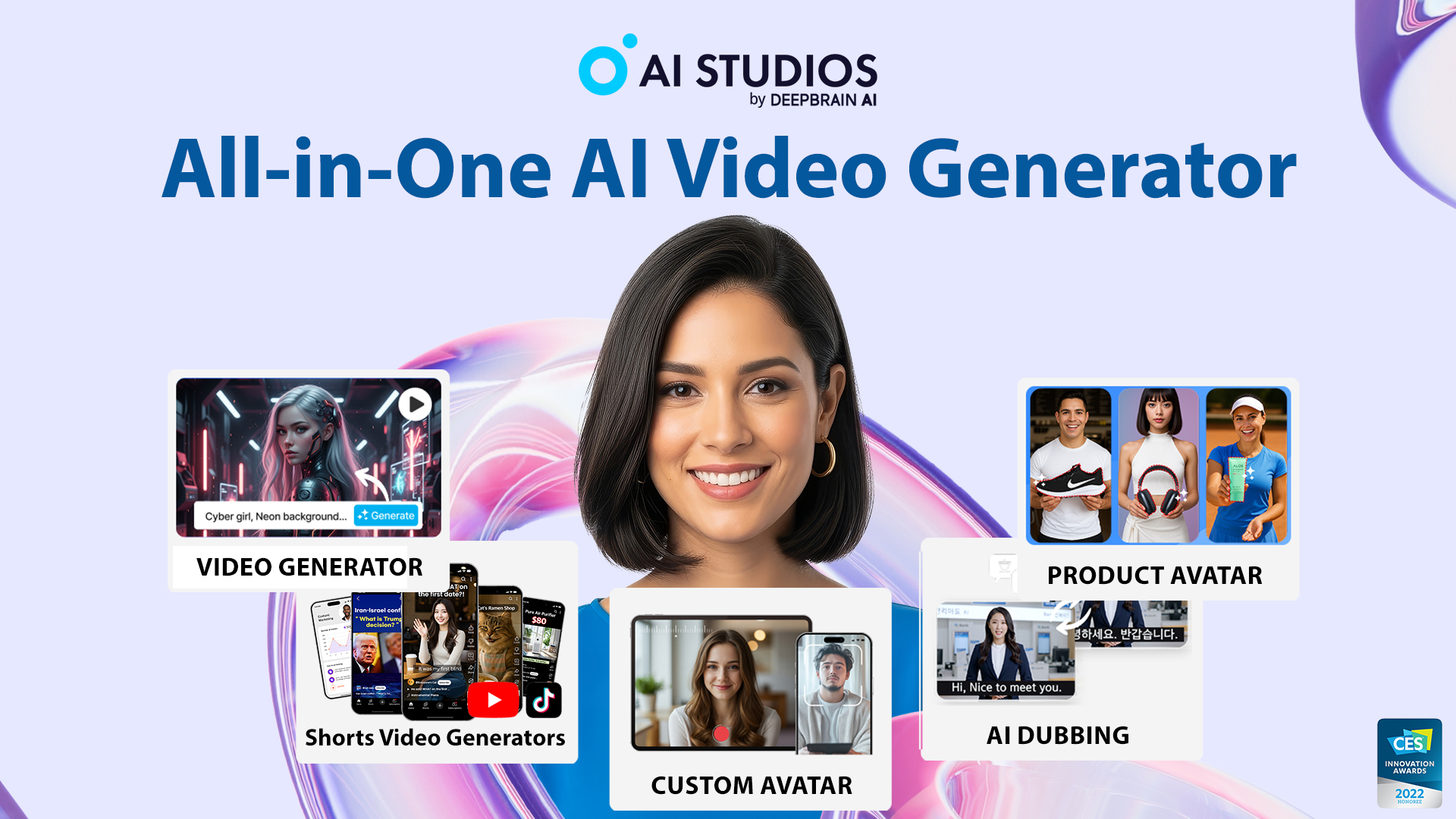
AI video creation has moved far beyond simple text-to-speech narration. Today, many teams want a single workflow that can turn a script, document, website, or product page into a publishable video with a presenter, voiceover, captions, translations, and brand-ready visuals. AI Studios, developed by DeepBrain AI, positions itself in exactly that space: an all-in-one AI video platform for creating avatar-led videos, dubbing existing content, producing training materials, and experimenting with newer generative video models.
In this review, we look at AI Studios as a practical production tool rather than as a novelty avatar generator. The key question is not only whether it can create a talking digital human, but whether it can help creators, marketers, educators, HR teams, and enterprise users produce video content faster, localize it more easily, and maintain a consistent brand presence across multiple formats.
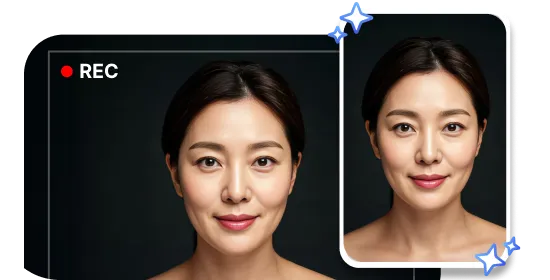
AI Studios highlights custom avatar creation as one of its core workflows, allowing users to create a talking digital presenter from a short recording or photo-based input.
Quick Verdict
AI Studios is best understood as a broad AI video production workspace. Its strongest appeal is the way it combines several production tasks that are often separated across different tools: AI avatars, custom avatars, AI dubbing, interactive avatar agents, training-video workflows, document-to-video conversion, and generative video creation. The official homepage presents the product as an “All-in-One AI STUDIO” that can start from a script, image, or short clip and produce videos with voiceovers, translations, avatars, and visuals.
The platform is especially compelling for teams that create repeatable video formats: onboarding videos, explainer clips, social media content, product demos, multilingual announcements, internal training, and customer-facing support content. It may be less ideal for users who only need a one-off cinematic AI clip or who want frame-level post-production control comparable to traditional editing suites. AI Studios’ advantage is not manual editing depth; it is speed, scale, and workflow consolidation.
| Review Area | Editorial Assessment |
|---|---|
| Best for | Marketing teams, YouTube and social creators, L&D teams, HR departments, sales enablement teams, customer-support teams, and businesses localizing video content. |
| Standout capabilities | Custom avatars, 2,000+ ready-to-use avatars, 150+ language support, AI dubbing with lip-sync, interactive avatars, SCORM-ready training workflows, and generative video tools. |
| Main strength | Combines avatar video, dubbing, translation, training-video creation, and generative AI video in one workspace. |
| Main limitation | Users seeking advanced cinematic editing or highly manual creative control may still need specialized post-production software. |
| Pricing note | This review intentionally does not discuss pricing, because plan details can change and should be checked directly on the official website. |
What Is AI Studios?
AI Studios is an AI-powered video creation platform from DeepBrain AI. On its official website, the product is presented as a browser-based tool for generating professional AI videos without requiring cameras, actors, voice talent, or complex editing software. The platform’s current positioning centers on five broad workflows: AI avatar videos, custom avatar creation, AI dubbing and translation, interactive or conversational avatars, and generative AI video creation.
The official AI Avatars page states that AI Studios provides 2,000+ ready-to-use AI avatars for social, product, and explainer videos, alongside customizable voices, tones, styles, and languages. The same page describes several avatar formats, including custom avatars, photo avatars, product avatars, and interactive AI avatars. For a reviewer or buyer, this is important because AI Studios is not limited to a single “talking head” format. It is designed to support several content patterns: a presenter explaining a topic, a product avatar demonstrating an item, a photo becoming a talking spokesperson, or a real-time interactive avatar answering user questions.
AI Studios describes an AI avatar as a lifelike digital human that can speak, move, and present content from text or uploaded audio, using natural expressions, gestures, and lip-sync.
Official Product Demo Videos
For readers who prefer to see the tool in motion before reading the full review, the AI Studios official YouTube channel and the two demo thumbnails below are useful starting points.
Official video: “AI Studios 4.0 | AI Avatar, Product to Video & More”
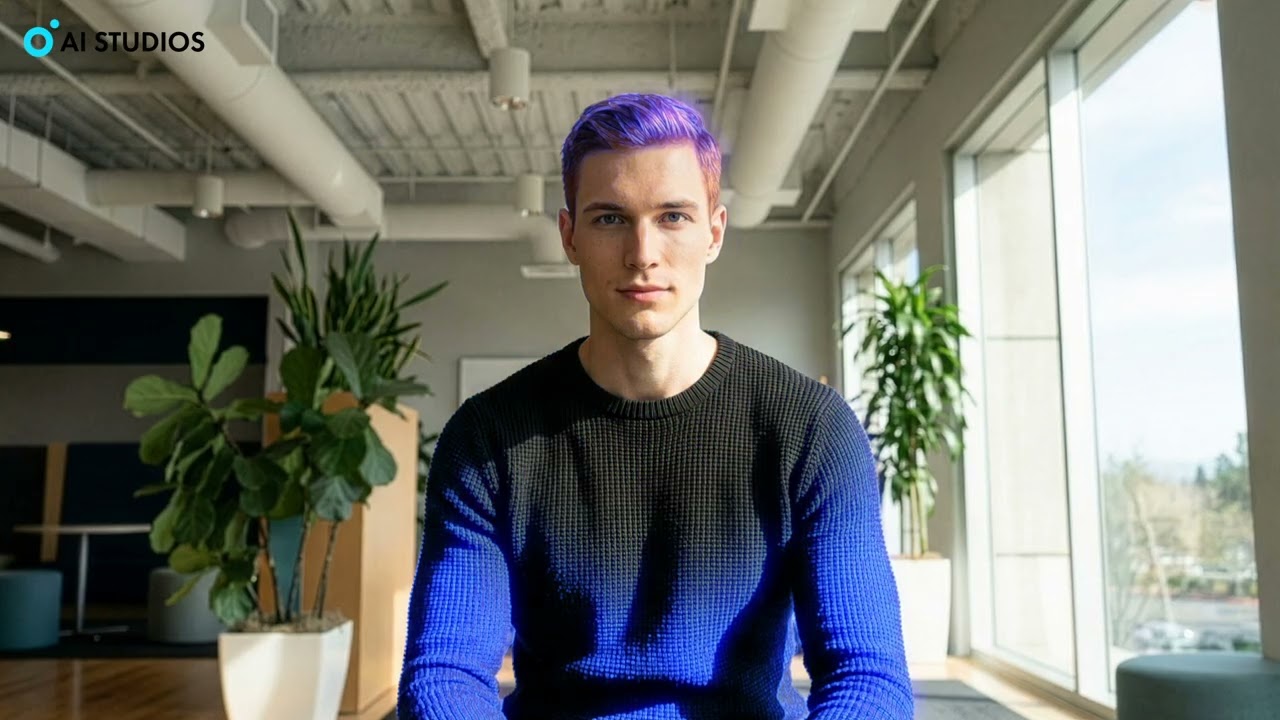
Official video: “Train Your Own AI Avatar in Minutes (No Coding Required)”
Core Feature Review
1. Custom Avatar: Turning a Person or Brand Spokesperson into a Reusable AI Presenter
The custom avatar workflow is one of AI Studios’ most commercially relevant features. The idea is straightforward: instead of filming a person every time a new video is needed, a creator or business can build a reusable digital presenter and then generate new videos by updating the script.
According to AI Studios’ AI Avatars page, users can create a talking avatar from a short webcam video, a single photo, or a professional studio shoot, and avatars can speak in 150+ languages and accents. In practice, this makes the feature useful for executives, instructors, trainers, sales representatives, founders, and creators who want a consistent video presence without repeatedly recording themselves.
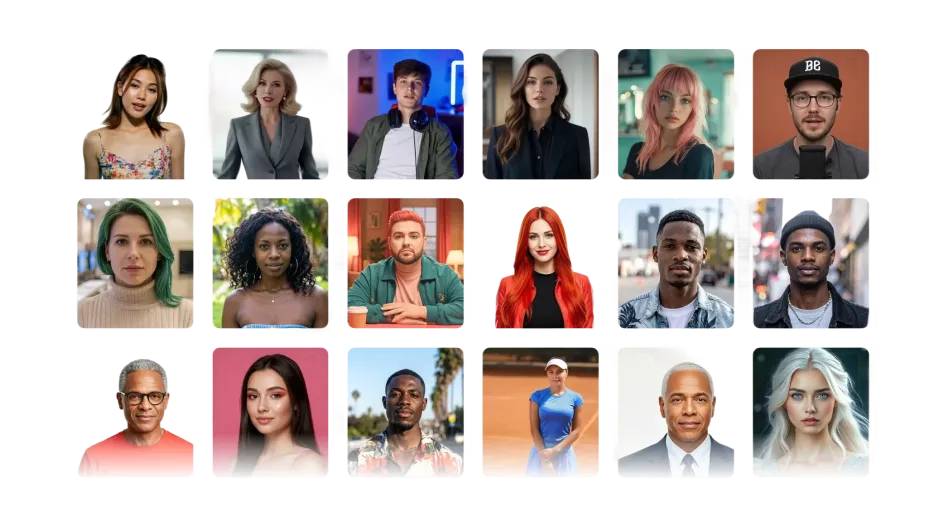
AI Studios provides avatar options for training, marketing, explainer, and social video workflows.
From a third-party perspective, the key benefit is not only the avatar itself, but the repeatability of the workflow. A company can update a script, regenerate a message, create a localized version, or reuse the same branded presenter across campaigns. For internal communications and training, this can reduce dependence on recording schedules and reshoots. For creators, it can also help maintain output volume when being on camera is inconvenient.
The limitation is that custom avatar quality still depends on input quality, setup conditions, and the realism expectations of the audience. A polished avatar can be highly effective for informational videos, but for emotionally complex storytelling or high-end cinematic work, a human recording may still feel more natural.
2. Interactive Avatar: From Passive Video to Conversational AI Agent
AI Studios’ interactive avatar capability moves beyond traditional video playback. The official Interactive AI Avatar page describes these avatars as photorealistic digital humans that conduct real-time conversations with customers, using facial expressions, lip-sync, and voice responses. The same page highlights customer service, sales consultation, and employee training as target use cases, with support for custom LLMs and knowledge bases.
This matters because many AI avatar tools stop at pre-rendered video. AI Studios is aiming at a broader “AI human” experience where a virtual representative can answer questions, guide users, or support a process in real time. The homepage also says these avatars can be embedded on websites and deployed across channels such as web, apps, kiosks, WhatsApp, iOS, and Android.
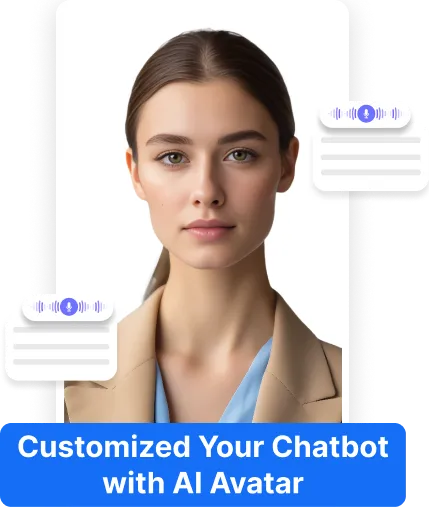
Interactive avatars are positioned for real-time customer engagement, support, sales guidance, and training scenarios.
For businesses, this feature is most relevant when the avatar can be trained on reliable company documents, FAQs, policies, or product information. The strongest use cases are structured: answering common product questions, guiding onboarding, handling support triage, assisting with kiosk experiences, or delivering training interactions. As with any LLM-powered system, teams should still review answer accuracy, define escalation paths, and avoid using unsupervised AI responses in high-risk contexts.
3. AI Dubbing: Localizing Videos into 150+ Languages
AI dubbing is one of the clearest value propositions for creators and businesses trying to reach international audiences. AI Studios’ official AI dubbing page describes a workflow where users upload a video, AI detects speech, translates the script, generates multilingual dubbing, and applies lip-sync before export. The page states that the platform supports dubbing in 150+ languages with lip-sync, automatic speaker detection, context-aware dubbing, proofreading, segment editing, and speech-duration optimization.
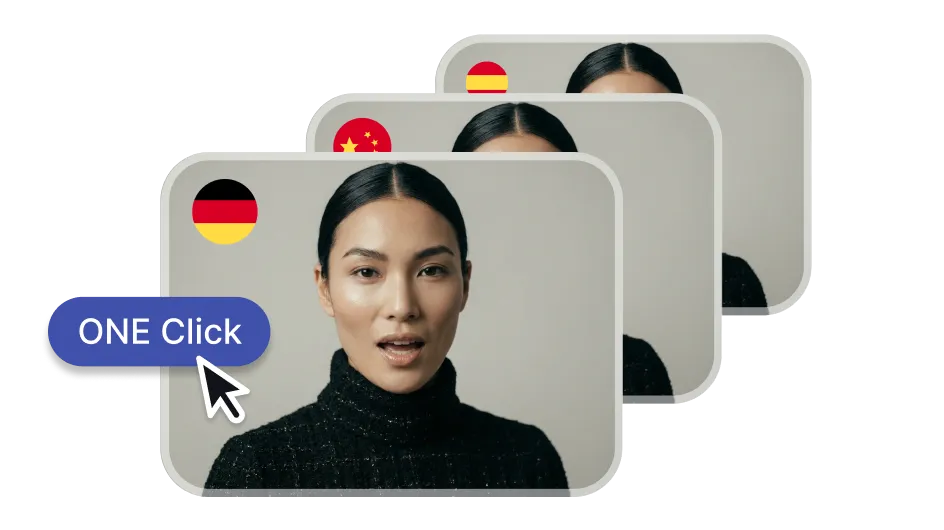
AI Studios’ Dubbing AI workflow is designed for multilingual localization with voiceover generation and lip-sync.
This is particularly relevant for YouTube creators, course creators, SaaS companies, and global teams. A single English-language product tutorial can become Spanish, Korean, Japanese, French, German, or Chinese versions without rebuilding the video from scratch. The value is not only translation, but also maintaining a more natural viewing experience through synchronized mouth movement and voice consistency.
| Dubbing Workflow Step | What AI Studios Claims to Support |
|---|---|
| Upload | Users upload an existing video file and AI detects speech automatically. |
| Translate | The platform translates the script and allows users to edit translations before final generation. |
| Dub | AI generates multilingual voiceovers and applies lip-sync before export. |
| Refine | Users can proofread, split or merge segments, adjust pacing, and optimize speech duration. |
From an editorial standpoint, the most important quality check for AI dubbing is not whether translation exists, but whether it sounds natural enough for the target audience. AI Studios’ editable script and proofreading workflow is therefore a meaningful feature. It gives teams a chance to correct terminology, brand names, tone, and timing before publishing localized content.
4. Training Video: AI Avatars, Interactivity, and SCORM for Learning Teams
AI Studios is also clearly targeting training and L&D teams. The official homepage describes interactive training videos with AI avatars, embedded quizzes, branching scenarios, and SCORM-compliant LMS integration. It also states that SCORM export supports SCORM 1.2, SCORM 2004, and xAPI.
The dedicated training-video page describes a browser-based workflow for creating training videos from text with AI avatars and voiceovers. It also presents a process where users start with templates or upload a URL, PPT, or ChatGPT prompt, choose an AI presenter, enter a script, and generate the final training video.
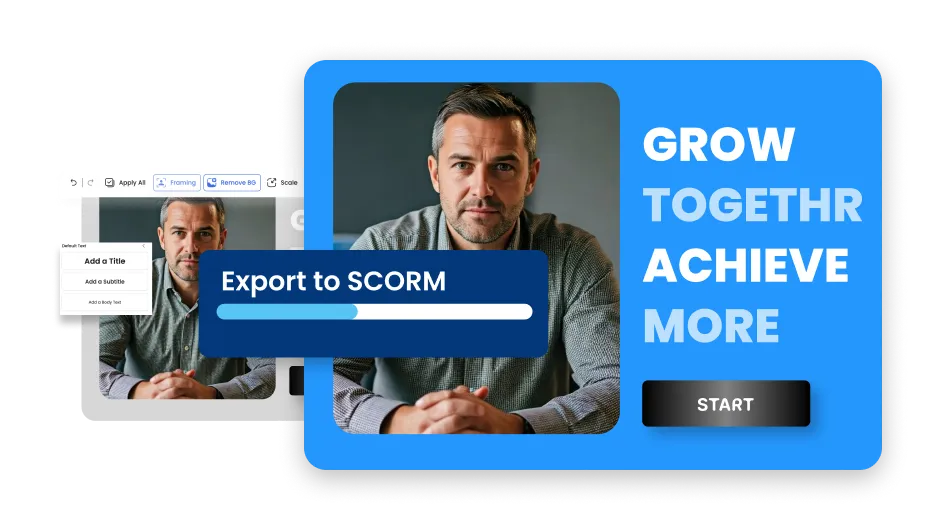
The training-video workflow emphasizes interactive learning content and SCORM export for LMS deployment.
For HR and learning teams, this is a practical differentiator. Traditional training videos can be expensive to update because a policy change may require rewriting, re-recording, editing, captioning, and re-uploading. With an AI avatar workflow, the same video can be revised by editing text and regenerating the relevant sections. When combined with multilingual dubbing, one training module can be adapted for global teams more efficiently.
The caveat is that compliance training and formal education content still require human review. AI can accelerate production, but subject-matter experts should verify accuracy, policy language, quiz logic, and localization quality before distribution.
5. Generative AI Video: Multiple Models in One Workspace
AI Studios has also expanded beyond avatar-only generation. The homepage states that it supports generative AI text, image, and video workflows using newer models such as Sora 2, Veo 3.1, Kling 2.6 Pro, and Nano Banana Pro. It also presents workflows such as Topic to Video, Docs to Video, URL to Video, and Product to Video.
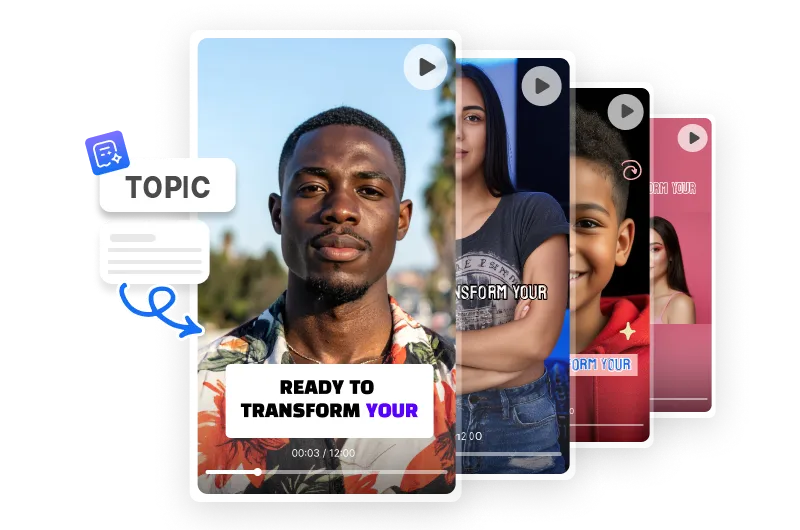
Topic-to-video and document-to-video workflows make AI Studios more than a standalone avatar generator.
This is valuable because the AI video market is fragmented. Some tools are strong at realistic short clips, others at avatars, others at editing, and others at localization. AI Studios’ approach is to put multiple video-generation and production workflows into one interface, reducing the need for non-technical users to manage APIs, model access, or several separate subscriptions.
That said, model availability and output quality can change quickly in generative video. Users should test the same prompt across available models and judge results based on the specific content type: cinematic B-roll, product visuals, avatar-led explainers, social clips, or training scenes. The best model for a fast social clip may not be the best model for a polished brand film.
Practical Use Cases
AI Studios is most convincing when viewed through real production scenarios. A YouTube creator could script one video, generate an avatar-hosted version, dub it into several languages, and repurpose it for Shorts or Reels. A SaaS marketing team could turn a feature page into an explainer video and then localize it for regional campaigns. An HR department could convert onboarding documents into training modules with quizzes and SCORM export. A customer-support team could experiment with an interactive avatar trained on product FAQs.
| Use Case | Why AI Studios Fits |
|---|---|
| YouTube and social video creation | Topic-to-video, avatar presenters, templates, dubbing, and generative visuals help speed up recurring content production. |
| Global content localization | AI dubbing supports translation, voiceover generation, lip-sync, and editing workflows across 150+ languages. |
| Corporate training | Interactive quizzes, branching scenarios, and SCORM support make it relevant for LMS-based training programs. |
| Brand spokesperson videos | Custom avatars and photo avatars help teams reuse a consistent presenter without repeated filming. |
| Customer engagement | Interactive avatars can be connected to knowledge bases and custom LLMs for real-time conversation scenarios. |
Strengths and Limitations
AI Studios’ main strength is workflow breadth. It brings together several parts of the AI video stack: avatars, voices, translation, dubbing, templates, document conversion, product video, interactive training, and conversational AI avatars. This makes it appealing for teams that want fewer tools and faster production cycles.
A second strength is localization. Support for 150+ languages is repeated across the homepage, AI Avatars page, and Dubbing AI page, while the dubbing workflow includes speaker detection, lip-sync, proofreading, and timing optimization. For creators and businesses with international audiences, this can be a major advantage.
The third strength is business readiness. AI Studios’ homepage references enterprise features such as collaboration, role-based access, version history, RESTful API, webhooks, dedicated support, ISO 27001 certification, SOC 2 Type II compliance, GDPR compliance, and membership in the Content Authenticity Initiative. These points matter for larger organizations evaluating AI tools beyond consumer-level experimentation.
The limitations are mostly about expectations. AI-generated avatar videos are best for structured communication, not every form of storytelling. Interactive avatars require careful knowledge-base design and monitoring. AI dubbing still benefits from human review, especially for brand-sensitive or technical content. Generative video models can produce impressive results, but they may require prompt iteration and may not always match a precise creative brief on the first attempt.
Who Should Try AI Studios?
AI Studios is a strong fit for users who need to create video repeatedly rather than once. If your work involves frequent tutorials, explainers, onboarding modules, product updates, customer education, social clips, or multilingual communications, the platform’s all-in-one structure can reduce friction.
It is also a good match for teams that want a human-like presenter but do not want to schedule filming sessions for every update. Custom avatars and ready-made avatars can make video production feel closer to editing a document: change the script, adjust the voice or language, regenerate the video, and publish.
However, if your main need is advanced manual editing, complex camera-style control, or high-end film production, AI Studios should be viewed as a production accelerator rather than a complete replacement for professional editing and creative direction.
Final Verdict
AI Studios stands out because it treats AI video as a complete workflow, not just a single generation feature. Its combination of custom avatars, interactive avatars, AI dubbing, training-video support, and generative video tools makes it especially relevant for creators and business teams that need speed, consistency, and multilingual scale.
The most persuasive use case is simple: write once, present with an avatar, localize into many languages, and reuse the same workflow across marketing, training, support, and social content. That is where AI Studios feels most practical. It is not a magic replacement for human review, brand strategy, or creative judgment, but it can significantly reduce the operational burden of producing and updating video content.
For readers exploring AI video platforms, AI Studios is worth testing if your goal is to move from occasional video creation to a repeatable, scalable AI video workflow.
Leave your comment
- No comments yet.
Recommended AI Tools
Carefully selected AI tools to improve your work, study, and live efficiency.
Related Articles
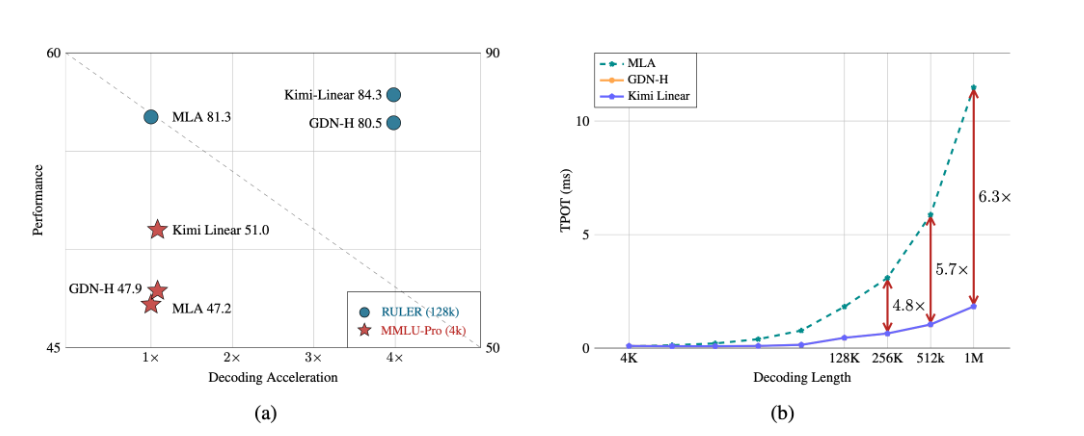
A major breakthrough has been achieved in the core architecture of large-scale models! The release of Kimi Linear marks the first time that linear attention technology has comprehensively surpassed and significantly outperformed the traditional Transformer full-attention model in both performance and efficiency. This "win-win" achievement is expected to significantly reduce the computational barriers and costs for long text processing, complex reasoning, and AI agent applications, potentially changing the competitive landscape of underlying technologies for large-scale models.
Over the past week, the AI community's attention has been drawn to a mysterious model that quietly emerged on the OpenRouter platform—Polaris Alpha. As a direct continuation of yesterday's discussion of the GPT-5.1 leak, this suddenly appearing model brings more technical details and strategic signals worthy of in-depth exploration.
Alibaba open-sources Qwen-Image-2.1: a 7B unified image model with native RGBA transparency and 10-reference editing.