Revolutionizing AI Development: Chrome DevTools MCP Transforms How AI Agents Debug Web Applications
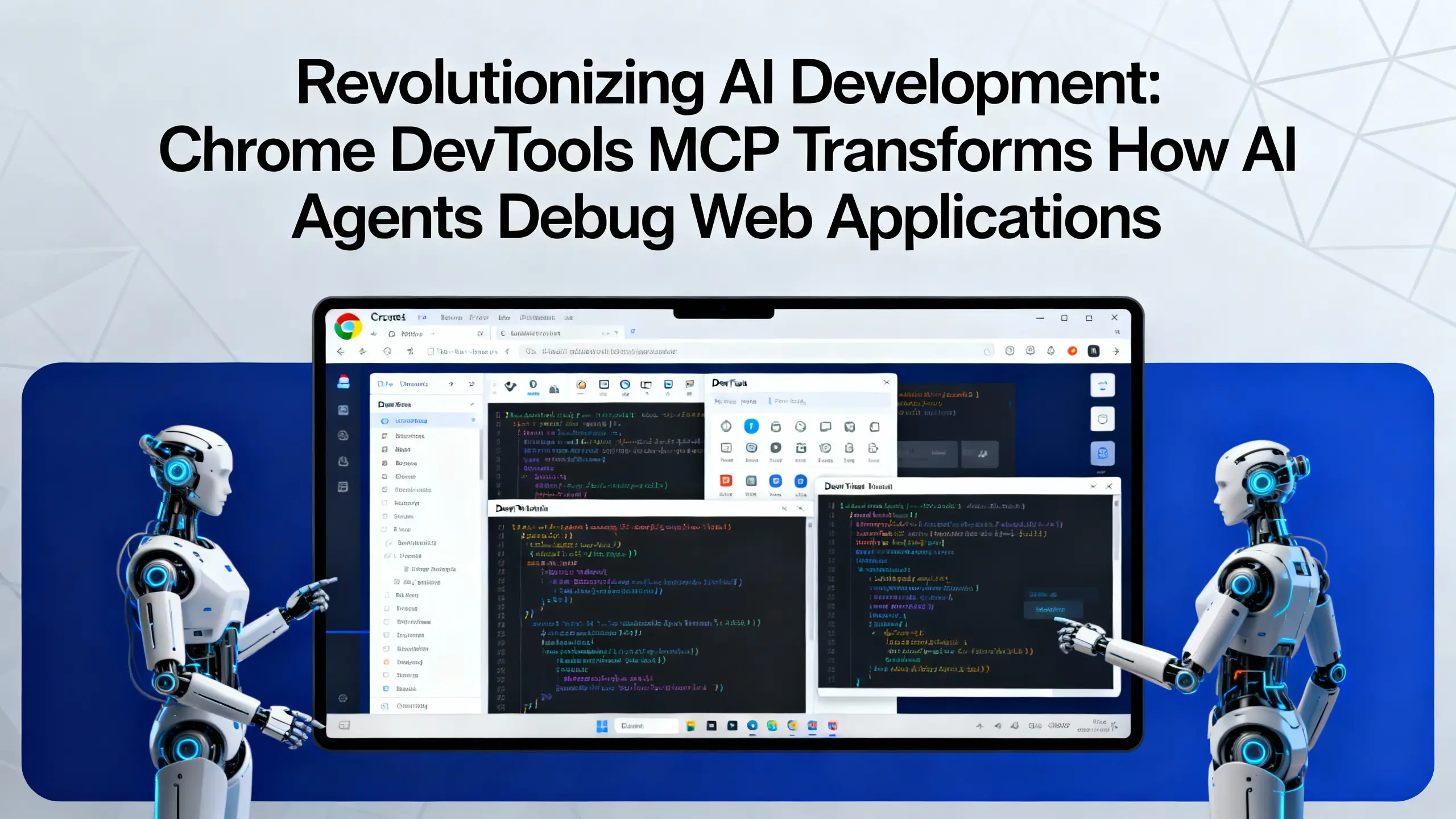
Revolutionizing AI Development: Chrome DevTools MCP Transforms How AI Agents Debug Web Applications
The landscape of AI-assisted development is rapidly evolving, and Google Chrome has just introduced a game-changing innovation that promises to bridge the gap between artificial intelligence and web development. The Chrome DevTools Model Context Protocol (MCP) server represents a significant leap forward in how AI coding assistants interact with web browsers, offering unprecedented debugging capabilities that were previously impossible.
For too long, AI coding assistants have operated in isolation from the actual runtime environment of web applications. They could generate code, suggest fixes, and provide recommendations, but they couldn't see what was actually happening when that code executed in a browser. This limitation often led to solutions that looked good on paper but failed in practice. The Chrome DevTools MCP changes this fundamental constraint, opening up new possibilities for AI-driven development workflows.
What is the Chrome DevTools Model Context Protocol?
The Chrome DevTools MCP is a groundbreaking integration that connects large language models (LLMs) directly to Chrome's powerful debugging infrastructure. Built on the open-source Model Context Protocol standard developed by Anthropic, this server enables AI agents to access real-time browser data, inspect web pages, analyze performance metrics, and interact with live applications just like human developers do.
Understanding the Model Context Protocol Foundation
The Model Context Protocol serves as the underlying framework that makes this integration possible. It's an open-source standard designed to connect LLMs to external tools and data sources securely and efficiently. When applied to Chrome DevTools, this protocol creates a bridge between AI reasoning capabilities and browser debugging tools, resulting in a more intelligent and context-aware development assistant.
The Chrome DevTools MCP server specifically adds debugging capabilities that transform how AI agents approach web development challenges. Instead of working blindly, AI assistants can now:
- Inspect live DOM elements and CSS styles
- Monitor network requests and responses
- Analyze console logs and error messages
- Evaluate JavaScript expressions in real-time
- Access performance profiling data
Key Capabilities and Features of Chrome DevTools MCP
Real-Time Code Verification
One of the most significant advantages of the Chrome DevTools MCP is its ability to verify code changes instantly. AI agents can now push code modifications to a live browser environment and immediately observe the results. This capability eliminates the guesswork that previously plagued AI-generated solutions.
When an AI assistant suggests a CSS fix for a layout issue, it can now apply that change in the browser and verify whether the problem is actually resolved. This real-time feedback loop dramatically improves the accuracy of AI-generated solutions and reduces the number of iterations required to achieve the desired outcome.
Advanced Error Diagnosis
Network failures, JavaScript errors, and performance bottlenecks are common challenges in web development. The Chrome DevTools MCP empowers AI agents to diagnose these issues with the same tools that professional developers use. AI assistants can:
- Examine failed network requests and identify connectivity issues
- Parse console error messages and trace their origins
- Analyze stack traces to pinpoint problematic code sections
- Monitor resource loading times and identify performance bottlenecks
Intelligent User Behavior Simulation
Testing user interactions has always been a complex aspect of web development. With the Chrome DevTools MCP, AI agents can simulate user behavior by clicking buttons, filling forms, and navigating through applications while monitoring the browser's response. This capability enables comprehensive testing scenarios that go far beyond static code analysis.
Live Styling and Layout Debugging
CSS debugging often requires visual feedback that traditional AI assistants couldn't provide. The Chrome DevTools MCP changes this by allowing AI agents to inspect computed styles, modify CSS properties in real-time, and observe the visual impact of their changes. This capability is particularly valuable for responsive design issues and complex layout problems.
Practical Use Cases for Chrome DevTools MCP
Automated Performance Auditing
Performance optimization is a critical aspect of modern web development. AI agents equipped with the Chrome DevTools MCP can conduct comprehensive performance audits by:
- Measuring page load times and identifying slow-loading resources
- Analyzing JavaScript execution performance and memory usage
- Evaluating Core Web Vitals metrics automatically
- Suggesting specific optimizations based on real performance data
Cross-Browser Compatibility Testing
While the current implementation focuses on Chrome, the foundation laid by the Chrome DevTools MCP opens possibilities for cross-browser testing workflows. AI agents can potentially identify browser-specific issues and suggest compatibility fixes based on actual browser behavior rather than theoretical knowledge.
Accessibility Compliance Verification
Web accessibility is increasingly important, and AI agents with access to Chrome DevTools can perform automated accessibility audits. They can inspect ARIA attributes, verify keyboard navigation, and identify potential accessibility barriers in real-time.
Getting Started with Chrome DevTools MCP
The Chrome DevTools MCP is currently available as a public preview, making it accessible to developers who want to experiment with this cutting-edge technology. To begin using this powerful integration:
-
Install the MCP Server: The Chrome DevTools MCP server can be integrated with compatible AI coding assistants that support the Model Context Protocol standard.
-
Configure Your Development Environment: Set up your development workflow to leverage the real-time debugging capabilities offered by the integration.
-
Experiment with AI-Assisted Debugging: Start with simple debugging tasks and gradually explore more complex scenarios as you become familiar with the capabilities.
The Future of AI-Driven Web Development
The introduction of the Chrome DevTools MCP represents more than just a new tool—it signals a fundamental shift in how AI and web development will intersect. As this technology matures, we can expect to see:
- More sophisticated AI debugging capabilities
- Integration with additional browser development tools
- Enhanced support for complex web application architectures
- Improved accuracy in AI-generated code solutions
Conclusion
The Chrome DevTools Model Context Protocol marks a pivotal moment in the evolution of AI-assisted development. By providing AI agents with direct access to browser debugging capabilities, this innovation eliminates the "blindfold" that has long limited the effectiveness of AI coding assistants.
For developers, this means more accurate AI suggestions, faster debugging cycles, and the ability to leverage AI assistance for complex browser-specific challenges. The Chrome DevTools MCP doesn't replace human expertise—it amplifies it by providing AI agents with the same powerful debugging tools that professional developers rely on.
As this technology continues to evolve, developers who embrace the Chrome DevTools MCP early will be well-positioned to take advantage of the enhanced productivity and problem-solving capabilities it offers. The future of web development is becoming increasingly collaborative between human creativity and AI precision, and the Chrome DevTools MCP is leading this transformation.
The public preview availability makes this an ideal time to explore how the Chrome DevTools MCP can enhance your development workflow and improve the quality of your web applications. Whether you're debugging complex JavaScript issues, optimizing performance, or ensuring cross-browser compatibility, this revolutionary tool opens up new possibilities for AI-assisted web development.
Leave your comment
- No comments yet.
Recommended AI Tools
Carefully selected AI tools to improve your work, study, and live efficiency.



Related Articles
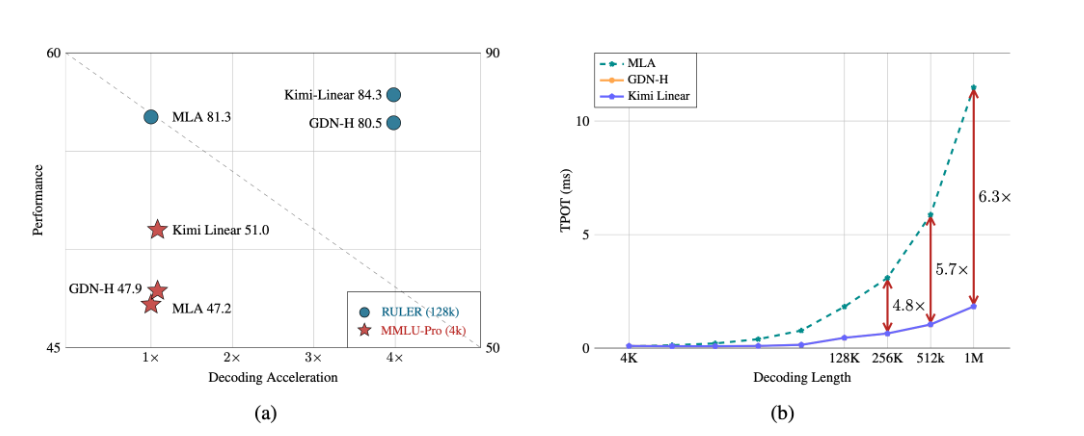
A major breakthrough has been achieved in the core architecture of large-scale models! The release of Kimi Linear marks the first time that linear attention technology has comprehensively surpassed and significantly outperformed the traditional Transformer full-attention model in both performance and efficiency. This "win-win" achievement is expected to significantly reduce the computational barriers and costs for long text processing, complex reasoning, and AI agent applications, potentially changing the competitive landscape of underlying technologies for large-scale models.
Over the past week, the AI community's attention has been drawn to a mysterious model that quietly emerged on the OpenRouter platform—Polaris Alpha. As a direct continuation of yesterday's discussion of the GPT-5.1 leak, this suddenly appearing model brings more technical details and strategic signals worthy of in-depth exploration.

Alibaba open-sources Qwen-Image-2.1: a 7B unified image model with native RGBA transparency and 10-reference editing.