Introduction
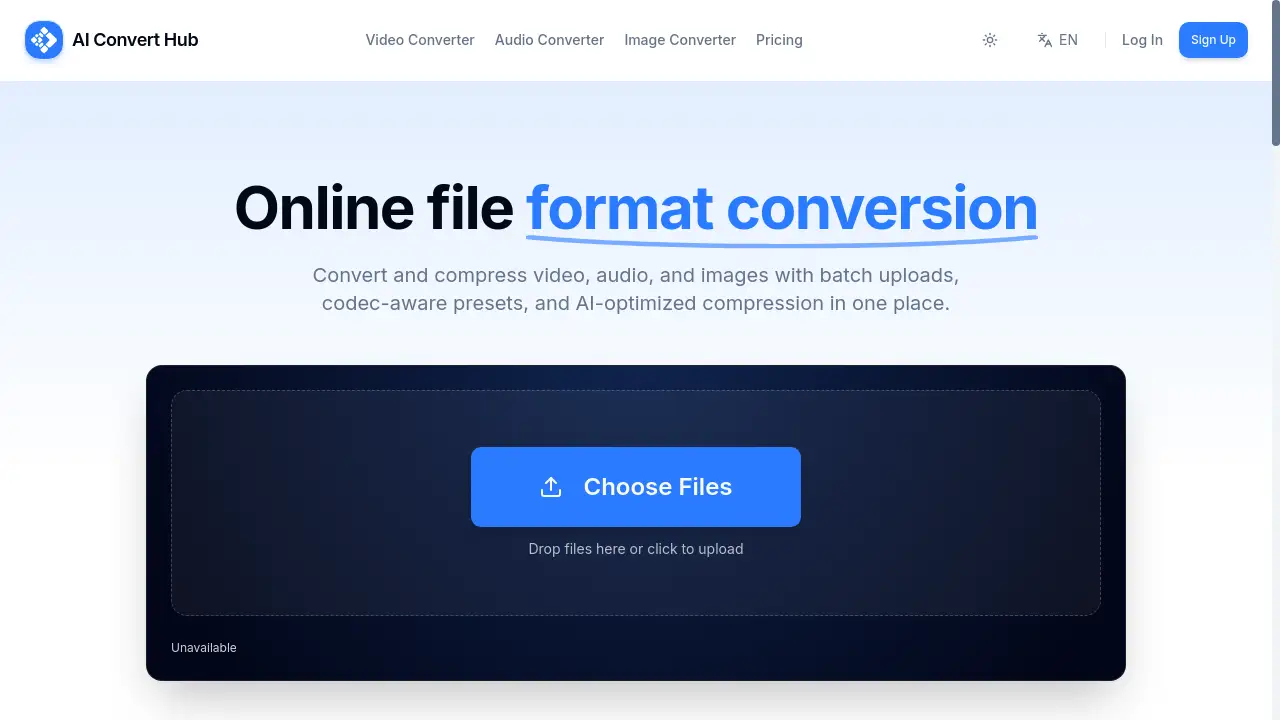
AI Convert Hub is a comprehensive online tool for converting and compressing video, audio, and image files.
What is AI Convert Hub?
AI Convert Hub is a web-based file conversion platform that allows users to transform and optimize media files directly in their browser. It solves the common problem of needing multiple, often expensive, software applications to handle different file formats. The tool is designed for anyone who works with digital media, from casual users needing to convert a photo to professionals processing large batches of video. Its importance lies in its ability to provide professional-grade encoding tools—like codec-aware controls and AI-optimized compression—without requiring any software installation, making advanced media manipulation accessible and convenient.
Key Features of AI Convert Hub
Batch Processing & Uploads
Users can drag and drop entire folders or multiple files simultaneously, streamlining the workflow for large projects and saving significant time.
AI-Optimized Compression
The platform uses AI tuning alongside its FFmpeg-based pipeline to intelligently reduce file sizes while striving to maintain the highest possible visual and audio quality.
Codec-Aware Advanced Control
It offers granular settings for experienced users, allowing adjustments to specific parameters like CRF, bitrate, frame rate, and audio channels for precise output control.
Wide Format Support
AI Convert Hub supports over 200 file formats, including modern and specialized types like HEIC, WEBM, and various RAW image formats, ensuring broad compatibility.
Secure & Private Processing
All file transfers are protected with 256-bit SSL encryption, and uploaded files are automatically cleaned up from servers after processing is complete.
Fast Distributed Conversion
Files are processed through a distributed pipeline that handles tasks in parallel, enabling quick conversion times even for multiple or large files.
Use Cases for AI Convert Hub
Content Creation Workflow
Content creators and social media managers can use it to quickly batch convert and compress 4K video clips or image sets to optimal sizes for different platforms without losing noticeable quality.
Web Development & Optimization
Web developers can efficiently convert images to modern formats like WebP or AVIF and compress videos to reduce page load times and improve website performance.
Personal Media Library Management
Individuals can organize their personal media by converting old video formats, compressing large holiday video files for storage, or converting HEIC photos from iPhones to more universal JPEGs.
Professional Video Editing Prep
Video editors can use the batch feature and advanced codec controls to transcode raw footage from various cameras into a uniform, editable format before importing into their editing software.
How to Use AI Convert Hub
- Visit the Website: Navigate to the AI Convert Hub homepage in your web browser. No account is needed to start.
- Upload Your Files: Drag and drop your video, audio, or image files into the upload area, or click to browse your computer. You can upload multiple files or entire folders.
- Select Output Settings: Choose your desired target format. For supported formats, click the settings icon to access advanced controls like quality, resolution, or bitrate.
- Initiate Conversion: Click the convert button. The AI Convert Hub system will process your files using its distributed pipeline.
- Download Results: Once processing is complete, download your converted files individually or as a batch. Your original files remain private and are deleted from the server.
Target Audience for AI Convert Hub
- Content Creators, Vloggers, and Social Media Managers
- Web Developers and Designers
- Video Editors and Filmmakers
- Photographers and Graphic Designers
- General Users with personal media conversion needs
- Businesses and teams handling marketing or training materials
Is AI Convert Hub Free?
AI Convert Hub operates on a freemium model. It offers a generous free plan that provides daily credits for basic conversion tasks, which is sufficient for many individual users. For users with heavy demands, such as frequent large batch processing jobs or need for higher conversion limits, affordable Pro upgrade options are available. This structure makes professional-grade file conversion tools accessible to everyone.
Frequently Asked Questions about AI Convert Hub
Is AI Convert Hub free to use?
Yes, a generous free tier is available for basic tasks, which includes daily credits. For extensive batch jobs or higher limits, a Pro upgrade is offered.
How does the AI-optimized compression work?
The platform uses AI algorithms to analyze media content and apply intelligent compression strategies, aiming to reduce file size significantly while preserving perceptual quality better than standard methods.
Do you keep my uploaded files after conversion?
No. User privacy is a priority. All files are automatically cleaned up from the servers shortly after the conversion process is complete or when manually deleted by the user.
What formats does AI Convert Hub support?
It supports a wide range of over 200 video, audio, and image formats, including modern codecs like HEVC (H.265), WebM, AVIF, WebP, and various RAW camera formats.
Can I convert multiple files at once?
Absolutely. The batch processing feature is a core function, allowing users to upload and convert numerous files or entire folders simultaneously, greatly improving efficiency.
Is an internet connection required?
Yes, since AI Convert Hub is a cloud-based online tool, a stable internet connection is required both for uploading source files and downloading the converted results.
AI Convert Hub Tags
online file converter, video compressor, batch conversion, AI compression, free media converter, WebP converter, HEIC converter, online video converter, secure file conversion, FFmpeg online, audio format converter, image optimization tool