Introduction
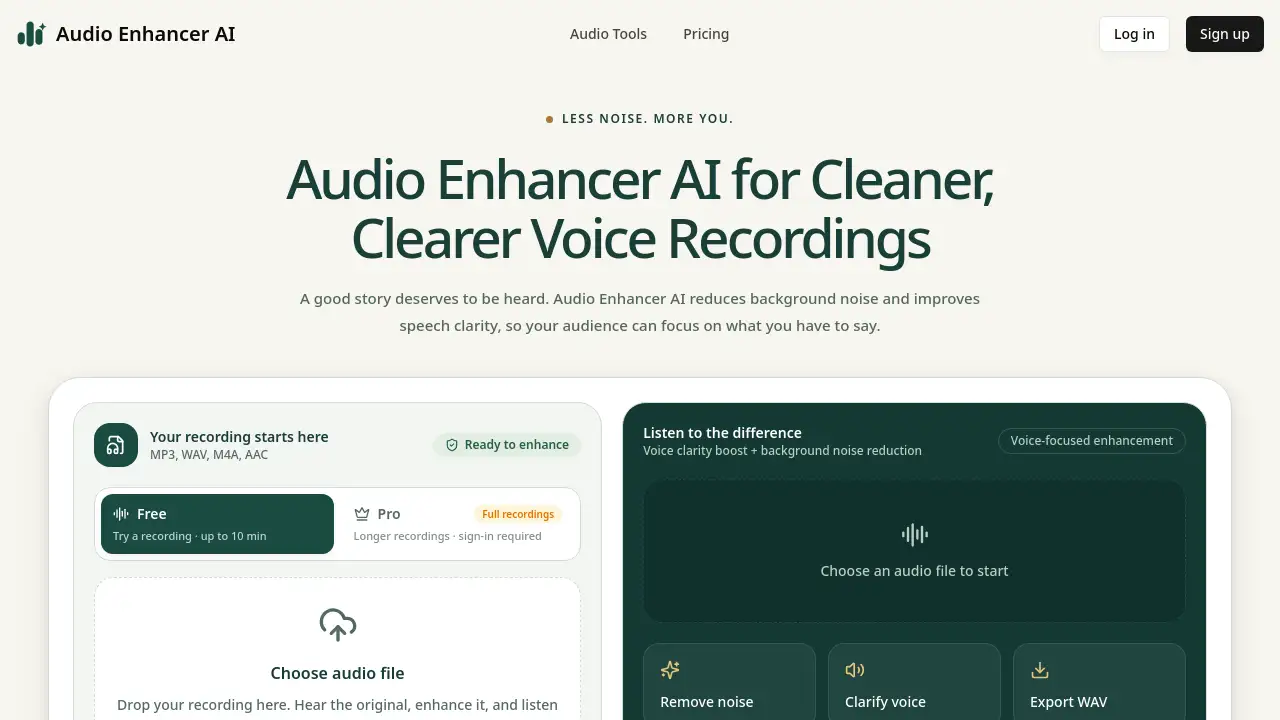
Audio Enhancer AI is a web-based tool that reduces background noise and improves speech clarity in spoken recordings. It helps podcasters, interviewers, and content creators clean up voice notes and interviews quickly, with a preview before downloading a WAV file.
What is Audio Enhancer AI?
Audio Enhancer AI is an online audio enhancer that focuses on spoken audio. It reduces background noise and improves speech clarity in podcasts, interviews, voice notes, lectures, and narration. The tool does not generate a new voice—it cleans existing recordings. This matters because a meaningful take with fan noise, hiss, or low clarity can still be worth keeping. Audio Enhancer AI gives imperfect recordings a cleaner starting point without requiring a full audio workstation. It is suitable for podcasters, journalists, educators, and anyone who wants a simple voice recording enhancer. The AI speech enhancement workflow is direct: upload a file, let the tool process it, compare the original and enhanced versions, then export a WAV. With Audio Enhancer AI, users can focus on the story rather than the technical cleanup.
Key Features of Audio Enhancer AI
Background Noise Reduction
Reduce fan noise, hiss, and other steady distractions in spoken recordings. Audio Enhancer AI applies background noise removal to help listeners focus on the voice.
Speech Clarity Enhancement
Improve the clarity of podcasts, phone recordings, and narration. This speech clarity feature gives imperfect takes a cleaner starting point for editing.
Preview and Compare
Listen to the original and enhanced playback before downloading. Audio Enhancer AI lets users make the final decision with their own ears.
Simple One-Workflow Design
Handle speech enhancement in a single browser-based workflow. Audio Enhancer AI avoids complicated plugins or audio settings, which keeps the process short.
WAV Export
Download the enhanced file as a WAV. This WAV export is ready for podcast editing, course narration, or video voiceover work.
File Format Support
Upload MP3, WAV, M4A, or AAC files. Audio Enhancer AI accepts common formats, and codec support depends on the browser.
Pro Plan for Longer Files
Use Audio Enhancer AI Pro for longer recordings. Pro accepts files up to 300 MB without a fixed duration limit and processes tasks in the cloud.
Use Cases for Audio Enhancer AI
Podcasts & Interviews
Clean up podcast audio and interview recordings before editing. Audio Enhancer AI reduces background noise and clarifies speech in spoken tracks.
Video Voiceovers
Prepare narration for videos by processing the spoken track first. Use Audio Enhancer AI for voiceovers before adding audio to a video edit.
Online Courses & Explanations
Improve lesson and walkthrough recordings with speech clarity enhancement. Audio Enhancer AI helps course creators deliver clearer explanations.
Meetings & Voice Notes
Revisit saved ideas from meetings or voice notes with less noise. Audio Enhancer AI makes it easier to hear important details in spoken recordings.
Phone Recordings
Reduce hiss and steady background noise in phone interviews or remote conversations. Audio Enhancer AI can improve clarity for spoken audio, though heavily distorted speech may remain unclear.
How to Use Audio Enhancer AI
- Choose your recording. Add an MP3, WAV, M4A, or AAC audio file to Audio Enhancer AI.
- Let the AI enhance it. The tool reduces background noise and improves speech clarity in the spoken audio.
- Listen and download. Compare the original and enhanced playback, then save the enhanced WAV file.
No complicated setup is required. Audio Enhancer AI works in a browser, and the free model loads on first use. For longer recordings, Audio Enhancer AI Pro provides cloud processing and shows task progress.
Target Audience for Audio Enhancer AI
- Podcasters and podcast editors
- Journalists and interviewers
- Video creators and voiceover artists
- Course creators and educators
- Business professionals who record meetings or voice notes
- Students and researchers working with spoken audio
- Anyone who needs a simple online audio enhancer for speech
Is Audio Enhancer AI Free?
Audio Enhancer AI is free for recordings up to 10 minutes. The free voice model produces mono, 16 kHz audio and works in browser mode without an account. Audio Enhancer AI Pro is available for longer recordings and cloud processing. Pro requires sign-in and accepts files up to 300 MB without a fixed duration limit. Processing time is shown beforehand, and each cloud job has a 15-second minimum.
| Plan | Price | Features |
|---|---|---|
| Free | $0 | Up to 10 minutes, browser mode, no account, mono 16 kHz WAV export |
| Pro | Paid (see official pricing page) | Files up to 300 MB, no fixed duration limit, cloud processing, sign-in required |
Audio Enhancer AI's Pros and Cons
| Aspect | Pros | Cons |
|---|---|---|
| Pricing | Free tier for short recordings up to 10 minutes | Pro pricing is not listed in the reference content; users must check the official page |
| Features | Background noise reduction, speech clarity boost, preview and compare, WAV export | Focused on speech only; music and singing may be altered |
| Ease of use | Simple browser workflow, no complicated setup | Browser codec support may vary |
| Output control | Users can hear the difference before downloading | Badly distorted or missing speech may remain unclear |
| Processing | Free browser mode for short files; Pro cloud mode for longer files | Pro requires an account and uploads audio for cloud processing |
Frequently Asked Questions about Audio Enhancer AI
What does Audio Enhancer AI do?
Audio Enhancer AI reduces background noise and improves speech clarity in podcasts, interviews, voice notes, lectures, and narration. It cleans existing audio without generating a new voice.
Can Audio Enhancer AI remove background noise?
Audio Enhancer AI can reduce fan noise and hiss. Heavy echo, clipping, overlapping voices, and speech buried in noise may remain difficult to fix. Users should preview the result before downloading.
Can I use Audio Enhancer AI for music or singing?
Audio Enhancer AI focuses on speech. Music and singing may be altered. It is better to use a separate spoken track when possible, because this tool does not master music or separate stems.
Which files can I use with Audio Enhancer AI?
Audio Enhancer AI accepts MP3, WAV, M4A, and AAC files and exports WAV. Codec support depends on the browser. The free voice model produces mono, 16 kHz audio.
Is Audio Enhancer AI free, and how does Pro work?
Audio Enhancer AI is free for recordings up to 10 minutes. Audio Enhancer AI Pro accepts files up to 300 MB without a fixed duration limit. Processing time is shown beforehand, and each cloud job has a 15-second minimum.
Do I need an account to use Audio Enhancer AI?
Users can try Audio Enhancer AI without an account in browser mode. Pro requires sign-in and uploads audio for cloud processing. Cloud tasks and results stay linked to the account.
Audio Enhancer AI Tags
Audio Enhancer AI, AI audio enhancer, background noise reduction, speech clarity, podcast audio cleanup, online audio enhancer, voice recording enhancer, AI speech enhancement, WAV export, noise removal tool, speech enhancement online, cleaner voice recordings