Introduction
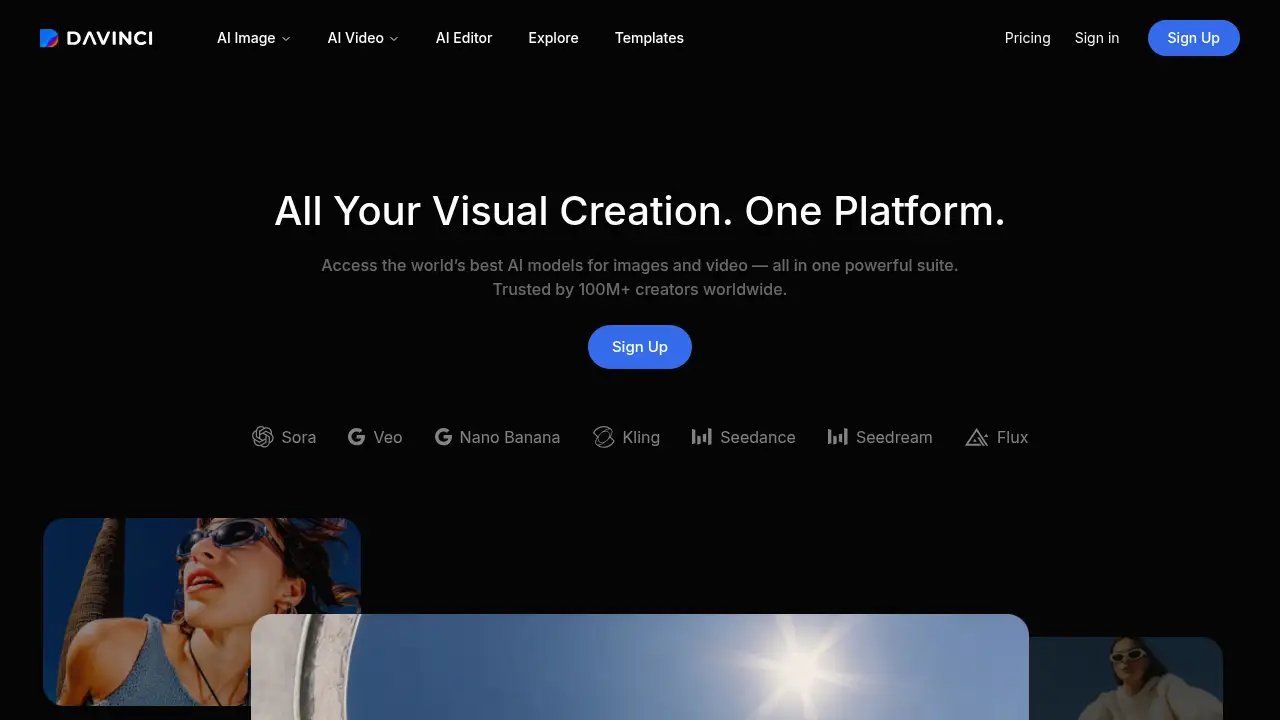
DaVinci AI is an all-in-one generative media platform that brings 50+ AI models for images, videos, and audio into a single workspace. It lets creators compare top models like Seedance, Veo, Kling, and Flux, then refine results without switching tools. This DaVinci AI review covers its features, pricing, and practical uses for modern content creation.
What is DaVinci AI?
DaVinci AI is a generative AI platform designed to simplify visual content creation. It solves the problem of juggling multiple subscriptions and tools by offering a single workspace where users can access over 50 AI models for image generation, video generation, and audio production. The platform is suitable for content creators, marketers, designers, and teams that need to produce high-quality visuals quickly. By bringing models like Sora, Veo, Nano Banana, Kling, Seedance, Seedream, and Flux together, DaVinci AI matters because it reduces workflow friction, saves time, and helps users compare outputs from different AI models before committing to a final result. Whether someone needs an AI image generator for social posts or an AI video generator for ads, DaVinci AI provides a unified environment to create, refine, and remix content.
Key Features of DaVinci AI
All-in-One AI Model Hub
Access 50+ AI models for images, videos, and audio in one workspace. This feature eliminates the need to manage separate accounts and lets users switch between models like Flux, Veo, and Kling instantly.
Multi-Model Comparison
Compare outputs from Seedance, Veo, Kling, and Flux side by side. Users can generate variations with different AI models and pick the best result without leaving the platform.
Image Generation and Editing
Create and refine images using advanced AI image generators. The built-in editing tools allow users to adjust, remix, and upscale visuals for social media, branding, or photography projects.
Video Generation and Refinement
Generate short videos and visual concepts with AI video generators. Users can iterate quickly, explore different styles, and fine-tune clips for ads, campaigns, or creative storytelling.
Audio Creation
Produce audio elements to accompany visual content. The platform supports audio generation within the same AI media suite, helping creators build complete multimedia projects.
Cross-Platform Access
Use DaVinci AI on desktop or mobile through iOS and Android apps. The full power of 50+ AI models is available on the go, so creators can generate content from anywhere without a desktop.
Secure Content Ownership
Keep data private and own what you create. DaVinci AI does not use user data to train AI models without permission, and all generations come with clear usage rights.
Use Cases for DaVinci AI
Social Media Content
Create eye-catching images and short videos for platforms like Instagram, TikTok, and LinkedIn. DaVinci AI helps social media managers produce daily content faster with an AI image generator and AI video generator.
Ad Campaigns
Generate multiple ad variations using different AI models. Marketers can compare Seedance, Veo, and Flux outputs to find the most effective visual for a campaign.
Branding and Design
Design logos, brand visuals, and promotional graphics with a generative AI platform. Designers can iterate on concepts and refine results in a single workspace.
Video Production
Produce video concepts, storyboards, and short clips with AI video generation. Video editors can test different model outputs and refine the best one without switching tools.
Photography Enhancement
Enhance and transform photos using AI image generation. Photographers can generate creative variations, adjust styles, and produce high-quality visuals for clients.
Audio for Media
Add audio elements to videos, presentations, or social posts. The AI media suite supports audio creation alongside image and video generation.
How to Use DaVinci AI
- Sign up for a DaVinci AI account at the official website or download the mobile app.
- Choose from 50+ AI models, such as Flux for images or Veo for video, based on your project needs.
- Generate content by entering a prompt or uploading a reference. The platform creates multiple options for comparison.
- Compare outputs from different models like Seedance, Kling, and Veo to select the strongest result.
- Refine and export your favorite image, video, or audio file for use in your campaign or project.
Target Audience for DaVinci AI
- Content creators and influencers
- Social media managers
- Marketing teams and agencies
- Graphic designers and artists
- Video editors and producers
- Small business owners
- Photographers
- Creative teams in larger organizations
Is DaVinci AI Free?
DaVinci AI does not list a free plan. The platform offers paid subscription plans with a limited-time discount. Users can visit the official pricing page for current offers. The plans are credit-based and include access to pro features and advanced AI models.
| Plan | Price | Features |
|---|---|---|
| Max | $39.99/month (limited offer; renews at $69.99/month) | 5,000 credits per month, up to 1,000 images, up to 250 videos, priority generation speed, priority queue access, full access to core AI tools |
| Ultimate | $99.99/month (limited offer; renews at $174.99/month) | 15,000 credits per month, up to 3,000 images, up to 750 videos, max performance generation, highest queue priority, full access to core AI tools |
| Creator | $199.99/month (limited offer; renews at $329.99/month) | 40,000 credits per month, up to 8,000 images, up to 2,000 videos, max performance generation, highest queue priority, full access to core AI tools |
DaVinci AI's Pros and Cons
| Aspect | Pros | Cons |
|---|---|---|
| Pricing | Tiered plans for different usage levels; limited-time discounts available | No free plan; may be expensive for casual users |
| Features | 50+ AI models in one workspace; multi-model comparison; mobile apps available | Credit-based system requires monitoring; model selection may overwhelm beginners |
| Workflow | Simple, unified interface; fast iteration and refinement | Learning curve for comparing multiple models effectively |
| Privacy | User data not used for training without permission; clear usage rights | Details about data handling are not fully detailed on the homepage |
| Audience | Suitable for individuals, teams, and agencies | Plans target frequent creators rather than occasional users |
Frequently Asked Questions about DaVinci AI
What is DaVinci AI?
DaVinci AI is an all-in-one generative media platform that provides access to 50+ AI models for image, video, and audio creation. It lets users compare models like Seedance, Veo, Kling, and Flux in a single workspace.
How many AI models does DaVinci AI offer?
DaVinci AI offers over 50 AI models, including popular options such as Sora, Veo, Nano Banana, Kling, Seedance, Seedream, and Flux. Users can switch between models for different creative tasks.
Can I use DaVinci AI for free?
No free plan is listed on the official website. DaVinci AI offers paid subscription plans with a limited-time discount. Interested users should check the official pricing page for current offers and trial availability.
What is the difference between DaVinci AI plans?
The Max plan provides 5,000 credits per month and is suited for consistent creators. The Ultimate plan offers 15,000 credits for power users, while the Creator plan provides 40,000 credits for high-volume production. Higher plans include faster generation and higher queue priority.
Does DaVinci AI own my creations?
No. According to the product homepage, users own what they create. DaVinci AI provides clear usage rights and does not use user data to train AI models without permission.
Is DaVinci AI available on mobile?
Yes. DaVinci AI offers iOS and Android apps, allowing users to generate images, videos, and audio from anywhere. The mobile app provides access to the full power of 50+ AI models.
DaVinci AI Tags
DaVinci AI, AI image generator, AI video generator, generative AI platform, AI models, Seedance, Veo, Kling, Flux, AI content creation, AI media suite, AI art generator, multi-model AI platform