Introduction
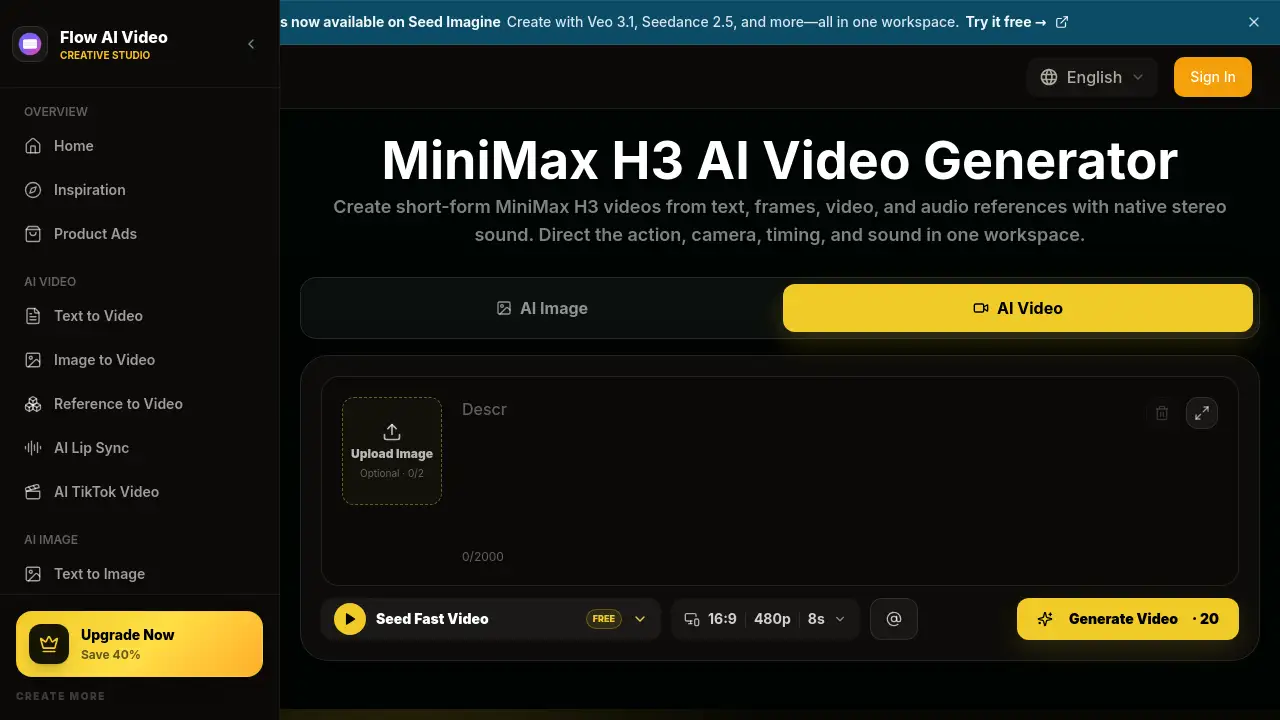
MiniMax H3 is an AI video generator that helps creators turn text, images, video, and audio references into 4–15 second clips with native stereo sound. Through Flow AI Video, users can write prompts, upload reference files, and generate short videos in one workspace. MiniMax H3 also offers optional 2K regeneration for higher-resolution output. This makes it useful for product ads, cinematic scenes, and social video concepts. The model supports several creation modes, including text to video, image to video, and reference to video. This review covers the features, use cases, pricing, and common questions about MiniMax H3.
What is minimax h3?
MiniMax H3 is a multimodal video generation model from MiniMax. It does not rely on text alone. Instead, MiniMax H3 can read reference images, video clips, and audio files to guide the final result. This makes it a strong option in the AI video generator space for creators who need control over subject, motion, camera, dialogue, and sound.
The main problem MiniMax H3 solves is that short video production often requires separate tools for writing, image generation, motion, and sound. MiniMax H3 combines these steps into one workflow. It also supports common formats like landscape, square, and vertical video, which makes it easier to plan content for different platforms.
Because it is available through Flow AI Video, users can compare MiniMax H3 with other AI video models and choose the best output for each task. The model is useful for independent creators, marketing teams, and post-production studios that need fast, consistent short-form clips.
Key Features of minimax h3
Multimodal Reference Input
MiniMax H3 accepts text prompts, first or last frames, reference images, reference video, and reference audio. This helps creators guide appearance, motion, camera direction, dialogue, and sound in one prompt. It is especially useful for reference-to-video workflows.
Native Stereo Audio Generation
The model creates native 32 kHz stereo audio, including dialogue, ambient sound, effects, and music. With MiniMax H3, sound and picture are generated together, so creators do not need to sync audio separately.
Optional 2K Regeneration
The base video is generated at 768p. When the motion, composition, and timing are ready, users can run MiniMax H3 Regenerate 2K with the same context. This gives teams a simple path from draft to final delivery.
4–15 Second Video Clips
MiniMax H3 generates clips from 4 to 15 seconds at 24 FPS. This length fits focused scenes, product shots, brand moments, and short social media content.
Flexible Aspect Ratios
Creators can generate video in 16:9, 1:1, 9:16, and other landscape, portrait, or ultrawide formats. This supports both text-to-video and image-to-video projects across different channels.
Open Weights, API, and ComfyUI Workflows
The released MiniMax H3 model components are available for research and local deployment. Developers can also connect to the official API or use supported ComfyUI workflows for custom video pipelines.
Use Cases for minimax h3
Product Ads and E-commerce Videos
Create product reveals, lifestyle shots, feature highlights, and UGC-style concepts for storefronts, social ads, and campaign pages. MiniMax H3 can help e-commerce teams move quickly from concept to video.
Brand Films and Commercials
Develop branded scenes, campaign concepts, launch videos, and commercial story beats with coordinated visuals and sound. The reference input options make it easier to keep brand elements consistent.
Short Films and Cinematic Scenes
Prototype opening shots, character moments, dialogue scenes, transitions, and trailers before full production. This saves time during early creative development.
Animated Posters and Motion Graphics
Turn campaign artwork, typography, key visuals, and graphic layouts into moving posters, title sequences, and social media animations. This is a useful way to repurpose static design assets.
Product Websites and UI/UX Demos
Visualize website interactions, interface transitions, app concepts, and design prototypes. MiniMax H3 can turn a simple prompt into a short product walkthrough without complex editing.
Game Trailers and Character Animation
Explore character reveals, environment shots, creature motion, game cinematics, and trailer-style concepts. Game teams can use MiniMax H3 to test ideas quickly before final production.
How to Use minimax h3
Follow these simple steps:
-
Choose a Video Generation Mode
Open Flow AI Video and select Text to Video, Image to Video, or Reference to Video. The mode depends on the inputs you need for the MiniMax H3 clip. -
Upload and Label Your Reference Files
Add images, video clips, or audio clips. Explain in the prompt whether each reference controls subject, style, motion, camera, voice, or sound. -
Write a Clear MiniMax H3 Video Prompt
Describe the subject, ordered action, camera movement, timing, visual style, dialogue, ambient sound, and music. Keep the instructions focused on one connected sequence of 4–15 seconds. -
Generate at 768p and Regenerate at 2K
Create the base video at 768p, review motion, identity, dialogue, audio, and continuity, then use the 2K regeneration stage when the base result works.
Target Audience for minimax h3
- Independent filmmakers who need quick motion tests
- Social media managers creating short vertical videos
- Advertising and branding teams building campaign concepts
- E-commerce sellers making product videos
- Game developers prototyping character animation
- UI/UX designers visualizing product demos
- AI researchers and developers using open weights or API
Is minimax h3 Free?
MiniMax H3 is available through Flow AI Video, which starts with free credits for testing. After that, paid plans include access to MiniMax H3 and other video models. The pricing table below shows the main options.
| Plan | Price | Features |
|---|---|---|
| Free Credits | $0 | Limited trial credits for testing MiniMax H3 and other model outputs |
| Basic | $19.9/month | 800 credits per month, up to 40 videos per month |
| Pro | $39.9/month | 2,000 credits per month, up to 200 videos per month |
| Enterprise | $99.9/month | 6,000 credits per month, up to 600 videos per month, commercial use license |
Annual billing can save 50% on selected plans. Users can also choose one-time or monthly options. For current pricing, check the Flow AI Video pricing page.
minimax h3's Pros and Cons
| Aspect | Pros | Cons |
|---|---|---|
| Pricing | Free credits and monthly plans available | Paid plans may be expensive for casual users |
| Features | Multimodal references, native stereo audio, 2K regeneration | Maximum video length is only 15 seconds |
| Ease of Use | Prompt-based workflow with templates and examples | Results depend on clear reference labels and prompts |
| Output Quality | 768p base with optional 2K, 24 FPS | 2K output requires an extra regeneration step |
Frequently Asked Questions about minimax h3
What is MiniMax H3?
MiniMax H3 is a multimodal AI video generator that turns text, images, video, and audio references into 4–15 second clips with native stereo sound. It can be used in Flow AI Video or through the official API and ComfyUI workflows.
How long are MiniMax H3 videos?
MiniMax H3 generates videos from 4 to 15 seconds at 24 FPS. This short format works well for product ads, character moments, cinematic scenes, and social media content.
Does MiniMax H3 support audio generation?
Yes, MiniMax H3 generates native 32 kHz stereo audio, including dialogue, ambient sound, effects, and music. Creators can describe the sound they want in the prompt or use reference audio.
Can I create 2K videos with MiniMax H3?
Yes, you can create a base 768p video first, then use the MiniMax H3 Regenerate 2K option to produce a higher-resolution version with the same context.
Is MiniMax H3 open source?
MiniMax has released model components, and the model is available through official API and supported ComfyUI workflows. This supports research, local deployment, and custom video pipelines. The exact license terms vary by version.
Does MiniMax H3 support vertical video?
Yes, MiniMax H3 supports multiple aspect ratios, including 16:9, 1:1, 9:16, and other landscape, portrait, and ultrawide formats.
minimax h3 Tags
MiniMax H3, AI video generator, text to video, image to video, reference to video, native stereo audio, 2K video, 4-15 second videos, ComfyUI, Flow AI Video, short video generator