Introduction
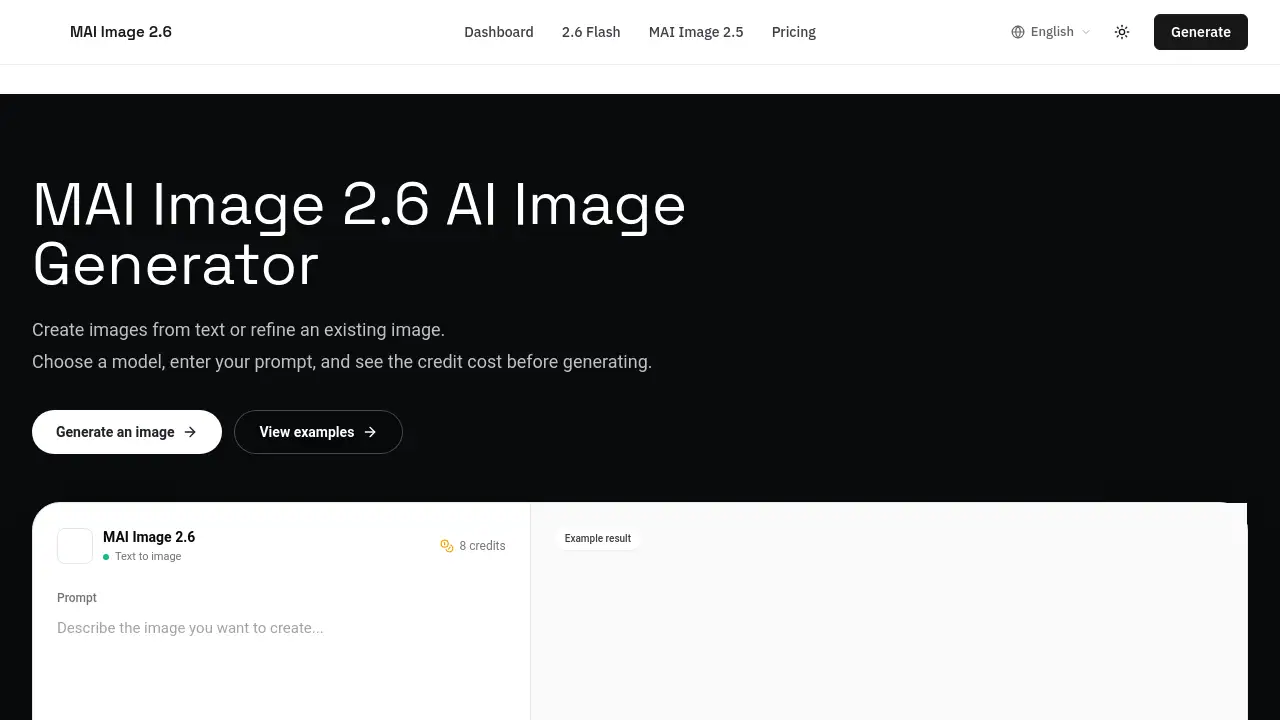
MAI Image 2.6 is an AI image generator that turns text prompts into ready-to-use images in an online workspace. It also supports editing an existing image through a browser. The tool shows a credit cost before each generation, so users can make informed decisions. Built for readable text, portraits, product shots, and 3D-style visuals, MAI Image 2.6 is designed for designers, marketers, and product teams who need a straightforward image generation workflow.
What is MAI Image 2.6?
MAI Image 2.6 is Microsoft’s latest MAI text-to-image model, available directly from an online generator. Users describe an image with a prompt, choose a model, and see an estimated credit cost before running the task. The system is especially useful for marketing stills, commercial product shots, posters with clear typography, and detailed portraits.
The main advantage of MAI Image 2.6 is quality. Compared with MAI Image 2.5, Microsoft’s launch materials report a notable improvement in overall Arena score and text rendering. Those figures come from a dated snapshot, so live ranking positions can change, but the product is clearly positioned as a quality-focused option. Users can also switch to MAI Image 2.6 Flash when speed matters, or use the previous-generation models 2.5 and 2.5 Pro when continuity fits a project better.
Key Features of MAI Image 2.6
Text-to-image generation
MAI Image 2.6 turns a structured text prompt into a full image. The tool handles subject, style, composition, lighting, and even readable on-image text in one run.
Image editing with reference images
Users can upload an image and describe what needs to change. The AI image generator produces an edited result, and the credit estimate updates for the edit workflow.
Model options with clear roles
Users can choose MAI Image 2.6 for polished output, Flash for fast drafts and high-volume work, and MAI Image 2.5 or 2.5 Pro for previous-generation continuity. This makes online image generation more flexible.
Credit cost estimates before generating
Every run shows an estimated credit cost before the user clicks Generate. Credit pricing depends on the selected model and whether an image is being edited or created from scratch.
Prompt help and examples
The dedicated prompt guide offers ready-to-use patterns. It demonstrates how to write prompts with readable text, clear composition, and commercial styling.
Account history and billing
Users can sign in to keep generation history and billing linked to their account. This simplifies tracking image AI usage over time.
Use Cases for MAI Image 2.6
Marketing stills and commercial visuals
Marketers can generate polished visuals directly from a creative brief. The model is suited for hero images, promotional artwork, and high-impact visual assets.
Product shots with editable references
E-commerce teams can upload an existing product photo and ask for a new background, lighting setup, or angle description. The image editing workflow keeps the original subject while changing the scene.
Posters and graphics with readable text
MAI Image 2.6 is built for stronger text rendering. Users can request short headlines or labels placed directly in the artwork, which is useful for posters, social media creatives, and advertising mockups.
Portraits and 3D-style frames
The tool supports portrait generation and 3D-style stills, making it a useful AI image generator for concept art, character reference, and product visualization.
Fast drafts and A/B tests
For rapid exploration, MAI Image 2.6 Flash allows teams to generate multiple image versions quickly. This is especially useful for testing different visual directions without spending too many credits.
How to Use MAI Image 2.6
Using MAI Image 2.6 online follows a simple process:
- Choose a model. Start with MAI Image 2.6 for quality. Pick Flash for faster runs, or choose 2.5 / 2.5 Pro for an older model.
- Write the prompt. Describe the subject, style, composition, lighting, and any text that should appear in the image. For edits, upload a reference image.
- Check the credit estimate. The page shows the estimated cost before generation. This gives users clearer control over usage.
- Generate and refine. Click Generate, review the result, and adjust the prompt when needed. Sign in to keep history and billing on the same account.
Target Audience for MAI Image 2.6
- Designers who need quick visual concepts
- Marketers creating promotional images and social content
- Product teams building e-commerce visuals
- Content creators who require images with readable text
- Businesses and freelancers using AI image generation at scale
- Developers interested in MAI Image 2.6 API workflows
Is MAI Image 2.6 Free?
Exact pricing is not fully listed on the product homepage. MAI Image 2.6 uses a credit-based system, and the cost depends on the selected model and whether an image is edited. Each run shares an estimated credit cost before generating, so users can decide whether to proceed.
The FAQ mentions that free usage follows the Terms of Service, while paid plans include commercial usage rights. Because the homepage does not provide a full pricing table, it is best to check the official Pricing page for current plans, credit packs, and license details. Users can also visit the Access & API page for workflow-specific information.
MAI Image 2.6's Pros and Cons
| Aspect | Pros | Cons |
|---|---|---|
| Model quality | Strong overall Arena snapshot score; placed No. 2 in Microsoft’s dated launch snapshot. | Live leaderboard position can change over time. |
| Text rendering | Improved text rendering versus MAI Image 2.5, useful for posters and commercial images. | Users should still write clear prompts and quote exact on-image text. |
| Cost transparency | Estimated credit cost appears before each run. | Exact pricing depends on model choice and edit workflow. |
| Model selection | MAI Image 2.6, Flash, 2.5, and 2.5 Pro cover different speed and quality needs. | Choosing the right model may require testing several options. |
Frequently Asked Questions about MAI Image 2.6
What is MAI Image 2.6?
MAI Image 2.6 is a Microsoft MAI text-to-image model that generates and edits images online. It is designed for marketing stills, product shots, portraits, 3D-style visuals, and images with readable text.
What is the difference between MAI Image 2.6 and Flash?
MAI Image 2.6 is the quality-focused default. It handles polished visuals and text-heavy images well. Flash is better when users need speed, rapid drafts, batch runs, or higher-volume output with good credit efficiency.
Can MAI Image 2.6 edit an existing image?
Yes. Users can upload a reference image and describe the desired change in the prompt. The AI image generator then produces an edited result, and the credit estimate updates based on the edit workflow.
How do credit costs work?
Each run shows an estimated credit cost before the user clicks Generate. The cost depends on the model, such as 2.6 or Flash, and on whether the image is edited. More details are available on the official Pricing page.
How should users write a good prompt?
A clear prompt should mention subject, style, composition, lighting, and any text that needs to appear in the image. For readable text, users should quote the exact wording and place it within the scene. The prompt guide on the site provides ready-made patterns.
Can outputs be used commercially?
Paid plans include commercial usage rights, as stated on the Pricing and Terms pages. Free usage follows the Terms of Service. Users should review those pages for current license conditions.
MAI Image 2.6 Tags
MAI Image 2.6, AI image generator, text-to-image model, online image generation, image editing AI, AI image editor with credits, MAI Image 2.6 Flash, AI image prompts, commercial AI image tool, MAI Image API, credit-based image generation, AI product shot generator