Introduction
Mobeera Office: AI-ready office suite for Apple devices.
What is Mobeera Office?
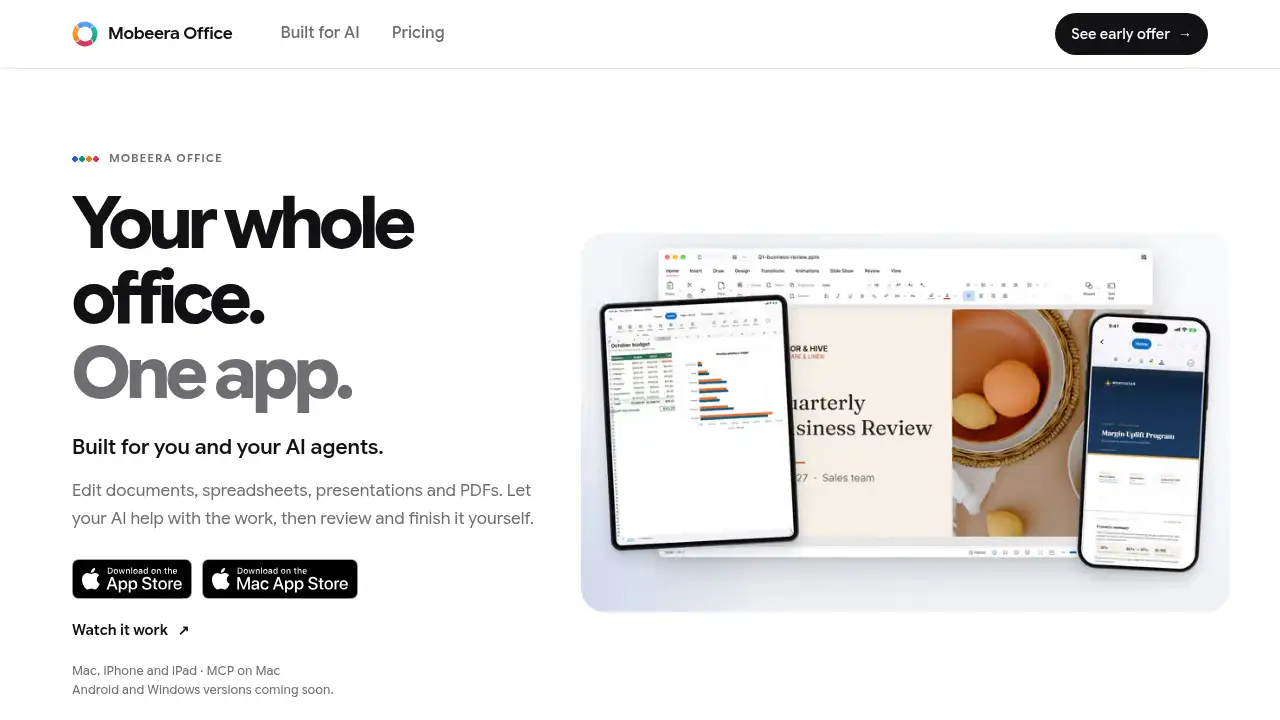
Mobeera Office is an office suite for Mac, iPhone, and iPad that combines document, spreadsheet, presentation, and PDF editing in one app. It is built for people who want to draft, edit, and review files on Apple devices without switching between separate tools. The product also supports AI help: users can connect an AI app through MCP on Mac or use AI Chat with their own API key. This makes Mobeera Office an AI office suite for Mac users who want practical assistance while keeping final review in their own hands. It opens and saves .docx, .xlsx, and .pptx files, and it works on PDFs alongside those formats. Mobeera Office matters because it offers a buy-once, own-it model for core editing tools, while AI services are billed separately by the provider. It is suitable for freelancers, small teams, students, and professionals who work mainly on Apple devices and want a simpler way to handle everyday files.
Key Features of Mobeera Office
Four Editors in One App
Mobeera Office includes document, spreadsheet, presentation, and PDF editors in a single workspace. Users can open, edit, and save common office files without jumping between apps.
AI Chat with Your Own API Key
Use AI Chat on Mac, iPhone, or iPad with your own API key to draft text, ask questions, or review content. The editors still work without AI, so the feature remains optional.
MCP Connections on Mac
Connect your AI through MCP on Mac to let it help with files while you review the changes. This feature is aimed at users who already have an AI workflow and want it closer to their office documents.
Microsoft Office File Support
Open, edit, and save Word, Excel, and PowerPoint files in Mobeera Office. Some formatting can differ, so users should check compatibility details for complex documents.
PDF Editing Alongside Office Files
Work on PDFs next to documents, spreadsheets, and presentations. This helps keep reading, editing, and review tasks in one AI-powered office app.
Buy Once, Own It
Purchase lifetime access for Mac, iPhone, and iPad with the same Apple account. AI subscription or API usage is billed separately by the provider.
Use Cases for Mobeera Office
Financial Models and Presentations
Build a financial model in a spreadsheet and update a matching presentation in Mobeera Office. Connect an AI through MCP on Mac, then review the changes and continue editing.
Document Review and Tracked Changes
Write, format, and review Word files with styles, tables, comments, and tracked changes. This suits users who need a document editor for Apple devices without leaving the app.
PDF Work Alongside Office Files
Read and edit PDFs while working on related documents or sheets. Mobeera Office keeps PDF tasks close to everyday office work on Mac, iPhone, and iPad.
Mobile Editing on iPhone and iPad
Draft or make quick edits on iPhone and iPad, then continue on Mac with the same Apple account. This makes Mobeera Office useful for people who move between devices.
AI-Assisted Drafting and Review
Use AI Chat with an API key to draft sections, summarize notes, or review files. Users stay in control and finish the work themselves.
How to Use Mobeera Office
- Install Mobeera Office on a Mac with Apple silicon and macOS 14 or later, or on an iPhone or iPad.
- Open or create documents, spreadsheets, presentations, and PDFs in the app.
- Connect an AI through MCP on Mac, or use AI Chat with your own API key on supported devices.
- Review AI suggestions and changes, then finish the formatting and content yourself.
- Save files in the supported format and continue editing across Apple devices with the same Apple account.
Target Audience for Mobeera Office
- Mac users who want a single AI office suite for Mac workflows.
- iPhone and iPad users who need a document editor for Apple devices.
- Freelancers and small teams that prefer a one-time purchase over recurring core app fees.
- Professionals who review Word, Excel, PowerPoint, and PDF files regularly.
- AI early adopters who use their own API key or MCP connections.
- Students and home users who need basic office editing on Apple devices.
Is Mobeera Office Free?
No free plan is stated in the reference information. The listed offer is an early price of US$19.99 paid once for lifetime access on Mac, iPhone, and iPad with the same Apple account. AI services are separate, so users may need their own API key or AI subscription. Check the official pricing page for current offer details.
| Plan | Price | Features |
|---|---|---|
| Early Access Lifetime License | US$19.99 one-time (current early price) | Lifetime access to document, spreadsheet, presentation, and PDF editors on Mac, iPhone, and iPad; AI services billed separately |
Mobeera Office's Pros and Cons
| Aspect | Pros | Cons |
|---|---|---|
| Pricing | One-time early price for lifetime access on Apple devices | AI usage is billed separately by the provider |
| Features | Four editors in one app with optional AI Chat and MCP on Mac | MCP connections are available on Mac only |
| Compatibility | Opens and saves .docx, .xlsx, and .pptx files and works with PDFs | Some formatting can differ in Office files |
| Platform | Works on Mac, iPhone, and iPad | Android and Windows versions are not yet available |
| AI use | Editors work without AI, so the core tools are optional | AI Chat requires an API key or separate AI service |
Frequently Asked Questions about Mobeera Office
What is Mobeera Office?
Mobeera Office is an office app for Mac, iPhone, and iPad with document, spreadsheet, presentation, and PDF editors. It also offers optional AI help through AI Chat and MCP on Mac.
Which devices support Mobeera Office?
Mobeera Office runs on Mac with Apple silicon and macOS 14 or later, plus iPhone and iPad. Android and Windows versions are listed as coming soon, and MCP connections are available on Mac.
Does Mobeera Office work with Word, Excel, and PowerPoint files?
Yes. Mobeera Office opens and saves .docx, .xlsx, and .pptx files. Some formatting can differ, so users should review compatibility notes for complex files.
Do I need AI to use Mobeera Office?
No. All four editors work on their own. AI is optional, and users can connect an AI app through MCP on Mac or use AI Chat with their own API key on Mac, iPhone, and iPad.
How does AI work in Mobeera Office?
Users can connect their AI through MCP on Mac or use AI Chat with their own API key. The AI can help draft, edit, or review work, but users should check the results and finish the files themselves.
Is Mobeera Office a one-time purchase?
The reference information lists a one-time early price of US$19.99 for lifetime access on Apple devices. AI subscription or API usage is separate, and pricing may change after the early offer.
Mobeera Office Tags
Mobeera Office, AI office suite for Mac, office suite for Apple devices, AI-powered document editor, PDF editor for Mac, Mac office app, iPhone office app, iPad office app, MCP office suite, Word Excel PowerPoint editor, one-time purchase office suite, AI document review