Introduction
Seed Audio 1.5 is an AI audio generation model.
What is Seed Audio 1.5?
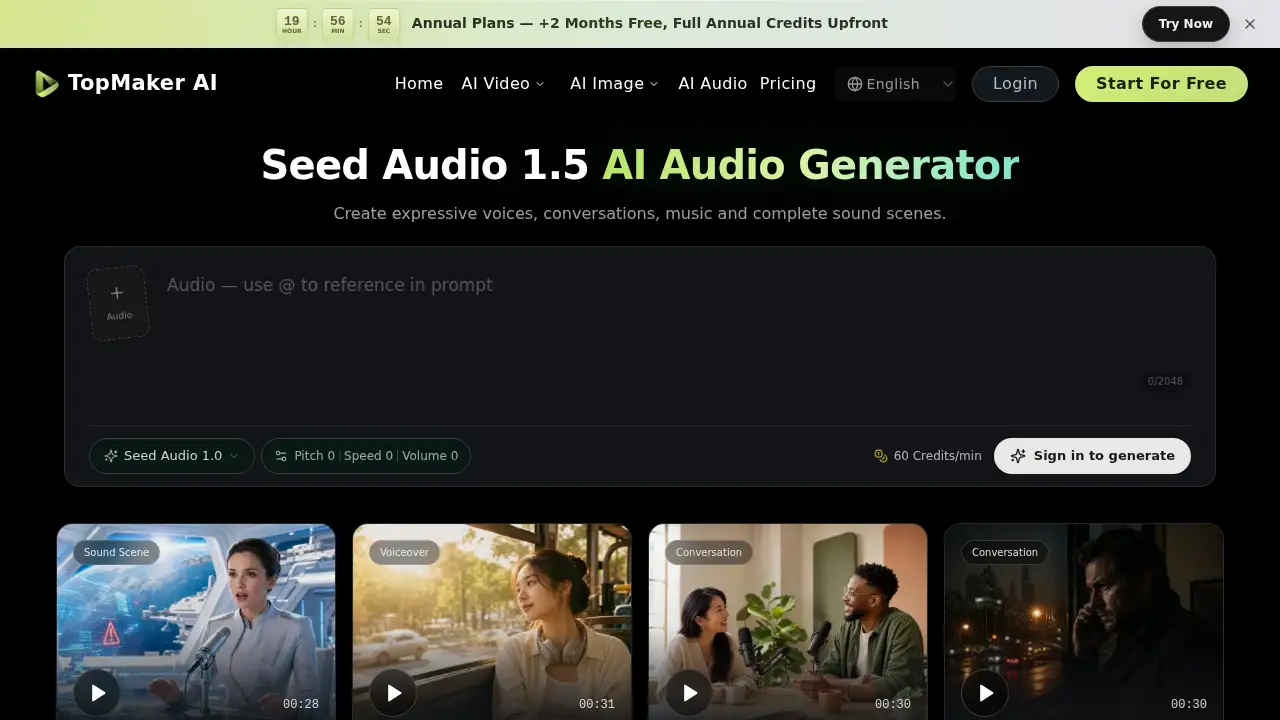
Seed Audio 1.5 is ByteDance's audio generation model designed to create expressive voices, conversations, music, sound effects, and complete sound scenes. It addresses a common creative problem: dialogue, ambience, effects, and music often come from separate tools and require manual assembly. Seed Audio 1.5 brings those layers into one generation workflow, with text, audio, and video inputs. It is suitable for creators who need AI audio generation for stories, podcasts, dubbing, and sound design. On TopMaker, version 1.5 is listed as coming soon; the current editor and examples use Seed Audio 1.0. TopMaker is an independent service and is not affiliated with or endorsed by ByteDance.
Key Features of Seed Audio 1.5
Complete Sound Scenes in One Generation
Generate dialogue, music, ambience, and sound effects together so each layer shares a consistent mood and direction. This supports AI sound scene creation without assembling every element from separate tools.
Up to Six Minutes of Audio
Create a scene up to six minutes long, giving conversations, narration, and soundscapes more room to develop. Longer output helps with podcast segments, audio drama, and layered sound design.
Six Audio References
Bring up to six reference recordings into a generation to guide voices and the overall sound of a scene. Audio references can help shape expressive voices and sonic direction.
30 Languages and Regional Variants
Use the model for dialogue, narration, and localization across 30 languages and regional variants. This broadens access for multilingual stories and AI dubbing projects.
Performance and Timestamp Control
Guide emotion, style, pace, laughter, sighs, and gasps with prompt instructions. Use timestamp cues to place dialogue, effects, and music at specific moments.
Separate Tracks for Editing
Work with separate dialogue, ambience, effects, and music tracks after generation. This gives editors more control over the final mix in their editing software.
Four Input Modes
Start with text, text plus audio, text plus video, or text plus audio plus video. Video input helps build dubbing and sound design around existing footage.
Use Cases for Seed Audio 1.5
Audio Stories and Drama
Build character conversations with expressive voices, music, and a sense of place. The model supports scene-based audio storytelling with layered sound.
Podcasts and Narration
Explore longer spoken scenes, reference-guided voices, and natural pacing. The six-minute generation limit can help with narration segments and interview-style dialogue.
Dubbing and Localization
Use existing footage as context and explore dialogue across multiple languages and regional variants. This makes the model relevant for AI dubbing and localization workflows.
Film and Game Sound Design
Sketch layered soundscapes, cue effects to a moment, and continue the edit with separate tracks. Sound designers can use the model for early audio concepts and scene building.
Video Soundtracks and Social Content
Generate dialogue, ambience, effects, and music around a video clip. Creators can shape a complete soundtrack before final editing.
How to Use Seed Audio 1.5
Seed Audio 1.5 is not yet integrated into TopMaker, so the workflow below describes the model's intended process. When it becomes available, users can expect a scene-based workflow.
- Set the scene: Write a script and describe the atmosphere, speakers, and sounds.
- Add references: Include reference recordings, a video clip, or both to guide voices and the sonic world.
- Direct the performance: Specify emotion, pace, and timestamp cues for dialogue, effects, and music.
- Generate the scene: Create a complete audio scene with dialogue, music, ambience, and effects.
- Shape the final edit: Move separate tracks into an editor to adjust balance, refine cues, or reshape the music.
Target Audience for Seed Audio 1.5
- Audio storytellers and podcasters
- Filmmakers and video editors
- Game audio designers and sound designers
- Dubbing and localization teams
- Social media creators and content marketers
- Multilingual creators exploring AI voice generation
Is Seed Audio 1.5 Free?
TopMaker offers one free trial generation. After that, further generations use credits. Pricing for Seed Audio 1.5 has not been confirmed, and the model is not yet integrated into TopMaker. The current workspace uses Seed Audio 1.0.
| Plan | Price | Features |
|---|---|---|
| Free trial | $0 | One trial generation on TopMaker |
| Credit-based use | Not listed | Further generations use credits; check the workspace for current pricing |
| Seed Audio 1.5 | Not confirmed | Coming soon; launch date and pricing are not yet announced |
Seed Audio 1.5's Pros and Cons
| Aspect | Pros | Cons |
|---|---|---|
| Output length | Up to six minutes per generation | Longer scenes may still need editing and refinement |
| Inputs and references | Text, audio, and video inputs; up to six references | Results can vary with prompt and reference quality |
| Sound control | Dialogue, music, ambience, effects, timestamps, and separate tracks | Separate tracks are listed for version 1.5, not the current 1.0 workspace |
| Language support | 30 languages and regional variants | Localization quality may vary by language |
| Availability | Clear upgrade over 1.0 on paper | Not yet integrated into TopMaker; launch date unconfirmed |
| Pricing | Free trial available on TopMaker | Credit pricing and version 1.5 pricing are not listed |
Frequently Asked Questions about Seed Audio 1.5
Is Seed Audio 1.5 available on TopMaker?
No. Seed Audio 1.5 is listed as coming soon. The current TopMaker editor and examples use Seed Audio 1.0, and the launch date for version 1.5 has not been confirmed.
What can it generate?
It can generate expressive voices, conversations, music, ambience, sound effects, and complete sound scenes. The model is designed for AI audio generation across storytelling, dubbing, podcasts, and sound design.
How long can one generation be?
The maximum generation length is up to six minutes. This is longer than Seed Audio 1.0, which supports up to two minutes per generation.
Can I use audio references or video clips?
Yes. The model supports text, text plus audio, text plus video, and text plus audio plus video. Up to six audio references can guide voices and sonic direction, while video can provide context for dubbing and sound design.
Does the model create separate tracks?
Version 1.5 is designed to provide separate dialogue, ambience, effects, and music tracks. These layers can support editing and final mixing. Separate tracks are not available in the current Seed Audio 1.0 workspace.
Is there a free trial?
TopMaker offers one free trial generation. After that, further generations use credits. Version 1.5 pricing and availability have not been confirmed, so users should check the workspace for current details.
Seed Audio 1.5 Tags
Seed Audio 1.5, Seed Audio 1.5 review, AI audio generation, text to audio, AI sound scenes, expressive voice generation, AI sound effects, AI music generation, six-minute audio, separate audio tracks, audio references, AI dubbing