Introduction
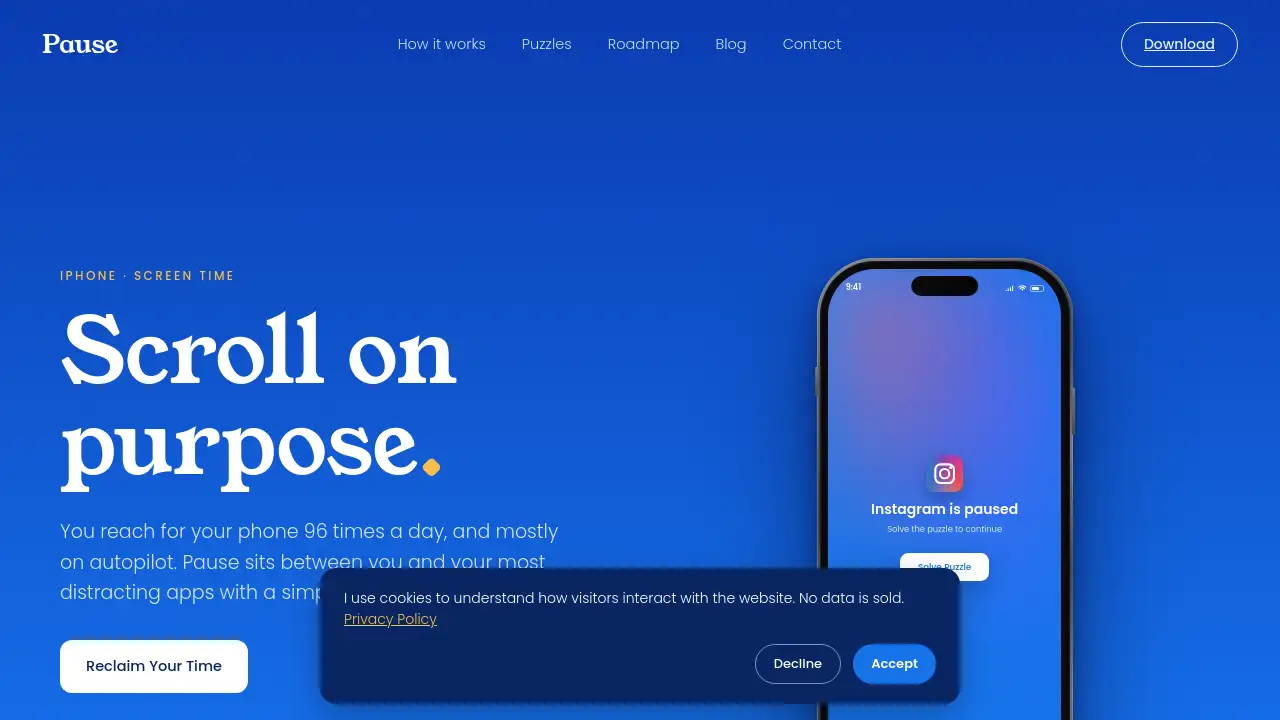
The Pause app is an iPhone screen time app designed to interrupt mindless scrolling before it starts. Instead of blocking Instagram, TikTok, or another distracting app outright, Pause asks you to solve a quick puzzle. That small pause gives you a real moment to choose whether you want to open the app. If you solve the puzzle, the app unlocks for fifteen minutes. When time is up, Pause returns, helping you turn an automatic reach for your phone into a more intentional decision.
What is Pause?
Pause is a mindful scrolling app for iPhone that sits between you and your most distracting apps. It is built for people who reach for social media, video apps, or websites on autopilot and want a simple barrier before the scroll begins. Rather than relying on willpower alone, Pause uses a short word puzzle to add friction at the exact moment of temptation.
The problem Pause solves is not just too much screen time. It is the reflex behind it. Many people open Instagram or TikTok without deciding to do so. Pause interrupts that reflex and gives the user a choice: solve the puzzle and continue, or close the phone and do something else. The app works with any app, category, or website chosen during setup, and it uses Apple’s Screen Time framework. Pause is iPhone-only for now, so Android users cannot use it yet.
Pause is suitable for students, remote workers, parents, creators, and anyone who feels pulled into doomscrolling. It matters because it does not treat distraction as a moral failure. It treats it as a habit that can be reshaped with a small, repeatable moment of intention. The Pause app also tracks progress, showing how many times users walked away, how much time they reclaimed, and their current streak.
Key Features of Pause
Puzzle-Based App Unlocking
Pause places a quick word puzzle before a paused app opens. Solving it unlocks the app for fifteen minutes, turning a reflex into a conscious choice.
Fifteen-Minute Access Windows
After solving the puzzle, the selected app stays open for fifteen minutes. When time is up, the pause returns automatically, so users can decide again whether more scrolling is worthwhile.
Nine Calming Puzzles
The premium version includes nine different puzzles, offering a different kind of calm for every reach. This variety helps the mindful scrolling experience feel less repetitive.
Custom App and Website Selection
Users choose which apps, categories, or websites to pause during setup. The list can be changed anytime from Settings, making Pause flexible for different routines.
Screen Time Insights
Pause shows how many times users walked away, how much screen time they reclaimed, and their streak. These insights help make digital wellbeing progress visible.
Privacy-First iPhone Design
Pause uses Apple’s Screen Time technology, and the apps chosen never leave the device. This privacy-focused approach matters for users who want an app blocker without extra data concerns.
Free and Premium Options
Pause offers a free, ad-supported version. A 7-day free trial of the premium version unlocks all nine puzzles and removes ads.
Use Cases for Pause
Reducing Social Media Doomscrolling
Pause helps when Instagram, TikTok, or other social apps become an automatic habit. The puzzle creates a moment to ask, “Do I actually want to scroll right now?”
Improving Focus at Work or Study
Students and remote workers can pause distracting apps during deep work sessions. The extra friction makes it easier to stay on task without permanently deleting apps.
Creating Mindful Evening Routines
Pause can support a calmer night by adding a barrier before bedtime scrolling. Users may solve the puzzle and continue, or they may simply close the phone and rest.
Building Digital Wellbeing Habits
Pause is not just about blocking apps. It is about noticing the impulse behind the open. Over time, the app can help users build stronger screen time awareness and more intentional phone use.
How to Use Pause
- Download Pause from the App Store on a compatible iPhone.
- During setup, choose the apps, categories, or websites you want to pause.
- When you try to open a paused app, solve the quick word puzzle.
- After solving it, the app unlocks for fifteen minutes.
- When the fifteen minutes end, the pause returns automatically. Solve another puzzle if you wish, or walk away.
Target Audience for Pause
- iPhone users who want to reduce mindless scrolling
- Students who need fewer distractions during study sessions
- Remote workers and professionals who want better focus
- Parents who want more control over their own screen time
- Anyone interested in digital wellbeing and mindful scrolling
- People who have tried iOS Screen Time but want a gentler, puzzle-based barrier
Is Pause Free?
Pause offers a free, ad-supported version. The premium version includes a 7-day free trial, unlocks all nine puzzles, and removes ads. Pricing for premium after the trial is not stated in the reference information, so users should check the official App Store listing for current details.
| Plan | Price | Features |
|---|---|---|
| Free | $0 | Ad-supported version of Pause |
| Premium | 7-day free trial; price not stated in reference | All nine puzzles, no ads |
Pause's Pros and Cons
| Aspect | Pros | Cons |
|---|---|---|
| Pricing | Free ad-supported version and a 7-day premium trial | Premium price after trial is not stated in reference |
| Platform | Built on Apple Screen Time for iPhone | Not available on Android yet |
| Approach | Adds puzzle friction instead of a hard block | Requires solving a puzzle each time |
| Features | Nine puzzles, 15-minute unlocks, screen time insights | All nine puzzles require premium |
| Privacy | Apps chosen never leave the device | iPhone-only limits the audience |
| Setup | Users choose apps, categories, or websites | Changing habits still takes personal effort |
Frequently Asked Questions about Pause
Is Pause free?
Yes. Pause offers a free, ad-supported version. There is also a 7-day free trial of the premium version, which unlocks all nine puzzles and removes ads.
Does Pause work on Android?
Not yet. Pause is built on Apple’s Screen Time technology, so the Pause app is iPhone-only for now.
How is Pause different from iOS Screen Time?
iOS Screen Time blocks an app behind a settings menu. Pause adds a small puzzle in the moment instead, so opening a paused app becomes a choice rather than a reflex.
Can I delete Pause and get my apps back instantly?
Yes. Removing Pause removes every restriction immediately. Nothing about the paused apps is permanently changed.
Which apps can I pause?
Any app, category, or website can be paused. Users choose during setup and can change the list anytime from Settings.
Is my data private?
Yes. Pause uses Apple’s Screen Time framework, and the apps chosen never leave the device.
Pause Tags
Pause app, iPhone screen time app, mindless scrolling app, app blocker puzzle, mindful scrolling, doomscrolling, social media blocker, digital wellbeing, screen time tracker, Instagram blocker, TikTok blocker, iPhone app