Introduction
Easily generate editable transcripts from any YouTube video using this AI-powered tool.
What is YouTube Transcript Generator?
The YouTube Transcript Generator is an online tool designed to convert the audio from YouTube videos into written text. It addresses the challenge of manually transcribing video content, a task that can be time-consuming and prone to errors. This tool is suitable for a wide range of users, including students, content creators, researchers, and professionals who need to work with video content more effectively. It matters because it streamlines the process of capturing information, making video content more accessible, searchable, and easier to repurpose for various needs. The ability to generate accurate transcripts, even from videos that lack subtitles, provides a significant advantage for anyone looking to save time and enhance their productivity when dealing with online video content.
Key Features of YouTube Transcript Generator
Transcribe Videos Without Subtitles
This feature allows the tool to generate a readable transcript from any public YouTube video, even if the creator has not enabled captions, ensuring all spoken content is captured.
Generate Timestamped Transcripts
The tool provides transcripts with clear timestamps, making it simple to locate and reference specific sections within a video for editing or research.
AI-Powered Accuracy
Leveraging artificial intelligence, the YouTube Transcript Generator delivers fast and accurate transcription, converting spoken words into clear, editable text.
Instant Summary Generation
Beyond full transcription, the AI can produce a concise summary that highlights the main points of the video, allowing for quick comprehension.
Free and Accessible
The tool is completely free to use and requires no downloads, software installation, or user account sign-up, making it instantly accessible to everyone.
Multiple Export Formats
Users can download the finished transcript in various formats, including TXT, SRT, and DOCX, for easy saving and reuse in different applications.
Use Cases for YouTube Transcript Generator
Creating Study Notes from Videos
Students can quickly convert educational lectures and tutorials into organized, timestamped notes and study guides for efficient learning.
Repurposing Video Content
Content creators and marketers can easily transcribe webinars and tutorials to create blog posts, articles, or social media content from the text.
Enhancing Research Efficiency
Researchers and analysts can extract specific information and quotes from lengthy video content using timestamped transcripts for accurate referencing.
Improving Language Learning
Language learners can read along with transcripts while listening to foreign language videos, improving both comprehension and vocabulary acquisition.
Streamlining Workflow for Teams
Professionals and teams can capture ideas from meetings or training videos and share the text for reports and collaborative projects.
How to Use YouTube Transcript Generator
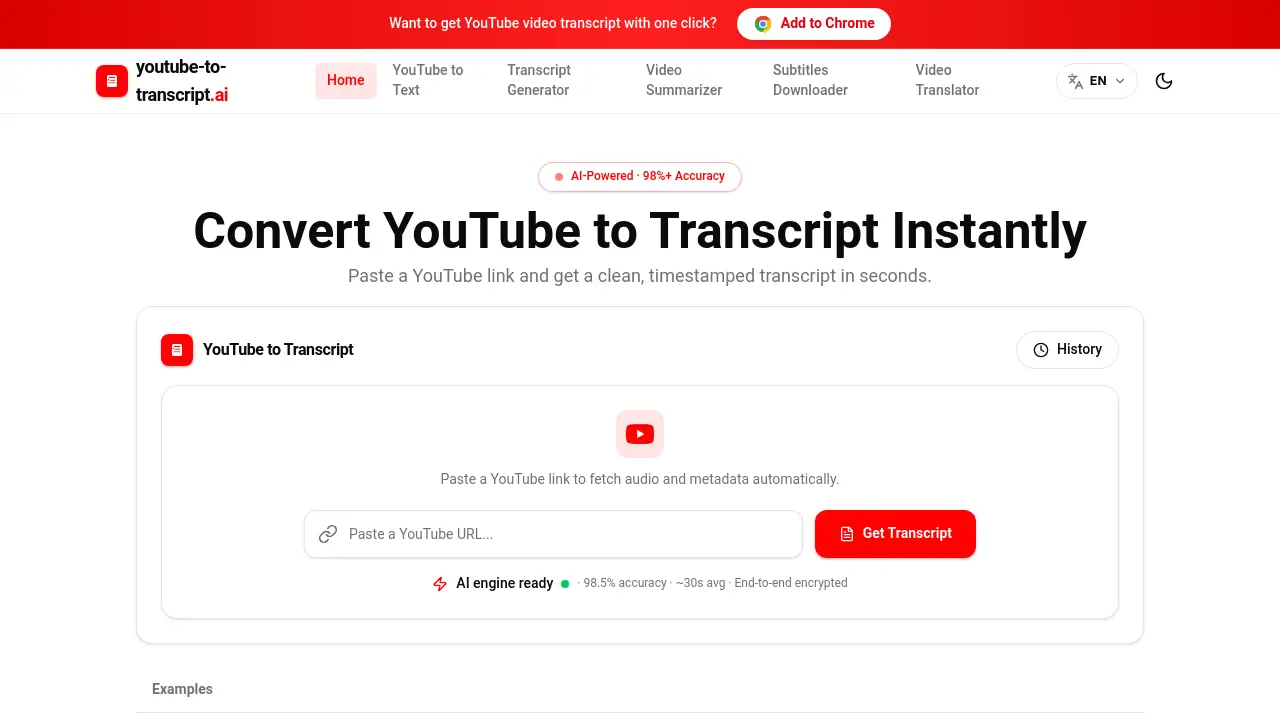
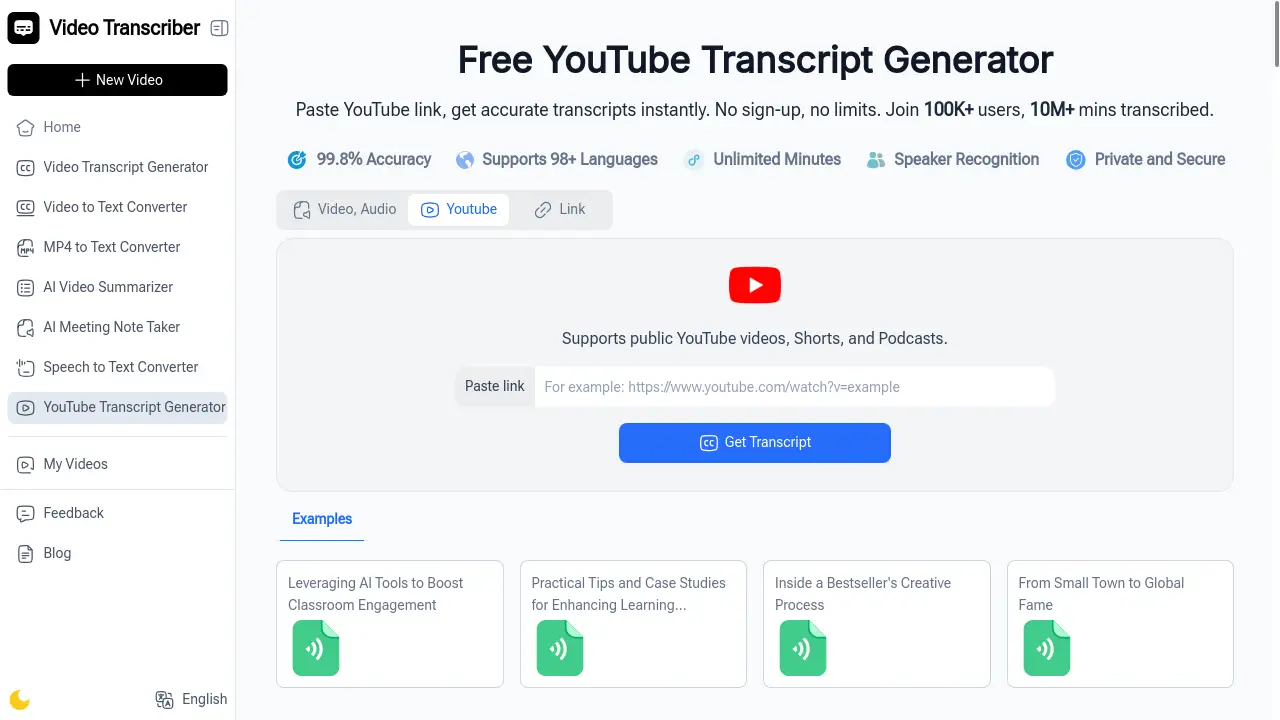
Using the YouTube Transcript Generator is a straightforward process that can be completed in three simple steps.
- Paste the YouTube Video Link: Copy the URL of the public YouTube video you wish to transcribe and paste it into the input field on the tool's website.
- Initiate AI Transcription: Click to start the process. The AI will automatically process the video and generate a transcript. The result is a readable text with timestamps, and optionally, a concise summary.
- Download and Use Your Transcript: Once the transcription is complete, you can copy the text or download it in your preferred format, such as a text file (TXT), subtitle file (SRT), or a Word document (DOCX).
Target Audience for YouTube Transcript Generator
- Students and Online Learners
- Content Creators, Bloggers, and Marketers
- Researchers and Academics
- Professionals and Business Teams
- Language Learners
- Freelance Writers and Journalists
Is YouTube Transcript Generator Free?
Yes, the YouTube Transcript Generator is completely free. It operates on a generous free plan that includes all its core features, such as transcribing videos without subtitles, generating timestamped transcripts, creating summaries, and exporting in multiple formats. There is no requirement for a login or subscription, making it an accessible and cost-effective video transcription tool for all users.
Frequently Asked Questions about YouTube Transcript Generator
How accurate is the transcription?
The transcription accuracy is high, powered by advanced AI trained to understand natural speech. Accuracy can be influenced by audio quality and speaker clarity, but it generally produces a highly usable and editable transcript.
Can it transcribe videos in any language?
The tool is designed to transcribe videos based on the language spoken in the audio. While it is highly effective with English content, its capability with other languages is continually improving.
Do I need to create an account to use it?
No, an account is not required. The YouTube Transcript Generator can be used immediately without any sign-up process, ensuring a quick and private user experience.
What video formats does it support?
The tool works directly with YouTube video links. As long as the video is publicly available on YouTube, it can be processed by this transcription tool.
What can I use the generated transcripts for?
Transcripts have many uses, including creating study notes, writing blog posts, generating subtitles, conducting research, and repurposing video content into various text-based formats.
Is there a limit on video length?
The tool is built to handle videos of standard lengths. For optimal performance, it is effective with typical YouTube content such as lectures, tutorials, and presentations.
YouTube Transcript Generator Tags
YouTube transcript, transcript generator, YouTube to text, video transcription, AI transcription, free transcript, timestamped transcript, YouTube subtitle generator, online video transcript, generate transcript, video to text converter, YouTube summary