Introduction
Krea 3 AI Image Editor: targeted edits, simple workflow.
What is Krea 3?
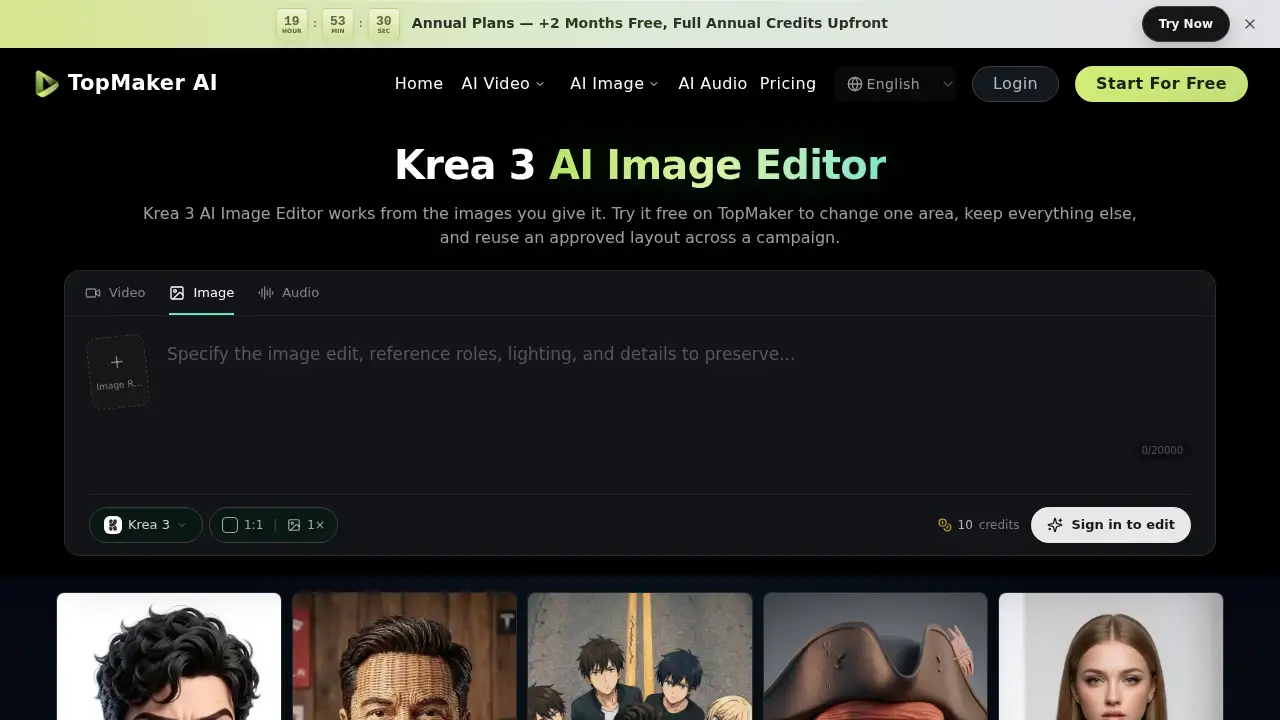
Krea 3 is an AI image editing model from Krea AI, also written as KREA 3, Krea 3.0, or krea3. Unlike prompt-only image tools, Krea 3 starts from images you already have and focuses on changing one area while keeping the product, person, and layout intact. It is available as the Krea 3 AI Image Editor on TopMaker, an independent platform that is not affiliated with Krea AI.
The model is built for practical editing work: product shots, room scenes, sketches, campaign layouts, and social posts. It solves a common problem in AI image editing: too many tools change the whole image when only a background, color, object, or headline needs to change. Krea 3 matters because it lets teams preserve approved details and make focused revisions with up to 8 images per request and output up to 2048×2048 pixels as PNG or JPEG.
Key Features of Krea 3
Targeted Image Edits
Request one specific change, such as a new background or scarf color, while naming the face, packaging, logo, or architecture to preserve. This makes Krea 3 useful for controlled AI image editor workflows where small changes must look consistent.
Multi-Image Reference Editing
Combine a starting shot with up to 7 references, then refer to them as to in the prompt. Krea 3 keeps each reference’s job separate, which helps with scale, perspective, and lighting checks.
Object Removal and Photo Cleanup
Name the object to remove and the surface that should show through, such as a floor or wall. Krea 3 is designed for object removal and photo cleanup while keeping shadows and surroundings natural.
Template-Based Campaign Design
Use one image as the approved layout and another as the replacement product. Krea 3 supports campaign design updates while keeping palette, typography, and layout hierarchy consistent.
Iterative Image Refinement
Make one focused revision per round and carry an approved result into the next edit. This approach helps trace changes to the subject, environment, or light without losing the original for comparison.
Composition and Format Adaptation
Describe the crop, subject placement, and space needed for a headline, then choose a supported output format. Krea 3 can help adapt an approved image for a 9:16 social post or another required composition.
Use Cases for Krea 3
E-Commerce Product Photo Editing
Turn a studio product shot into a new listing scene by specifying the shape, label, and finish to preserve. Product photo editing with Krea 3 can help sellers create new scenes without changing the actual item.
Brand Campaign Design
Keep campaign design consistent across launches, offers, and social posts by starting with an approved layout. Teams can replace the product or message while retaining the palette and spacing that tie a series together.
Social Media Template Editing
Upload an approved post as image 1 and a new product as image 2, then ask Krea 3 to keep margins and palette intact. This is useful for fast social variants that still look like the same campaign.
Independent Creative Exploration
Try a new outfit, poster edition, or illustration detail from an image you already like. Krea 3 helps creators compare each revision with the source before choosing a direction.
How to Use Krea 3
- Prepare the base image and references. Start with an image you want to use, then add up to 7 more references, such as fabric, an outfit, or a backdrop. TopMaker accepts up to 8 images per request, including the starting image.
- Define the change and what stays. Name each input by number, for example: “Place the bag from image 2 beside the woman in image 1, preserving her face, outfit, and lighting.”
- Choose composition and output settings. Select PNG or JPEG output at up to 2048×2048 pixels, and describe framing, light, and space for copy.
- Review the model and credit cost. Check that Krea 3 is selected and review the credit estimate before submitting the edit.
- Review and refine. Compare faces, labels, edges, and shadows with the source at full size, then save an approved result or request the next focused change.
Target Audience for Krea 3
- E-commerce sellers who need product photo editing and clean listing scenes
- Brand teams managing campaign design across launches and social posts
- Independent creators exploring controlled image variations
- Social media managers adapting approved layouts for different formats
- Designers who need multi-image reference editing in one workspace
Is Krea 3 Free?
Krea 3 can be tried on TopMaker with free credits. Each edit uses credits, and the cost is shown before submission. Paid options include buying more credits or subscribing when additional edits are needed. Exact prices may vary, so users should check the Krea 3 page on TopMaker for current credit costs and availability.
| Plan | Price | Features |
|---|---|---|
| Free trial | $0 with free credits | Try Krea 3; credit cost shown before each edit |
| Credit packs | Varies | Buy additional edits after free credits are used |
| Subscription | Varies | Ongoing access for frequent image editing workflows |
Krea 3's Pros and Cons
| Aspect | Pros | Cons |
|---|---|---|
| Editing focus | Changes one area while preserving product, person, and layout | Works best with a clear brief and clear preservation notes |
| Speed and cost | Krea lists it as 10× faster and 3× cheaper than comparable editing models, with published edits under 8 seconds at $0.06 per image | Actual TopMaker credit costs should be checked before each edit |
| References | Supports up to 8 images per request, including the starting image | Ordered references and numbered prompts require careful setup |
| Output | Renders up to 2048×2048 pixels as PNG or JPEG | Prompt-only generation is supported, but editing is its main strength |
| Platform | Available in the same workspace as other models on TopMaker | TopMaker is independent from Krea AI |
Frequently Asked Questions about Krea 3
What is the Krea 3 release date?
Krea 3 is now live on TopMaker AI. Users can upload images, describe the change, and review the credit cost before submitting an edit.
Is Krea 3 free?
Krea 3 can be tried with free credits on TopMaker. Each edit uses credits, and the cost is shown before submission. More credits or a subscription are available for additional edits.
Krea 3 vs Krea 2: what is the difference?
Krea 2 is described as a text-to-image model: a prompt or style reference goes in, and an image comes out. Krea 3 starts from existing images, changes one thing, and keeps the product, person, and layout in place.
How many reference images does Krea 3 support?
Krea 3 supports up to 8 images per request on TopMaker, including the starting image. Users should pass them in order and refer to them as to in the prompt.
Can Krea 3 generate images from scratch?
Krea 3 leads with editing and works best from a supplied image, though prompt-only generation is also supported. For straight prompt-to-image work on TopMaker, other models such as GPT Image 2 and Nano Banana are available for comparison.
Is TopMaker affiliated with Krea AI?
No. TopMaker is an independent platform and is not affiliated with or endorsed by Krea AI. Krea 3 is developed by Krea AI.
Krea 3 Tags
Krea 3, Krea 3 AI Image Editor, AI image editor, targeted image edits, multi-image reference editing, product photo editing, object removal, photo cleanup, campaign design, Krea AI image editor, Krea 3 prompts, TopMaker Krea 3